
 To Next Page
Р
РинатOct 13, 2026
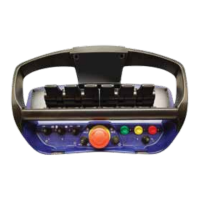
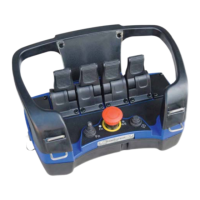
Здравствуйте, подскажите пожалуйста, сломался блок радио управления от этого пульта, он стоит на подземный торкрет машине, можно ли поставить похожий блок от подземной машины пдм или прошивка там разная?

Здравствуйте, подскажите пожалуйста, сломался блок радио управления от этого пульта, он стоит на подземный торкрет машине, можно ли поставить похожий блок от подземной машины пдм или прошивка там разная?
Scanreco Remote Control System RC400 G2B/G3B Service Manual, complementing the Instruction Manual for service and fault findings.
Document distribution rule: Internal - Only within own organization.
Manual complements crane/machine book for Scanreco RC 400 G2B/G3B, emphasizing safety and system operation.
Scanreco RC 400 G2B/G3B remote control system for hydraulically driven cranes; digital system with microprocessor technology.
Illustrations defining entities of the Portable Control Unit and how to activate it using the On-button and Stop-button.
Details standard analogue input assignments for MAXI and MINI platforms on the Central Unit, illustrated with diagrams.
Explains status indications for Central Unit G2B (external LEDs, LED-display) and G3B (LED-display).
Both PCU and CU have fault monitoring; errors interrupt commands. Errors are indicated by LED Status and LED-display.
Central Unit outputs are fault monitored. Errors trigger alerts via LED Status and display error codes on LED-display.
Radio communication is used as a bus link for data packages between transmitter and receiver, ensuring secure data transfer.
Radio quality determined by external status LED and first 7-segment on LED-display; irregular flashes indicate interruptions.
Diagnostics mode available to diagnose and manage the system, monitor LED-display for error codes, output characteristics and program information.
Step-by-step guide to activate diagnostics mode via PCU, involving battery removal, R/M switch, and toggle actions.
Allows viewing of current status for all analogue outputs, including lever assignments, output start/stop, and ramp values.
Explains Scanreco RC 400's comprehensive programming possibilities for system constructors, done via the Portable Control Unit.
Allows adjustment of lever movement direction (0 or 1). Indicates active output and its direction when a lever is actuated.
Adjusts start speed (1-100). Indicates active output and its corresponding start speed when lever is actuated.
Adjusts stop speed (1-100). Indicates active output and its corresponding speed when lever is actuated.
Enables internal self-test of PCU switches and levers without opening the unit. Beep signals confirm functionality.
Step-by-step guide to activate self-test mode using Stop-button and On-button sequence, confirming function with beep signals.
Explains the unique ID-code required for radio communication between PCU and CU, and how it can be overwritten.
Step-by-step guide for programming the ID-code via cable connection, including activation and verification steps.
Describes various standard cable kits for system configurations and valves/coils, typically two sets for power/digital and analogue functions.
 General
| Brand | Scanreco |
|---|---|
| Model | RC400 G3B |
| Category | Remote Control |
| Language | English |