What to do if the Scanreco RC 400 shows a digital output short circuit?
- MMichelle PriceAug 15, 2025
If there is a digital output short circuit, inspect the specified digital output for short circuits, as indicated by Block 2.

What to do if the Scanreco RC 400 shows a digital output short circuit?
If there is a digital output short circuit, inspect the specified digital output for short circuits, as indicated by Block 2.
What to do if the Scanreco RC 400 displays a DV output short circuit?
Inspect the DV output for short circuits.
What to do if the Scanreco Remote Control reports a checksum error?
If a checksum error occurs, check the integrity of the data and connection because Block 2 declares type.
What to do if the Scanreco Remote Control detects an analog output short circuit?
If an analog output short circuit is detected, inspect the specified analog output for short circuits, as indicated by Block 2.
What to do if the Scanreco RC 400 has an analog output error?
If there's an analog output error, inspect the specified analog output for errors, as indicated by Block 2.
What to do if the Scanreco Remote Control supply voltage is too low?
If the supply voltage is too low, ensure it is within the recommended range.
What to do if the Scanreco RC 400 supply voltage is too high?
If the supply voltage is too high, reduce it to the recommended level.
What to do if the Scanreco RC 400 Remote Control indicates an emergency stop failure during self-test?
Check the emergency stop switch and system functionality.
What to do if the Scanreco Remote Control experiences an analog output interruption?
If there is an analog output interruption, inspect the specified analog output for interruptions, as indicated by Block 2.
| Channels | Up to 16 |
|---|---|
| Battery Life | Up to 20 hours |
| Protection Rating | IP65 |
| Power Supply | Rechargeable battery |
| Range | Up to 100m |
| Frequency | 433-434 MHz |
| Operating Temperature | -20°C to +55°C |
Guidance for crane operators on essential chapters to read.
Guidance for installers on essential chapters to read.
Overview diagram of the Scanreco RC 400 remote control system components.
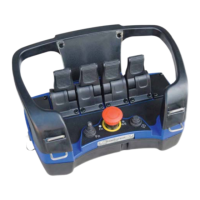
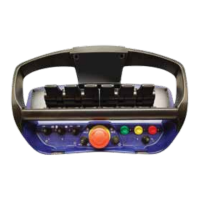
Detailed description of the portable control unit for various operation modes.
Explanation of proportional manoeuvre levers, their operation, and safety features.
Information on the emergency stop button, associated LEDs, and functions.
Explanation of the micro-speed function and how to adjust it via LEDs.
Description of how ON/OFF switches control various functions.
Details on the 3-core cable used for wired remote control operations.
Information on the opto fibre cable for safety-critical operations.
Description of the electronicbox, its enclosure, connections, and status LEDs.
Details on the dedicated emergency stop box for fixed mounting.
Information on the rechargeable battery pack, its capacity, and operation.
Instructions for the battery charger and the charging process.
Overview of the radio control system and its components.
Details on the radio transmitter, its operation, and channel changing.
Information about the radio receiver box, its connections, and indicators.
Key duties and checks for the crane driver before and during operation.
Step-by-step guide for operating the remote control system safely.
General guidance and procedures for installing the RC 400 system.
Recommendations for the correct installation and mounting of the electronicbox.
Guidelines for optimal placement and mounting of the radio receiver box.
Instructions for connecting required ON/OFF functions to the system.
Guidance on connecting the motor start and start lock circuits.
Procedure to reverse crane movement direction if set incorrectly.
Key technical specifications for system components like control unit and electronicbox.
Understanding LED indicators for a properly functioning system.
Essential initial troubleshooting steps to perform for common issues.
Interpreting LED error codes and recommended actions for troubleshooting.
Troubleshooting steps when the entire remote control system fails to operate.
Procedure to enter and use the internal test mode for the control unit.
Troubleshooting steps when the system works via cable but not radio.
Instructions and checks for repairing the 3-core control cable.
Steps for programming unique identity codes for radio communication.
List of individual spare parts for the portable control unit and control cables.
Spare parts for the electronicbox, radio transmitter, and receiver box.
List of spare parts for the battery charger unit and battery pack.
Explanation of the different authorization levels for system configuration.
Procedure to adjust the direction of crane movements.
How to adjust the start speed for manoeuvre valve ports.
How to reduce the maximum speed for specific functions.
Procedure to change the final speed for micro-speed control.
Setting individual delays for the start of movements.
Setting individual delays for the stop of movements.
Detailed description of the portable control unit's features and design.
Features for displaying crane data and warnings on the control unit.