EasyManua.ls Logo

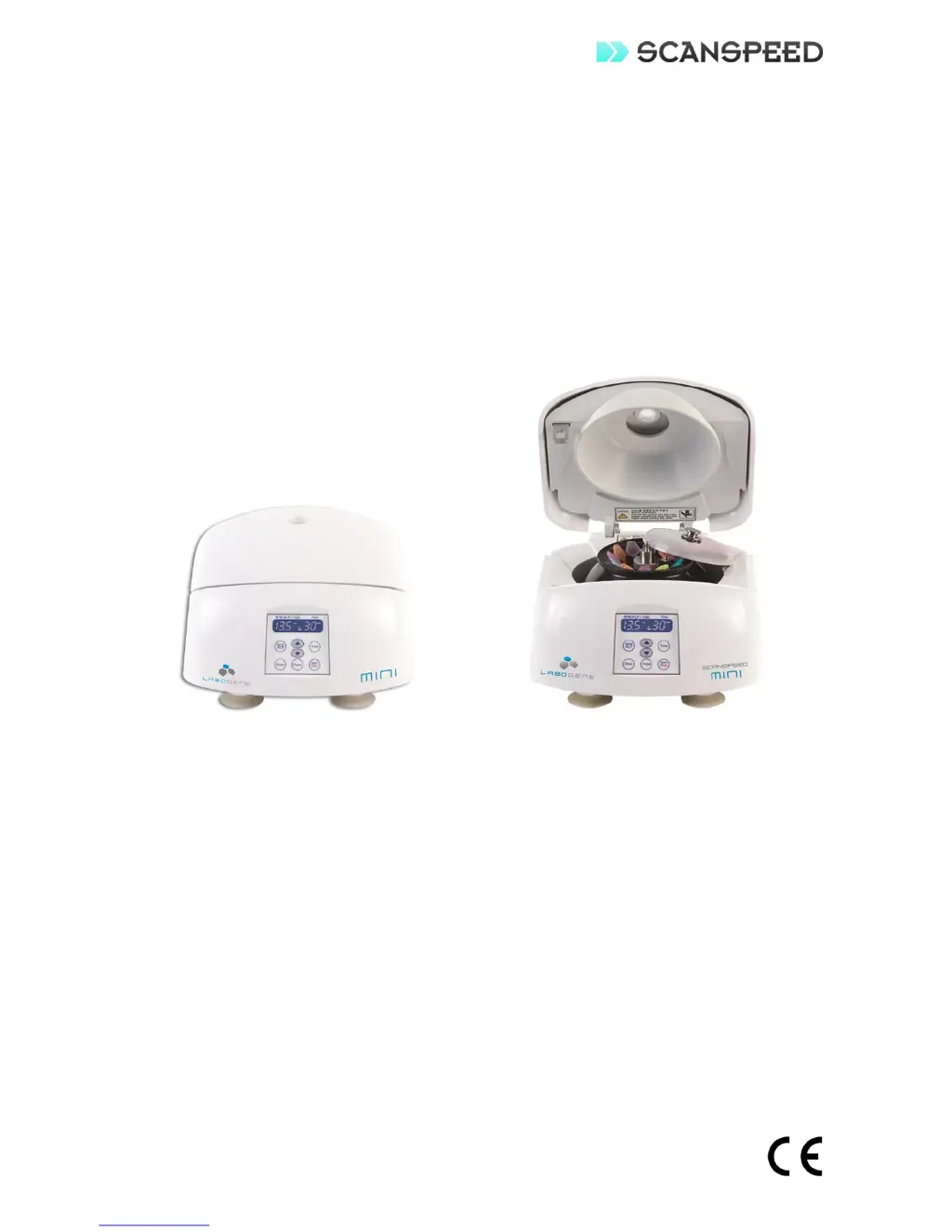
ScanSpeed Mini - User Manual

ScanSpeed Mini
17 pages
Print Icon
To Next Page IconTo Next Page
Loading...
Revision : 01
Date : 2013.03.05
Cat. No. : 9.900.900.730
INSTRUCTION MANUAL
PERSONAL MICRO CENTRIFUGE
ScanSpeed Model Mini

Other manuals for ScanSpeed Mini

Questions and Answers

  • V
    Valerie BraunAug 20, 2025
    What to do if I get an RPM Sensor Error on my ScanSpeed Laboratory Equipment?
    • D
      danielsrichardAug 20, 2025
      If you encounter an RPM Sensor Error with your ScanSpeed Laboratory Equipment, first, turn off the power. Then, carefully inspect the RPM sensor and its cable for any visible damage or loose connections. After checking, power the equipment back on to see if the error has been resolved. If the problem persists, it may be necessary to replace the RPM sensor assembly, as the sensor itself might be defective, the motor could be out of order, or the cable is not connected properly.
  • S
    samanthakirbyAug 22, 2025
    How to troubleshoot no display or power failure on ScanSpeed Mini Laboratory Equipment?
    • W
      Walter AndersonAug 22, 2025
      If your ScanSpeed Laboratory Equipment displays no power or the screen is blank, first, ensure the power cord is securely plugged into an appropriate power outlet. Then, try turning the power switch off and back on to reset the system. A temporary system error or incorrect power connection could be the cause.
  • A
    Andrew MillerAug 25, 2025
    What to do if ScanSpeed Laboratory Equipment shows error E8: Rotor Imbalance?
    • C
      Colin ReedAug 25, 2025
      If your ScanSpeed Laboratory Equipment shows error E8: Rotor Imbalance, ensure the instrument is on a flat, level, and vibration-free surface. Also, check that samples are evenly weighted and distributed symmetrically around the center of rotation, and the rotor is securely attached to the shaft. A temporary system error or incorrect placement of the instrument can cause this error.
  • E
    Elizabeth AlvaradoAug 26, 2025
    What to do if ScanSpeed Mini Laboratory Equipment displays error E9: Rotor recognition error?
    • T
      Trevor MedinaAug 26, 2025
      If your ScanSpeed Laboratory Equipment displays error E9: Rotor recognition error, ensure the rotor is installed correctly as instructed in the manual and is properly aligned. Also, verify that you have installed the appropriate rotor for your application. A temporary system error or incorrect rotor installation could be the cause.
  • S
    Stephen RomeroAug 27, 2025
    What to do if ScanSpeed Mini operation cannot start?
    • M
      Michael BeckAug 28, 2025
      If your ScanSpeed Laboratory Equipment doesn't start, make sure the door is completely closed by pressing it down firmly until the latch handle is fully retracted. If this doesn't work, turn the power off and back on to reset the system. The issue could be due to a rotor recognition or sensor error, or the door not being closed properly.
  • J
    Joshua VasquezAug 30, 2025
    Why is my ScanSpeed Mini Laboratory Equipment vibrating excessively or making unusual noise?
    • J
      James PerryAug 30, 2025
      If your ScanSpeed Laboratory Equipment is vibrating excessively or making unusual noises, the rotor may not be balanced. If you encounter this issue, address the rotor balance by performing the recommended corrective action as listed in E8.
  • L
    Lisa EvansSep 1, 2025
    What to do if the door does not open on ScanSpeed Mini?
    • M
      Mary WrightSep 1, 2025
      If the door on your ScanSpeed Laboratory Equipment won't open, try turning the power off and back on to reset the system. This issue might occur due to a door switch or sensor error, or the door latch not operating properly.
  • C
    Christopher CamachoSep 2, 2025
    What to do if the door does not close on ScanSpeed Mini Laboratory Equipment?
    • M
      mariehansenSep 2, 2025
      If the door on your ScanSpeed Laboratory Equipment won't close, try turning the power off and back on to reset the system. This problem can be caused by a door switch or sensor error, or if the door latch is not operating correctly.
  • L
    Lisa OwensSep 4, 2025
    What to do if ScanSpeed Laboratory Equipment displays error E3: Motor Overheated?
    • C
      Christy McguireSep 4, 2025
      If your ScanSpeed Laboratory Equipment displays error E3: Motor Overheated, first, check the ventilation inlet opening and clear any obstructions to ensure proper airflow. Then, turn off the power and allow the motor to cool down for about an hour with the door open before turning it back on. This error may occur if the ventilation is blocked, preventing proper cooling.
  • K
    Kristin LarsonSep 7, 2025
    What to do if ScanSpeed Mini Laboratory Equipment shows error E6: Overspeed?
    • S
      Stephanie BrownSep 7, 2025
      If your ScanSpeed Laboratory Equipment shows error E6: Overspeed, try turning the power switch off and back on to reset the system. This error may be caused by a temporary system issue.

Summary

Symbols Used in Manual

Note Symbol

Used to direct attention to a special item.

Warning Symbol

Used in case of danger of serious accident or lethal injury.

Precautions

General Safety Precautions

Critical safety rules to follow during operation and maintenance.

Handling Biohazardous Materials

Guidelines for Risk Group II materials as per WHO.

Product Features

Specifications

Package Contents

Physical Description

Front Control Panel Description

Installation

Installation Safety Warnings

Safety regulations for operating space and ventilation.

Shipping Damage Claims

Claims for shipping damage must be filed within 48 hours.

Power Supply Verification

Verify power supply matches electrical requirements.

Operation

Operational Safety Warnings

Safety checks and procedures before and during operation.

Speed Adjustment for Density

Reduce speed for solutions with density > 1.2 g/ml.

Parameter Adjustment

How to set Speed/Force and Time parameters.

Parameter Adjustment During Use

Parameters can be adjusted during centrifugation.

Door Latched Operation

Instrument requires proper door latching to operate.

Automatic Door Opening

Door opens automatically upon run completion.

Emergency Door Opening

Manual door opening with Emergency Door Open function.

Maintenance and Care

Maintenance Safety Precautions

Safety precautions for cleaning and maintenance.

Rotor Maintenance

Procedures for cleaning and inspecting the rotor.

Centrifuge Body Cleaning

Cleaning procedures for the centrifuge body and chamber.

Transport Guidelines

Guidelines for safe transportation of the instrument.

Return Procedures

Procedures and requirements for returning the unit.

Decontamination Certificate

Certificate of Decontamination is required for returns.

Troubleshooting

Door Lock Failure (Emergency Door Open Function)

Procedure for manually opening the door during power failure or malfunction.

Order Information

Spare Parts

Warranty

Appendix - Allowable Maximum Speed

Appendix - RPM to RCF Conversion

ScanSpeed Mini Specifications

General IconGeneral
BrandScanSpeed
ModelMini
CategoryLaboratory Equipment
LanguageEnglish