EasyManua.ls Logo

Scantronic i-on10 - User Manual

Scantronic i-on10
8 pages
Print Icon
To Next Page IconTo Next Page
Loading...
Scantronic
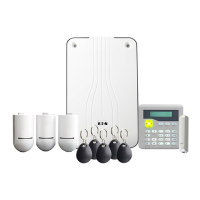
i-on Security System User Guide
For i-on10, i-on30R+, i-on40H+, i-onG2SM and i-onG3MM
About this guide
Thank you for choosing an i-on
alarm system – one of the most
advanced and trusted products
available today to protect people
and property.
This guide provides an
introduction to i-on alarm systems
for users. It describes the main
components, the key features and
how to carry out typical day-to-
day tasks.
If you need additional
information, including details of
the options in the User menu,
please refer to the
Administration
and User Manual
. This and other
publications referred to in this
guide are available from the
Scantronic web site.
Note: Some features described in
this guide may not be available,
depending on configuration.
Please ask your installer if you
would like them to be available.
About i-on alarm
systems
i-on alarm systems are suitable
for domestic and commercial
properties. All systems support
the use of radio (wireless) and
wireless detectors (i-on30R+
requires a wired expander).
The maximum number of
detectors (zones) your system
can use is dependent on the
panel you have selected – please
contact your installer if you need
to know this information.
Contents
About this guide ............. 1
About i-on alarm systems
..... 1
System components
.......... 2
Control unit .......................... 2
Keypads
............................. 2
Detectors
............................ 2
Scantronic SecureConnect™
............ 3
Proximity tags
........................ 3
Internal radio sounders
................ 3
External sirens
....................... 3
Network cameras
..................... 3
Remote controls
...................... 3
Hold-up alarm transmitters
............. 3
Output devices
....................... 3
Operational features .......... 4
Comprehensive set/unset flexibility ...... 4
Alarm communication
................. 4
User options
......................... 4
Users and user types
.................. 4
HUA/panic alarms
.................... 4
Full logging
.......................... 4
Test options
......................... 5
Installer remote access
................ 5
Jamming and tamper monitoring
....... 5
Using the system ............ 5
Keypad keys ......................... 5
About the standby screen
.............. 6
Setting the system
.................... 6
Unsetting the system
.................. 6
Managing alarms
..................... 7
Managing alerts
...................... 7
Accessing the User menu
.............. 8
Omitting zones
....................... 8
Question and Answer IconNeed help?

Do you have a question about the Scantronic i-on10 and is the answer not in the manual?

Summary

System Components Overview

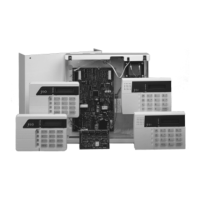
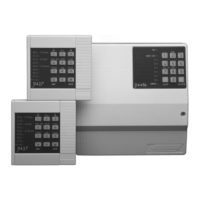
Control Unit

The main processing unit of the alarm system, typically located out of sight.

Keypads

Provide the main means of operating the system, setting/unsetting, and acknowledging alarms.

Detectors

Devices that detect alarm conditions, connecting wirelessly or via physical wire.

Scantronic SecureConnect App

An app allowing remote monitoring and control of the alarm system over the internet.

Proximity Tags

Unique tags for users to easily set or unset the system without remembering access codes.

Internal Radio Sounders

Used in areas out of keypad audio range to signal alarms and tones.

External Sirens

Mounted externally for deterrence, featuring powerful sounders and strobes.

Network Cameras

Allow the control unit to record images when an alarm occurs, viewable remotely.

Remote Controls

Portable devices for users to set or unset the system and operate output devices remotely.

Hold-up Alarm Transmitters

Small portable devices, also known as Panic Alarms, to initiate a hold-up alarm.

Output Devices

External devices like lights or heating systems that can be switched on/off by the alarm system.

Operational Features

Set;Unset Flexibility

Options for configuring system setting/unsetting procedures to match specific user requirements.

Alarm Communication

How the system signals alarms externally via sounders, keypads, or communication channels.

User Options

Access to a User menu for managing users, omitting zones, viewing logs, and system tests.

Users and User Types

Ability to define multiple users with unique credentials and assign privilege levels (e.g., Admin).

Hold-Up Alarms

Functionality to generate a Hold-Up Alarm (HUA) or panic alarm from various inputs.

Full Logging

The control unit logs all actions, alarms, and alerts, which can be reviewed via the User menu.

Using the System

Keypad Keys Guide

Explanation of the functions for various keys on a typical alarm system keypad.

Standby Screen

Description of the information displayed on the keypad when the system is idle.

Setting the System

Procedure for readying the system, including entry codes, proximity tags, and setting options.

Unsetting the System

Steps to disarm the alarm system, typically involving entry routes and access codes/tags.

Managing Alarms and Alerts

Managing Alarms

Procedure to silence, acknowledge, and reset an active alarm condition safely.

Managing Alerts

How to view and acknowledge non-intrusion events like low battery or communication faults.

User Menu and Zone Management

Accessing the User Menu

Steps to navigate the User menu for options like omitting zones and viewing logs.

Omitting Zones

Procedure to temporarily exclude specific zones from triggering an alarm when the system is set.

Scantronic i-on10 Specifications

General IconGeneral
System TypeHybrid
Zones10
KeypadsUp to 4
Users10
Areas1
Event Log250 events
CommunicationPSTN, GSM
Power Supply230V AC
Battery Life12 hours
CompatibilityEaton radio devices
InstallationProfessional

Related product manuals