- 19 -
www.SCEPTRE.com
SCEPTRE C27 Display User Manual
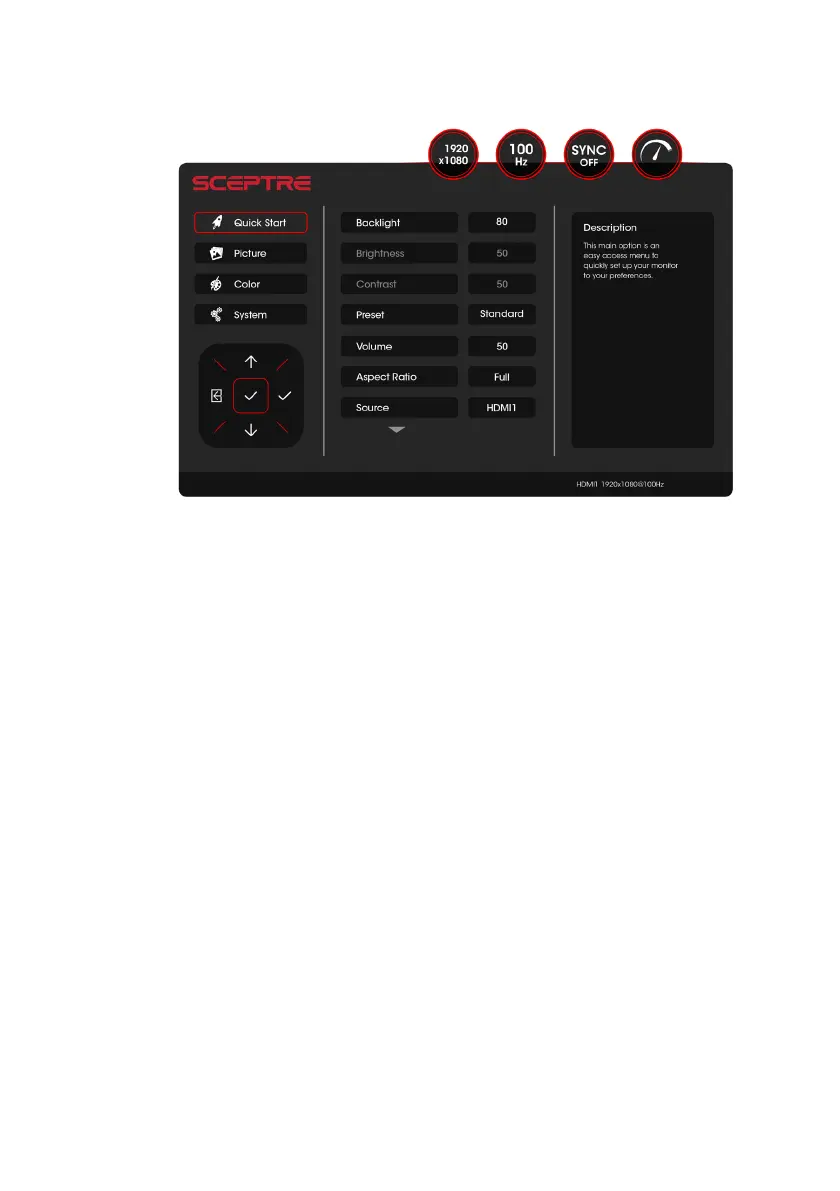
QUICK START
Quick Start offers users a variety of often adjusted options for users.
1. BACKLIGHT – This option adjusts the luminosity of the display.
2. BRIGHTNESS – This option adjusts and controls the detail in bright colors.
3. CONTRAST – This option adjusts and controls the detail in dark colors.
4. PRESET – Preset values that adjust color accordingly to your purpose of use.
Only USER mode will allow the user to adjust options freely.
a. STANDARD – This display mode is for regular users.
b. USER – This display mode allows you to adjust contrast and brightness
manually.
c. MOVIE – This display mode is for playing movies.
d. ECO – This display mode is for power saving.
e. FPS – This display mode is for playing first person shooter games.
f. RTS – This display mode is for playing real time strategy games.
5. VOLUME – This option adjusts the loudness of the monitor speakers.
6. ASPECT RATIO – This option adjusts the display's ratio of width and height.
a. FULL – This option automatically stretches any picture to the full screen
regardless of picture proportion.
b. 4:3 – This option forces any resolution to a 4:3 square format.
7. SOURCE – Selects which input device is to be displayed on the monitor.


 To Next Page
 Loading...