Ohne weiteres können Sie
auch
ein Zweifarbenband einsetzen.
z. B. schwarz/rot.
Setzen Sie das Band
so
ein,
daß
die schwar-
ze
Hälfte
nach
oben kommt.
Mit
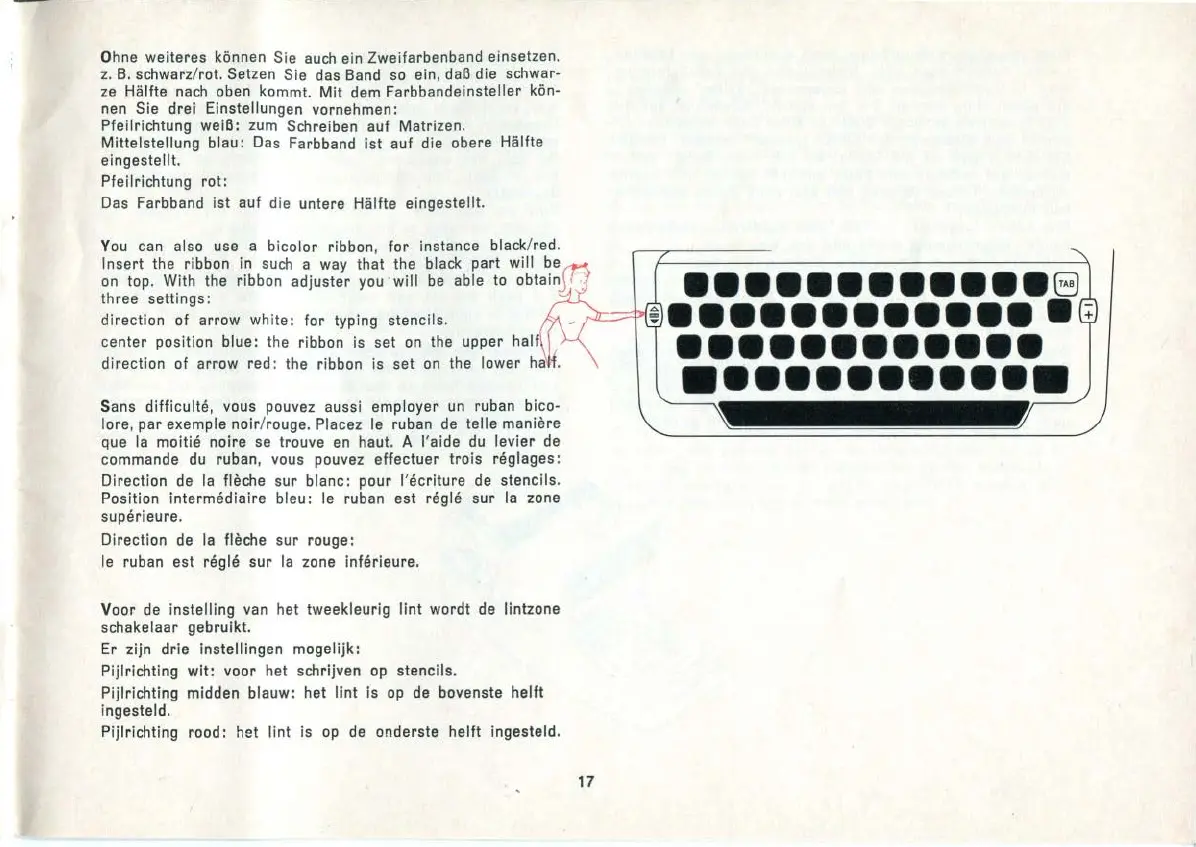
dem Farbbandeinsteller kön-
nen Sie drei Einstellungen vornehmen:
Pfeilrichtung weiß:
zum
Schreiben auf Matrizen.
Mittelstellung blau : Das Farbband ist auf die obere Hälfte
eingestellt.
Pfeilrichtung
rot:
Das Farbband ist auf die untere Hälfte eingestellt.
You
can also use a
bicolor
ribbon,
for
instance black/red .
Insert the ribbon in
such
a way that the bl
ack
part will
be
on
top. With the ribbon adjuster you ' will
be
able
to
obtain
three settings:
direction of arrow white:
for
typing stencils.
center position blue: the ribbon is set
on
the upper
direction of arrow red : the ribbon is set
on
the lower
Sans difficulte, vous pouvez aussi employer
un
ruban bico-
lore, par exemple
noir
/ rouge. Placez le ruban
de
teilemaniere
que
Ia
moitie noire
se
trouve
en
haut. A l'aide
du
levier
de
commande
du
ruban, vous pouvez effectuer
trois
reglages:
Direction
de
Ia
fleche sur blanc: pour
l'ecriture
de
stencils.
Position
Intermediaire bleu: le ruban est regle sur
Ia
zone
superieure.
Direction
de
Ia
fleche sur rouge:
le
ruban est regle sur
Ia
zone inferieure.
Voor
de
instelling van het tweekleurig
lint
wordt
de
lintzone
schakelaar gebruikt.
Er zijn drie instellingen mogelijk:
Pijlrichting
wit:
voor het schrijven
op
stencils.
Pijlrichting midden blauw: het
lint
is
op
de
bovenste
helft
ingesteld.
Pijlrichting rood: het
lint
is
op
de
onderste
helft
ingesteld.
17
••••••••••••
8
•••••••••••••
••••••••••••
••••••••••••


 To Next Page