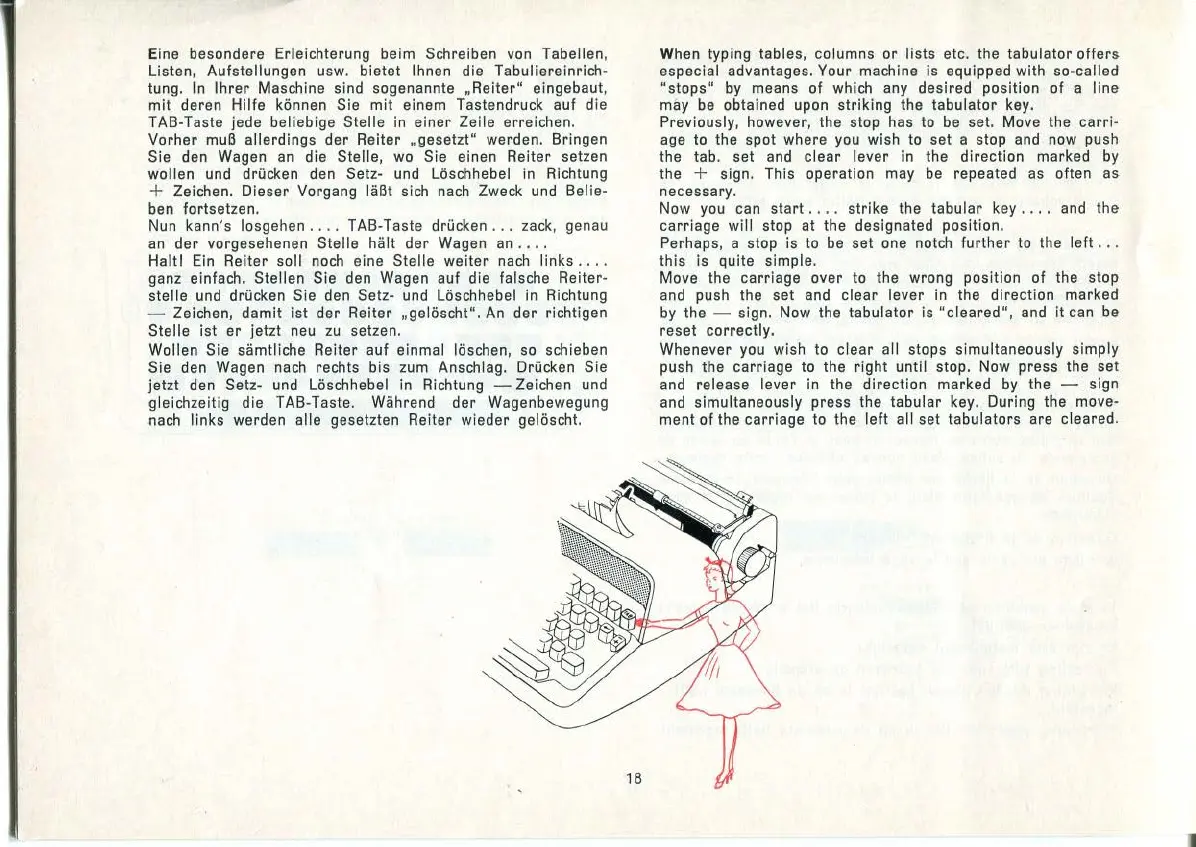
Eine besondere Erleichterung beim Schreiben von Tabellen,
Listen, Aufstellungen usw. bietet Ihnen die Tabuliereinrich-
tung. ln
Ihrer
Maschine sind sogenannte
"Reiter"
eingebaut,
mit
deren Hilfe können Sie
mit
einem Tastendruck auf die
TAB-Taste jede
be
liebige Stelle in einer Zeile erreichen.
Vorher muß
allerdings der Reiter "gesetzt" werden. Bringen
Sie den Wagen
an
die Stelle, wo Sie einen Reiter setzen
wollen und drücken den Setz- und Löschhebel in Richtung
+ Zeichen. Dieser Vorgang läßt sich
nach
Zweck und Belie-
ben fortsetzen.
Nun kann's
losgehen
...
. TAB-Taste drücken
...
zack, genau
an
der vorgesehenen Stelle hält der Wagen
an
....
Haiti
Ein Reiter soll noch eine Stelle
weiter
nach links
...
.
ganz einfach.
Stellen Sie den Wagen auf die falsche Reiter-
stelle
und drücken Sie den Setz- und Löschhebel in Richtung
- Zeichen,
damit
ist der Reiter " gelöscht".
An
der richtigen
Stelle
ist
er
jetzt neu
zu
setzen.
Wollen Sie sämtliche Reiter auf einmal löschen,
so
schieben
Sie den Wagen
nach
rechts bis zum Anschlag. Drücken Sie
jetzt den Setz- und
Löschhebel in Richtung
-Zeichen
und
gleichzeitig die TAB-Taste. Während der Wagenbewegung
nach
links werden alle gesetzten Reiter wieder gelöscht.
When typing tables, columns
or
lists
etc. the tabulator
offers
especial advantages. Your machine is equipped with so-called
"stops"
by means
of
which any desired position
of
a line
may
be
obtained upon
striking
the
tabulator
key.
Previously, however, the stop has to
be
set. Move the
carr
i-
age to the spot where you wi
sh
to set a stop and now push
the tab. set and
clear Iever in the direction marked by
the
+ sign. This operation may
be
repeated
as
often as
necessary.
Now you can start .
..
. strike the tabular key
....
and
the
carriage
will
stop at the designated position.
Perhaps, a stop is to
be
set one notch
further
to the left . . .
this is quite
simple.
Move the carriage over to the wrong position
of
the stop
and push the set and
clear Iever in the direction marked
by
the - sign. Now the tabulator is
"cleared",
and
it
can be
reset
correctly.
Whenever you wish to clear all stops simultaneously simply
push the carriage to the
right
until stop. Now press the set
and
release Iever in the direction marked by the - sign
and
simultaneously press the tabular key. During the move-
ment
of
the carriage to the left all set tabulators are cleared.


 To Next Page