EasyManua.ls Logo

Schlage BE469 - User Manual

Schlage BE469
49 pages
Print Icon
To Next Page IconTo Next Page
Loading...
Touchscreen
Deadbolt
with Alarm
Model BE469 User’s Guide
Please Keep This Guide
Touchscreen
Deadbolt
with Alarm
Model BE469 User’s Guide
Please Keep This Guide
Touchscreen Deadbolt with Alarm
Users Guide
You will
need these
instructions
for future
reference.
You will
need these
instructions
for future
reference.

Table of Contents

Other manuals for Schlage BE469

Questions and Answers

  • M
    Maria BurnettSep 9, 2025
    Why can't I enter a user code after pressing the outside Schlage button?
    • L
      lucasglennSep 9, 2025
      You may need to disable Vacation Mode. Alternatively, too many incorrect User Codes may have been entered; wait 30 seconds and try again.
  • B
    Brian GonzalesSep 12, 2025
    Why doesn't my Schlage door lock relock when pressing the outside button?
    • H
      hwelchSep 12, 2025
      The Lock & Leave feature may not be enabled. If you do not want to enable Lock & Leave, then enter a valid User Code to lock the door.
  • R
    rreyesSep 14, 2025
    Why isn't my Schlage door lock alarm sounding?
    • P
      patriciakeySep 14, 2025
      Turn on the alarm.
  • K
    Kevin WoodSep 16, 2025
    Why is the tamper alert not sounding on my Schlage door lock?
    • W
      William MillerSep 16, 2025
      There is a 60-second delay before the device alarms to allow you to exit and lock the door.

Summary

LOCK SETUP

Decide User Code Length

Set the length of user codes (4-8 digits) before adding them.

Add;Delete User Codes

Add or remove user codes from the lock, including presets.

Enable;Disable Auto-Lock

Configure automatic relocking after the door is unlocked.

Program Alarm Mode

Turn on the alarm and select its operating mode.

LOCK PARTS

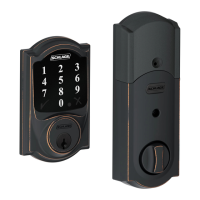
Inside Schlage Button

Button on the interior side of the lock for programming.

Thumbturn

Used for manual locking/unlocking from the interior.

Outside Schlage Button

Primary button on the exterior for interaction and programming.

Touchscreen

Interface for entering codes on the exterior.

Cylinder

Key cylinder for emergency key override.

Bolt

The deadbolt mechanism of the lock.

Alarm Speaker

Emits sounds for alarm and feedback.

REPLACING THE BATTERIES

LOCKING AND UNLOCKING

Locking from the Outside

How to lock the deadbolt from the exterior.

Locking from the Inside

How to lock the deadbolt from the interior.

Unlocking from the Outside

How to unlock the deadbolt using a code.

Unlocking from the Inside

How to unlock the deadbolt manually from the interior.

CLEANING THE LOCK

PROGRAMMING THE TOUCHSCREEN

Tips for Successful Programming

Advice and resources for effective programming.

Add User Code

Add new user codes to the lock.

Delete User Code

Remove a specific user code.

Change Programming Code

Update the master programming code.

Enable Vacation Mode

Temporarily disable all user codes.

Disable Vacation Mode

Re-enable user codes after vacation.

Enable;Disable Beeper

Control audible feedback from the lock.

Delete ALL User Codes

Remove all programmed user codes.

Enable;Disable Lock & Leave

Configure auto-locking behavior.

Change User Code Length

Set the digit length for user codes.

Enable;Disable Auto-Lock

Enable automatic relocking.

Temporarily Disable Auto-Lock

Manual override for auto-lock.

Restore Auto-Lock

Revert to the default auto-lock setting.

PROGRAMMING THE TOUCHSCREEN

For Using a Standalone Unit

Instructions for programming without a network.

PROGRAMMING THE ALARM

Powering the Alarm

Steps to turn the alarm function on.

Alarm Setting Descriptions

Details on different alarm modes and triggers.

PROGRAMMING THE ALARM

Changing the Alarm Mode

Select between Activity, Tamper, or Forced Entry modes.

Adjusting the Sensitivity Level

Fine-tune the alarm's sensitivity.

MY CODES

User Codes

Information on creating and using user codes.

Best Practices

Recommendations for secure code management.

Default Codes Locations

Where to find initial programming and user codes.

FACTORY DEFAULT RESET

When to Perform Factory Default Reset

Reasons for resetting the lock to defaults.

Performing a Factory Default Reset

Step-by-step procedure for resetting.

EMERGENCY KEY OVERRIDE

Z-WAVE

About Z-Wave

Overview of Z-Wave technology and its use.

Enrolling on a Z-Wave Network

Guide to connecting the lock to a Z-Wave network.

Schlage BE469 Specifications

General IconGeneral
Lock TypeDeadbolt
Keyless EntryYes
ConnectivityZ-Wave
Battery Type4 AA batteries
TouchscreenYes
CompatibilityZ-Wave
Product TypeElectronic Deadbolt
Power SourceBattery
User CodesUp to 30
KeypadYes
Bump ProofYes
KeywaySchlage C Keyway
Programmable CodesYes
Weather ResistanceYes
SecurityANSI Grade 1
Finish OptionsBright Brass, Satin Nickel
FinishSatin Nickel
Backset2-3/8" or 2-3/4"
OperationMotorized bolt
Alarm TechnologyYes, built-in alarm

Related product manuals