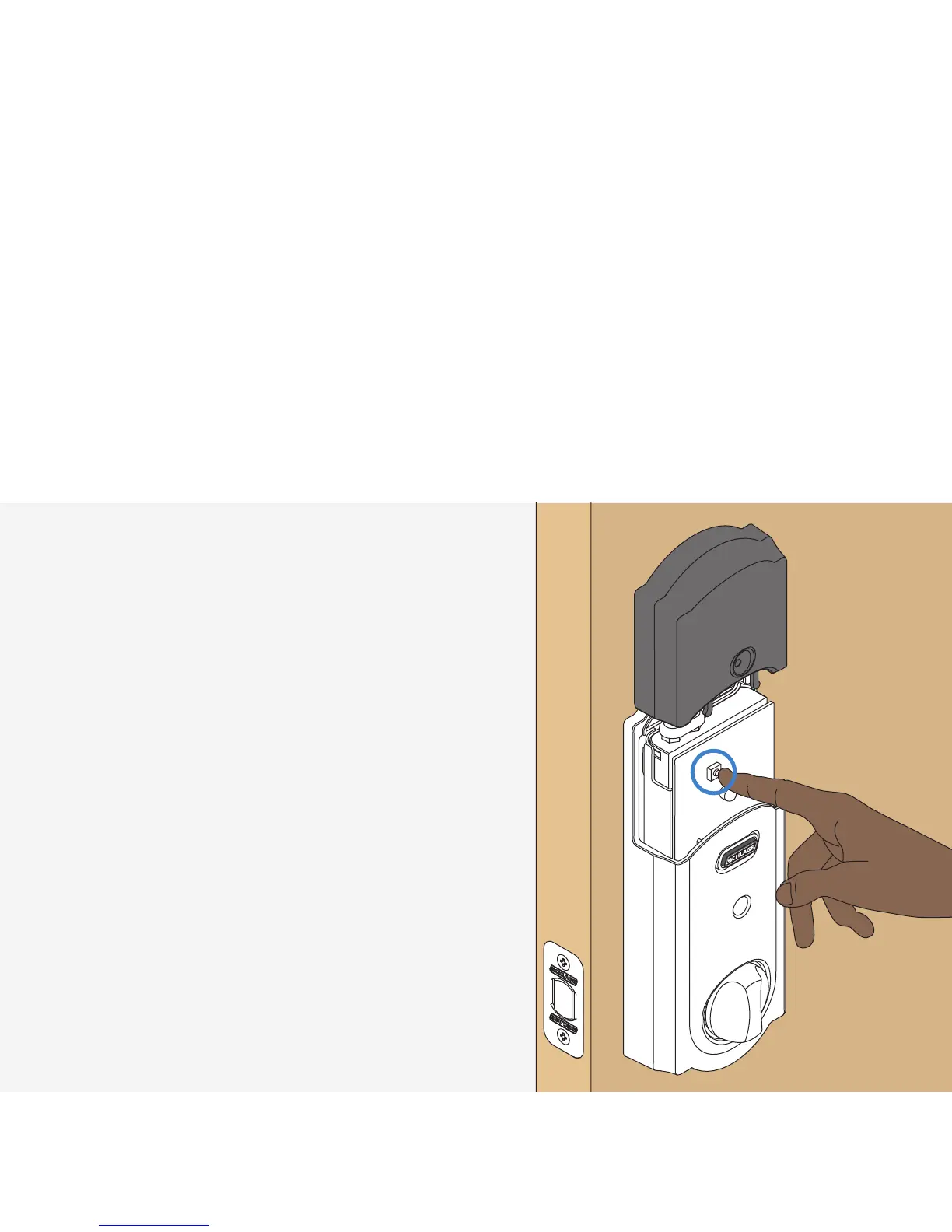
Enroll your lock.
1. Place your smart home system or
panel into enrollment mode (see
documentation for that device for
details).
2. Remove the battery cover.
3. Press then release button.
4. A yellow ashing light indicates
enrollment is in progress.
5. A solid green light indicates
successful enrollment.
L A red light indicates
an enrollment issue, try
repeating steps 1-3.
12
step





 To Next Page