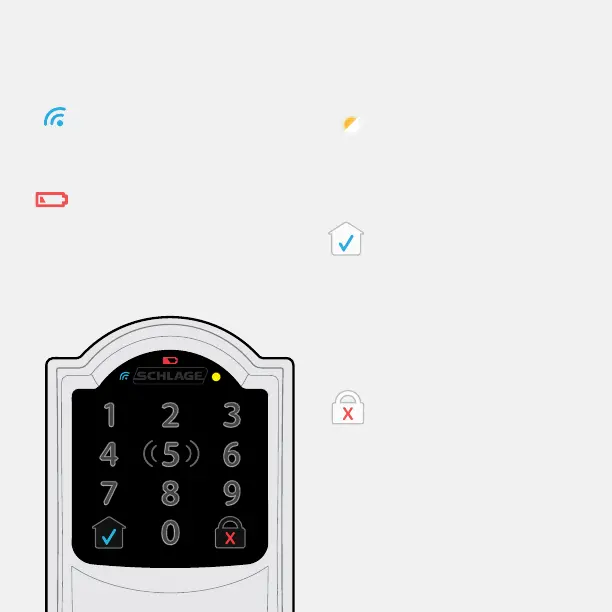
Communication Icon
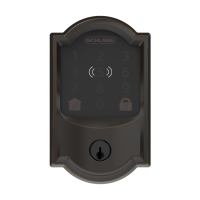
• Flashes when lock is connecting
to WiFi to check for updates.
Low Battery Icon
• Flashes after code is entered
when battery is low.
• Solid when battery is critical.
The lock will not work without
new batteries.
Programming and Input
LED
• Amber when using manual
programming mode.
Home Button and
Checkmark Icon
• Turns on keypad backlight.
• Checkmark ashes when
code entry is correct.
• Checkmark ashes when
manual programming is
successful.
Lock Button and “X” Icon
• Locks the lock.
• “X” ashes for a wrong user
code.
Touchscreen


 To Next Page