EasyManua.ls Logo

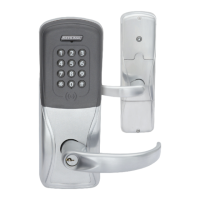
Schlage AD-400 - User Manual

Schlage AD-400
16 pages
Print Icon
To Next Page IconTo Next Page
Loading...
*P516-127*
P516-127
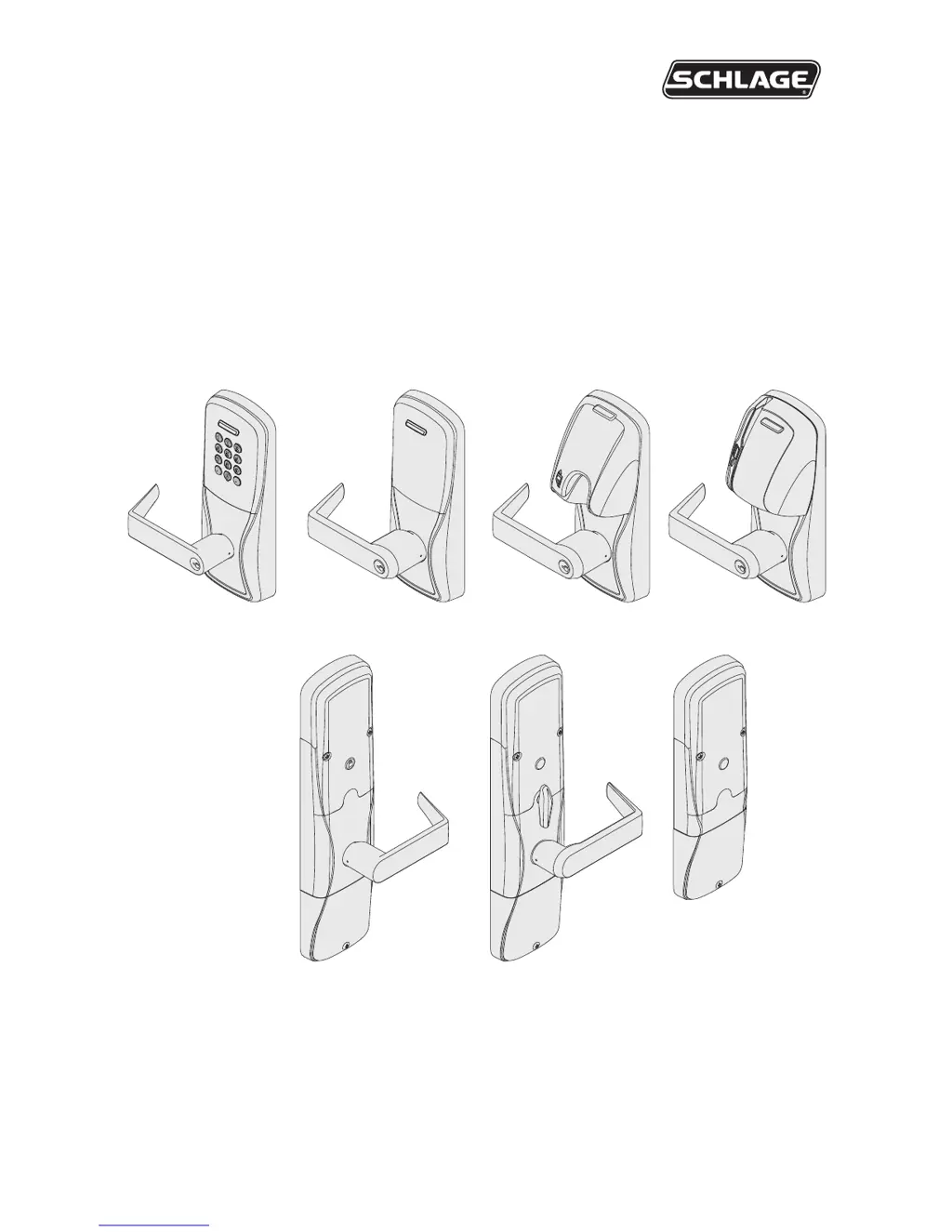
AD-400
AD-401
Networked wireless lock user guide
Instructions for adaptable series networked wireless locks
Para el idioma español, navegue hacia www.allegion.com/us
Pour la portion française, veuillez consulter le site www.allegion.com/us

Other manuals for Schlage AD-400

Questions and Answers

  • J
    Juan FisherJul 26, 2025
    Why does the Schlage lock beeper not sound and the keypad not light?
    • J
      Julie DiazJul 27, 2025
      If the Schlage button is pressed and the lock beeper doesn't sound and the keypad doesn't light, it might be due to several reasons. First, ensure the reader is fully seated in the front escutcheon and that there are no bent pins in the reader connector. Next, verify that the through door ribbon cable is correctly plugged in, ensuring the red wire is on the left and not pinched. Also, confirm that the battery or wired power is connected correctly and that the batteries are inserted with the correct polarity.
  • E
    Erin WhitneyAug 1, 2025
    What to do if the Schlage lock beeper doesn't sound and the keypad doesn't light up?
    • G
      Gerald HernandezAug 1, 2025
      If the Schlage lock's beeper isn't sounding and the keypad isn't lighting up when you press the Schlage button, it could be due to several reasons: * The reader might not be fully seated in the front escutcheon. * There might be bent pins in the reader connector. * The through-door ribbon cable may not be correctly plugged in; ensure the red wire is on the left and not pinched. * The battery or wired power could be improperly connected. * The batteries might be inserted with the wrong polarity. To resolve this, check that the reader is correctly seated, inspect the connector for bent pins, verify the ribbon cable connection, ensure proper power connection, and confirm the correct battery polarity.
  • M
    Micheal BuckAug 7, 2025
    What to do if the Schlage lock beeper doesn't sound and the keypad doesn't light?
    • A
      aperezAug 7, 2025
      If the Schlage lock beeper doesn't sound and the keypad doesn't light when the Schlage button is pressed, it may be due to several reasons. First, ensure the reader is fully seated in the front escutcheon and that there are no bent pins in the reader connector. Next, verify the through-door ribbon cable is correctly plugged in, with the red wire on the left and not pinched. Also, check that the battery or wired power is properly connected and that the batteries are inserted with the correct polarity.
  • M
    Miguel ChapmanAug 19, 2025
    How to fix Schlage lock reader when smart or magnetic swipe card is not reading?
    • D
      David JonesAug 19, 2025
      If the Schlage lock reader isn't working, smart cards aren't reading, or magnetic swipe cards aren't reading correctly, start by checking the through hole ribbon cable to ensure it's not pinched. If using smart cards, use the SUS to verify that the smart card format is correct for the card reader by going to AD-400/AD-401 “Lock Properties”, “Reader” tab, and “Smart cards in use”. For magnetic swipe cards, use the SUS to change the “Mag Track in Use” setting, which should be set to “Track2”, by selecting AD-400/AD-401 “Lock Properties”, “Reader” tab, and “MAG Card Track selection”.
  • S
    scott19Nov 12, 2025
    What to do if AD-400/AD-401 Schlage lock will not link to PIM400?
    • M
      Michael SanchezNov 12, 2025
      If the AD-400/AD-401 Schlage lock won't link to the PIM400, and you see a red blink on the Schlage button or the IPB LED, or the door status shows as 'not linked' in PIM400 SUS Diagnostics, try the following: Repeat the linking procedure, making sure the PIM400 is in link mode before starting. Double-check that you've selected the correct door number and repeat the procedure. Ensure the Wireless Communication Module is correctly installed and fully seated, without any bent pins. The AD-400/AD-401 and PIM400 should be within 200 feet of each other and on the same floor. Also, check the wiring between the PIM400 and the access control panel (ACP), and verify that the ACP software has the AD-400/AD-401 door configured correctly. If you're using a 993 exit trim, confirm that the Request To Exi...

Summary

Overview

Getting started

Schlage Utility Software (SUS)

Software used to configure locks and the PIM400 for programming lock characteristics and setup.

Optional inside push button (IPB)

User management

Construction access mode

Locks with keypads - Construction access mode

Default PIN for keypad locks in construction access mode and its automatic deletion.

Locks with card readers - Create a master construction credential

Process to create a master construction credential for programming access mode credentials.

Locks with card readers - Add construction access mode user credentials

Steps to add user credentials for normal use or toggle mode in construction access.

Cancel construction access mode

Link to a PIM400

Link LED and beep reference

Reference guide for LED indicators and beeps during the linking process.

Test lock operation

Mechanical test

Procedure to test the smooth operation of the lock levers and keyway.

Electronic test

Tests for lock operation in factory default, construction access, and linked modes.

Reset to factory default settings

Level 1 factory default reset

Deletes configurations and settings in the main controller, but not the reader.

Level 2 factory default reset

Deletes all configurations and settings in both the lock and the reader.

Communication properties

Communication failure

Batteries

Installing or replacing batteries

Detailed instructions for safely removing and installing batteries in the lock.

Low battery indications

How low battery conditions are indicated and what actions to take.

Battery failure modes

External power supply

LED and beep reference

Troubleshooting

The lock beeper does not sound and the keypad does not light when the Schlage button is pressed.

Addresses issues with the lock beeper and keypad not responding to the Schlage button.

The AD-400;AD-401 will not link to the PIM400

Troubleshooting steps when the lock fails to link with the PIM400, including red blink indicators.

The reader is not working.

Guidance for when the lock reader is not functioning correctly, including cable and format issues.

FCC;IC statements

FCC;IC caution

Industry Canada statements

Schlage AD-400 Specifications

General IconGeneral
Power SourceBattery
Operating Temperature-31°F to 151°F (-35°C to 66°C)
Backset2-3/4" (70 mm)
Door Thickness1-3/4" to 2-1/4" (44 mm to 57 mm)
Latchbolt MaterialStainless Steel
Latchbolt Throw1/2" (13 mm)
CertificationsUL 294
Finish OptionsBright Brass
Voltage6V
Housing MaterialZinc
Deadbolt Throw1"
Battery LifeUp to 2 years (depending on usage and configuration)

Related product manuals