EasyManua.ls Logo

Schlage AD-302 - User Manual

Schlage AD-302
16 pages
Print Icon
To Next Page IconTo Next Page
Loading...
*P516-128*
P516-128
AD-300
AD-302
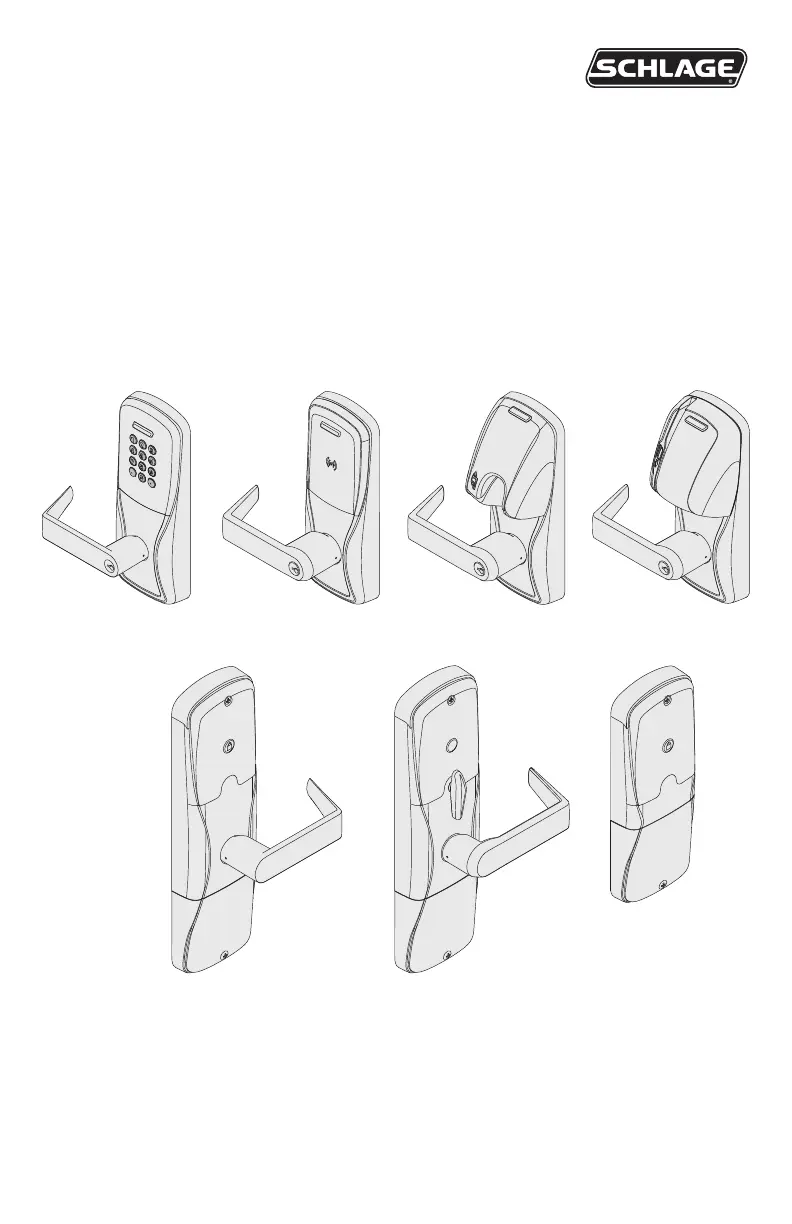
Networked hardwired lock user guide
Instructions for adaptable series networked hardwired locks
Para el idioma español, navegue hacia www.allegion.com/us.
Pour la portion française, veuillez consulter le site www.allegion.com/us.

Questions and Answers

  • D
    Dustin LewisAug 18, 2025
    How to fix a Schlage lock when the beeper doesn't sound and the keypad doesn't light?
    • R
      Robert MontoyaAug 18, 2025
      This issue may occur if the reader is not properly seated into the front escutcheon, if the reader connector has bent pins, if the through door ribbon cable is not properly plugged in, or if the wired power is improperly connected. Check that the reader is fully seated into the front escutcheon and that there are no bent pins in the reader connector. Also, check that the through door ribbon cable is plugged in correctly, ensuring the red wire is on the left and not pinched in the door. Finally, verify that the wired power is connected correctly.
  • J
    Jeffrey WalkerAug 20, 2025
    What to do if the Schlage door lock reader is not working?
    • M
      Michael PerryAug 20, 2025
      If the reader isn't working, smart cards aren't reading, or magnetic swipe cards aren't reading correctly, check the following: * Ensure the through-door ribbon cable isn't pinched and is properly seated. * Correct the Smart card format using the SUS by selecting AD-300/AD-302 “Lock Properties”, “Reader” tab, and “Smart cards in use”. * Use the SUS to change “Mag Track in Use” by selecting AD-300/AD-302 “Lock Properties”, “Reader” tab, and “MAG Card Track selection”.
  • M
    Michael NelsonAug 23, 2025
    How to fix Schlage door lock when the keypad does not light?
    • S
      Shane SanchezAug 23, 2025
      If the lock beeper doesn't sound and the keypad doesn't light when you press the Schlage button, it could be due to several reasons: * The reader may not be properly seated in the front escutcheon. * The reader connector may have bent pins. * The through-door ribbon cable may not be correctly plugged in (the red wire should be on the left and not pinched). * The wired power may be improperly connected. Check each of these to ensure they are correctly installed.
  • S
    stephanie96Aug 26, 2025
    What to do if my Schlage Locks AD-300/AD-301 is not communicating with the access control panel?
    • M
      Melissa RussoAug 26, 2025
      If your Schlage AD-300/AD-301 lock isn't communicating with the access control panel, it might be due to a couple of reasons. First, ensure that the Wireless Communication Module is properly installed and fully seated, and that there are no bent pins on the connector. Second, confirm that the AD-300/AD-301 is correctly wired to the access control panel and that the access control panel software has the AD-300/AD-301 door configured properly. For a 993 exit trim, ensure the Request To Exit switch is installed.
  • L
    Laura HillAug 28, 2025
    How to fix Schlage Locks reader if the beeper doesn't sound and the keypad doesn't light?
    • A
      Andrew TaylorAug 28, 2025
      If the Schlage lock beeper isn't sounding and the keypad isn't lighting up when you press the Schlage button, there are a few things you can check. First, make sure the reader is fully seated into the front escutcheon. Next, inspect the reader connector for any bent pins. Also, verify that the through door ribbon cable is plugged in correctly, ensuring the red wire is on the left and not pinched in the door. Finally, check that the wired power is connected correctly.
  • Z
    Zachary Murray DVMAug 30, 2025
    What to do if my Schlage AD-302 Locks reader is not working and the smart or magnetic swipe card is not reading?
    • S
      Stacey HerreraAug 30, 2025
      If the reader on your Schlage lock isn't working and the smart card or magnetic swipe card isn't reading correctly, start by checking that the through door ribbon cable isn't pinched. If you're using a smart card, change the smart card format using the SUS by selecting AD-300/AD-301 “Lock Properties”, “Reader” tab, and “Smart cards in use”. For magnetic card readers, use the SUS to change “Mag Track in Use” by selecting AD-300/AD-301 “Lock Properties”, “Reader” tab, and “MAG Card Track selection”; the default for all Magnetic Card Credential Readers is “Track2”.
  • J
    Jason CaldwellSep 2, 2025
    Why does my Schlage AD-302 Locks AD-300/AD-301 not grant access immediately?
    • S
      Steven AguilarSep 2, 2025
      The time it takes for the Schlage AD-300/AD-301 lock to grant access is controlled by the access control panel. Check the access control panel configuration.
  • B
    Briana WilliamsSep 4, 2025
    Why is my Schlage AD-300/ AD-301 lock not communicating with the access control panel?
    • J
      John WhiteSep 4, 2025
      The RS485 Communication Module might not be properly installed, or data transmission to the access control panel might not be successful. Ensure that the RS485 Communication Module is correctly installed and fully seated, and that there are no bent pins on the connector. Verify that the AD-300/AD-301 is wired to the access control panel. Check that the access control panel software has the AD-300/AD-301 door configured properly. On a 993 exit trim, ensure the Request To Exit switch is installed.
  • K
    Kenneth ReedSep 7, 2025
    What to do if my Schlage lock reader is not working?
    • R
      Roy WeaverSep 7, 2025
      The through door ribbon cable may be pinched, the Smart card default of the card reader may not be correct for the Smart card, or the magnetic swipe card data may be on Track1 or Track3. Check that the through door ribbon cable is not pinched and is seated properly. Change the Smart card format using the SUS. For magnetic swipe cards, use the SUS to change “Mag Track in Use”. Select AD-300/AD-301 “Lock Properties”, “Reader” tab, and “MAG Card Track selection”.
  • N
    nashcharlesSep 9, 2025
    Why does my Schlage AD-300/ AD-301 lock not grant access immediately?
    • R
      ryan72Sep 9, 2025
      The time it takes to grant access is determined by the access control panel. Verify the configuration of the access control panel.

Schlage AD-302 Specifications

General IconGeneral
BrandSchlage
ModelAD-302
CategoryLocks
LanguageEnglish

Related product manuals