88
ENGLISH
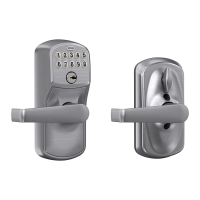
MODELS FE575— AUTO LOCK AND FE595— FLEX LOCK
Locking and Unlocking
Keypad locks are always locked from the outside, by default. Only the FE595 can be set to unlocked.
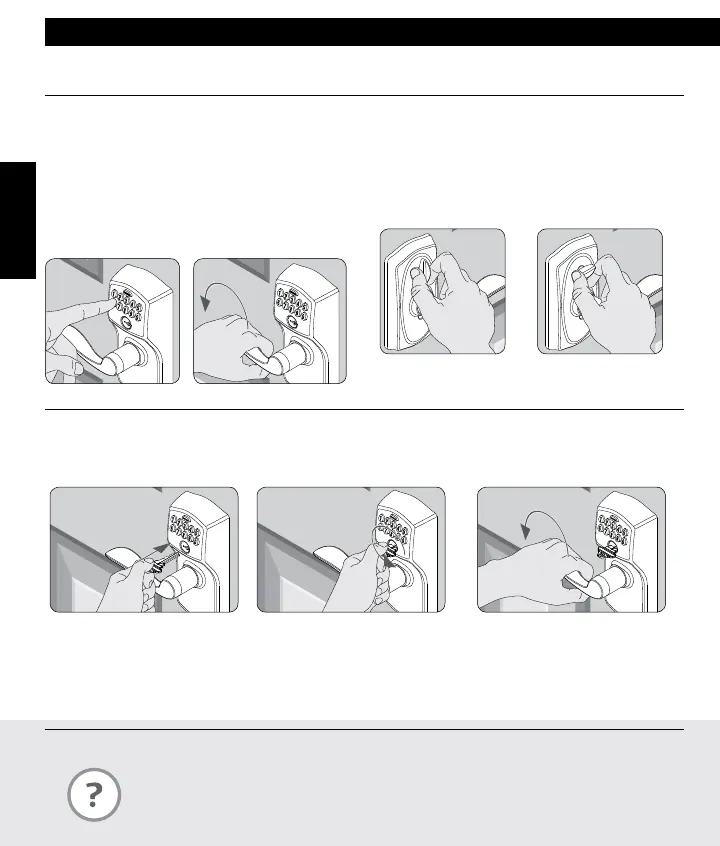
To Temporarily Unlock
»
If lighting is low, press the Schlage button to
illuminate the keypad before beginning.
1. Enter a User Code
into the keypad.
2. Rotate the lever to
open the door. Door will
automatically re-lock.
To Set to Unlocked (FE595 Only)
1. Rotate the inside
thumbturn to the
vertical position.*
2. Rotate the thumbturn
back to the horizontal
position to re-lock.
* No User Code is required to open the door when the
lock is set to unlocked.
Key Override
Key Override can be used when the battery is completely dead, or when no valid User Code is known.
1. Insert key. 2. Rotate key 270° to unlock. 3. Rotate knob/lever to open door.*
* Rotate the key back to starting position to relock. The key cannot be removed from the cylinder while the lock is
unlocked. See Changing the Battery on page 9 or Restore Factory Settings on page 15 for more information.
KEYPAD LOCKS
What is the difference between the Auto Lock and the Flex Lock?
The Auto Lock (FE575) is always locked from the outside. The Flex Lock (FE595) is normally
locked from the outside, but can be set to unlocked by putting the thumbturn in the vertical
position.



 To Next Page