6
Operating instructions
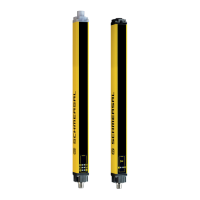
Safety light curtain
SLC440
EN
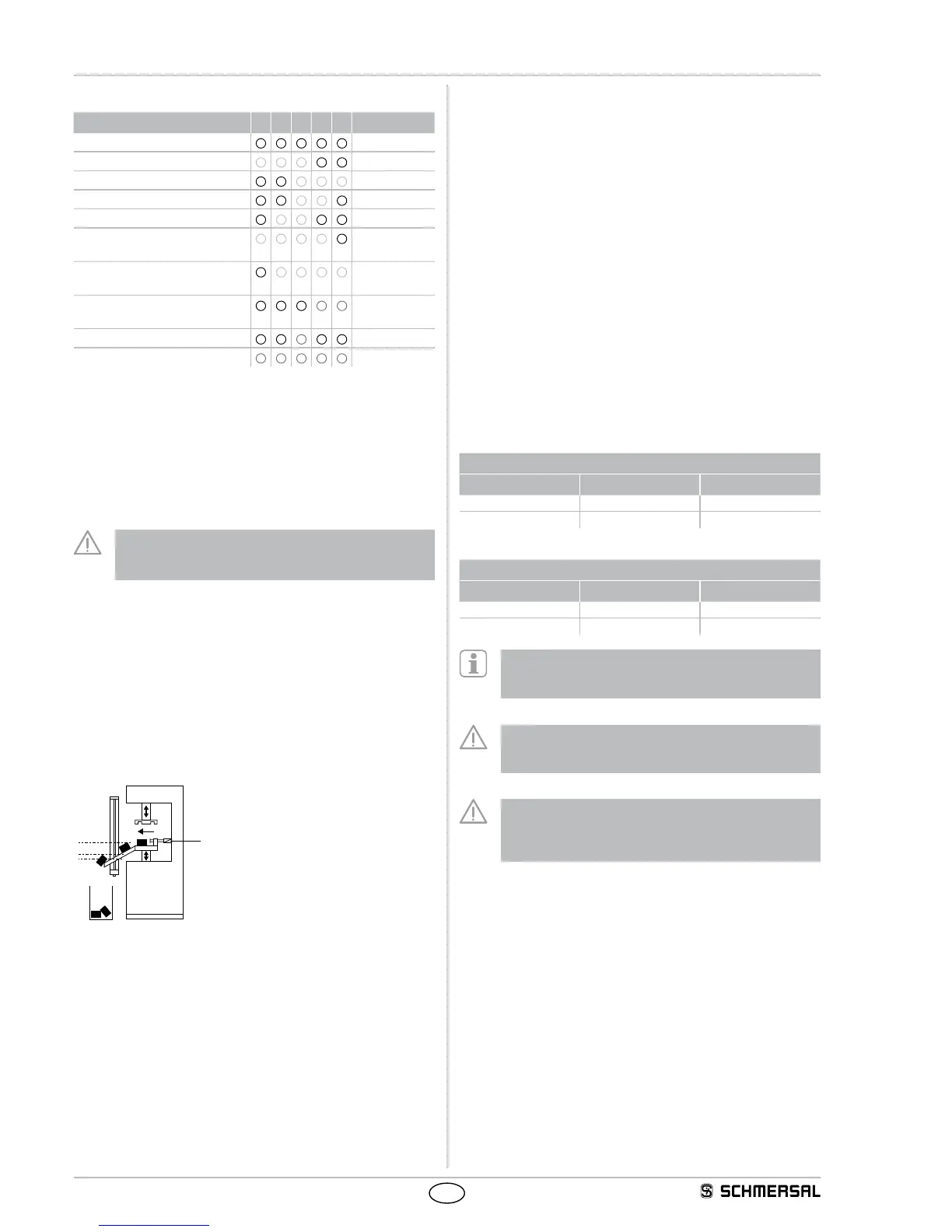
Example of beam blanking (object in protection field)
Beam number 3 4 5 6 7 Status OSSDs
Fixed blanking, beam 4, 5 and 6
● ● ● ● ●
Teach In
Shift 1 beam down
● ● ● ● ●
ok
Shift 1 beam up
● ● ● ● ●
ok
Object only covers 2 beams
● ● ● ● ●
ok
Object only covers 2 beams
● ● ● ● ●
ok
Object with downward edge
displacement
● ● ● ● ●
ok
Object with upward edge
displacement
● ● ● ● ●
ok
Object displacement exceeds
1 beam
● ● ● ● ●
Error
Object size changed (1 beam)
● ● ● ● ●
Error
Object size changed (5 beams)
● ● ● ● ●
Error
The operating mode is only available, when the parameter setting -
fixed blanking with movable edge region is activated (P 2).
See chapter Parameter setting.
A combination with only fixed beam blanking (P 1) or additional floating
beam blanking (P 3) is not possible.
This blanking changes the physical resolution. The effective resolution
of the SLC440 can be found in the table in the chapter
"Floating blanking" (1 beam).
Perform a new calculation of the safety distance with the
effective resolution. Adjust the safety distance in accordance
with your calculation!
2.8.6 Floating blanking
The SLC440 safety light curtain can blank movable objects in the
protection field.
The SLC440 can be used for the floating blanking of 2 beams in the
protection field, refer to parameter setting (P 3). A combiniation of fixed
and floating beam blanking (P 1 and P 3) is enabled.
A combination of fixed blanking with movable edge region (P 2) and
floating blanking (P 3) is not possible.
Example
Floating and fixed blanking
2
1
Cylinder for material ejection
Key
1: Fixed blanking area
2: Floating blanking area
The function enables an arbitrary floating blanking of partial areas in the
protection field. The first beam, which is located immediately behind
the diagnostic window, cannot be blanked.
This function allows for an interruption of the protection height without
the outputs being disabled in case of material movement in the
protection field, e.g. material ejection or process-controlled material
movement. material ejection or process-controlled material movement
without the outputs being disabled in case of material movement in the
protection field g. material ejection or process-controlled material move-
ment. This extension of the object detection increases the resolution.
In this way, the physical resolution changes into an effective resolution.
This effective resolution must be used to calculate the safety distance.
Use formula (1) to calculate the safety distance with the effective
resolution if a maximum of 2 light beams are blanked; use formula (3)
indicated in the "Safety distance" chapter if more than 2 light beams are
blanked.
The number of beams to be blanked is limited, see Table Effective
resolution.
In a system with a 14 mm physical resolution, the effective resolution
is increased to 34 mm in case of a floating blanking of 2 beams. The
effective resolution must be registered permanently and clearly visible
onto the label affixed to the receiver.
Effective resolution
The effective resolution in case of activated blanking can be found in
the following table.
Resolution 14 mm
Blanked beams Physical resolution Effective resolution
1 14 24
2 14 34
Resolution 30 mm
Blanked beams Physical resolution Effective resolution
1 30 48
2 30 68
The function is activated in parameter setting mode (P 3). If
the function is activated, the LED blanking in the diagnostic
window of the receiver starts flashing.
Perform a new calculation of the safety distance with the
effective resolution. Adjust the safety distance in accordance
with your calculation.
describes possibly required additional measures to prevent a
person from reaching a hazard through the blanking areas of
a protection field.


 To Next Page