......... Firmware update
NOTE:
• Backup all your information prior to do a firmware update.
• Make sure the device is powered on with a fully charged
battery.
• Never turn off the device during the firmware update.
• During the updating period, the device will reboot TWO
times. Do not operate the device until the update is
completed
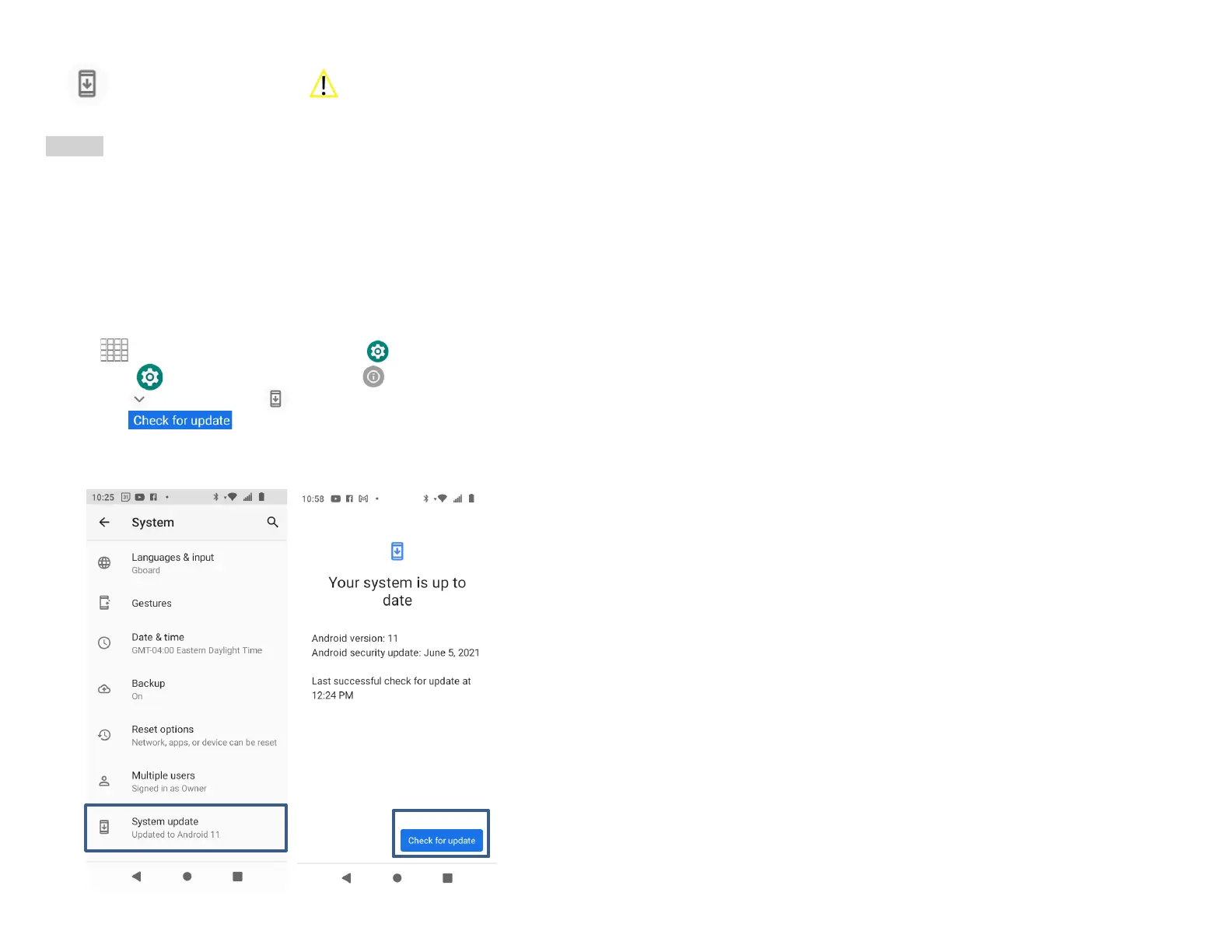
1. From the Home screen, Swipe up to reveal all your
..........Apps > then find and tap on .........Settings.
2. From Settings, scroll down to System.
3. Tap Advanced > System update
4. Tap Check for update
5. If there is a firmware update, click Update



 To Next Page