SC2 Motorcycle Bluetooth
®
Communication System with Mesh Intercom™ | 15
3 GETTING STARTED
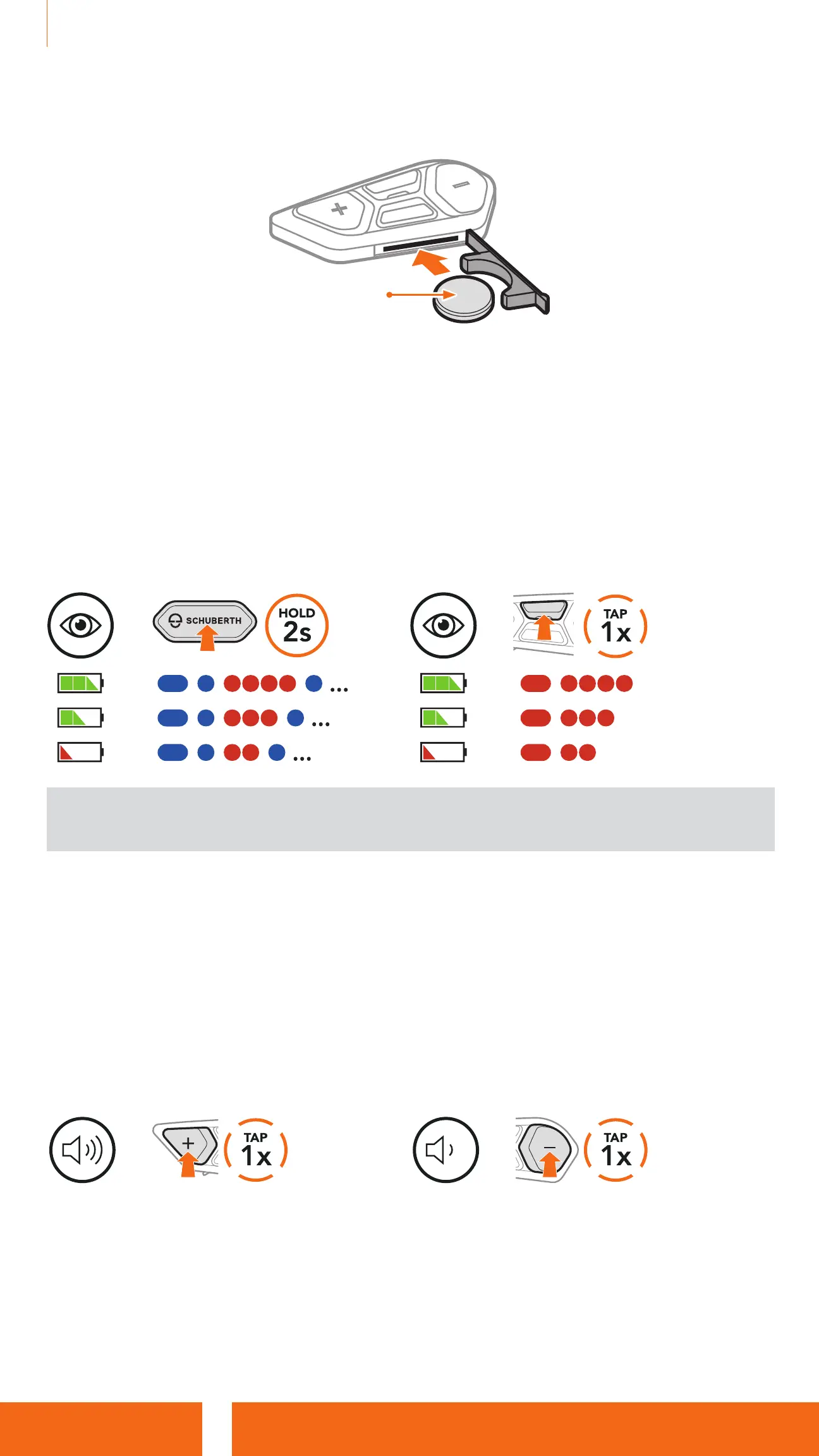
4. Insert the new battery into the battery slot.
CR 2016
5. Close the battery slot’s cover. When closing the cover, insert the cover’s
two battery guides first.
3.6 Checking the Battery Level
When switching on, the LED flashes red to indicate the charge level.
SC2
=
=
=
=
SC2 Remote Control
=
=
=
=
Note: When the SC2’s battery is low while in use, you will hear a voice
prompt saying “Low battery”.
3.7 Volume Adjustment
You can raise or lower the volume by tapping the (+) Button or the
(-) Button. Volume is set and maintained independently at different levels for
each audio source (i.e., phone, intercom), even when the headset is rebooted.
Volume Up
=
Volume Down
=


 To Next Page