SC2 Motorcycle Bluetooth
®
Communication System with Mesh Intercom™ | 53
13 TROUBLESHOOTING
3. The SC2 will automatically perform pairing with the SC2 Remote Control
in pairing mode.
When they are successfully
connected, you will hear a voice
prompt.
“ Remote control
connected”
13.4 SC2 Fault Reset
When the headset is not working properly, you can easily reset the unit.
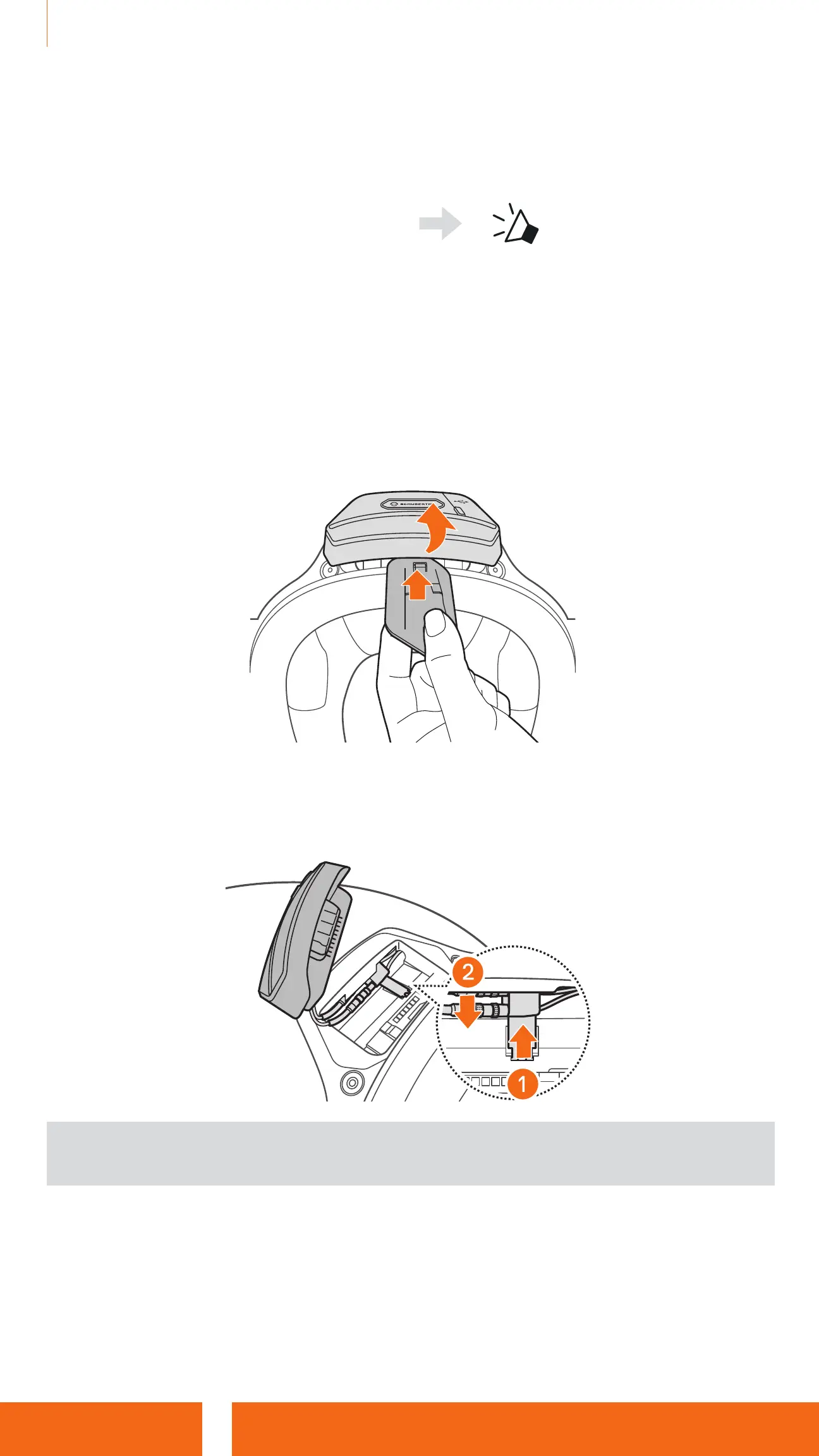
1. Remove the installed SC2 from the helmet by lifting it up with the SC2
Remote Control cover.
2. Pull the antenna cable retainer out from its original position, and pull out the
connected cables from the upper gap in the space.
Note: You can reset the SC2 without disconnecting the cables from the
helmet.
3. Locate the Pinhole Fault Reset Button on the back of the SC2.


 To Next Page