SC2 Motorcycle Bluetooth
®
Communication System with Mesh Intercom™ | 37
8 BLUETOOTH INTERCOM
8.6 Group Intercom
Group Intercom allows you to instantly create a Multi-Way Conference
Intercom with three of the most recently paired headsets.
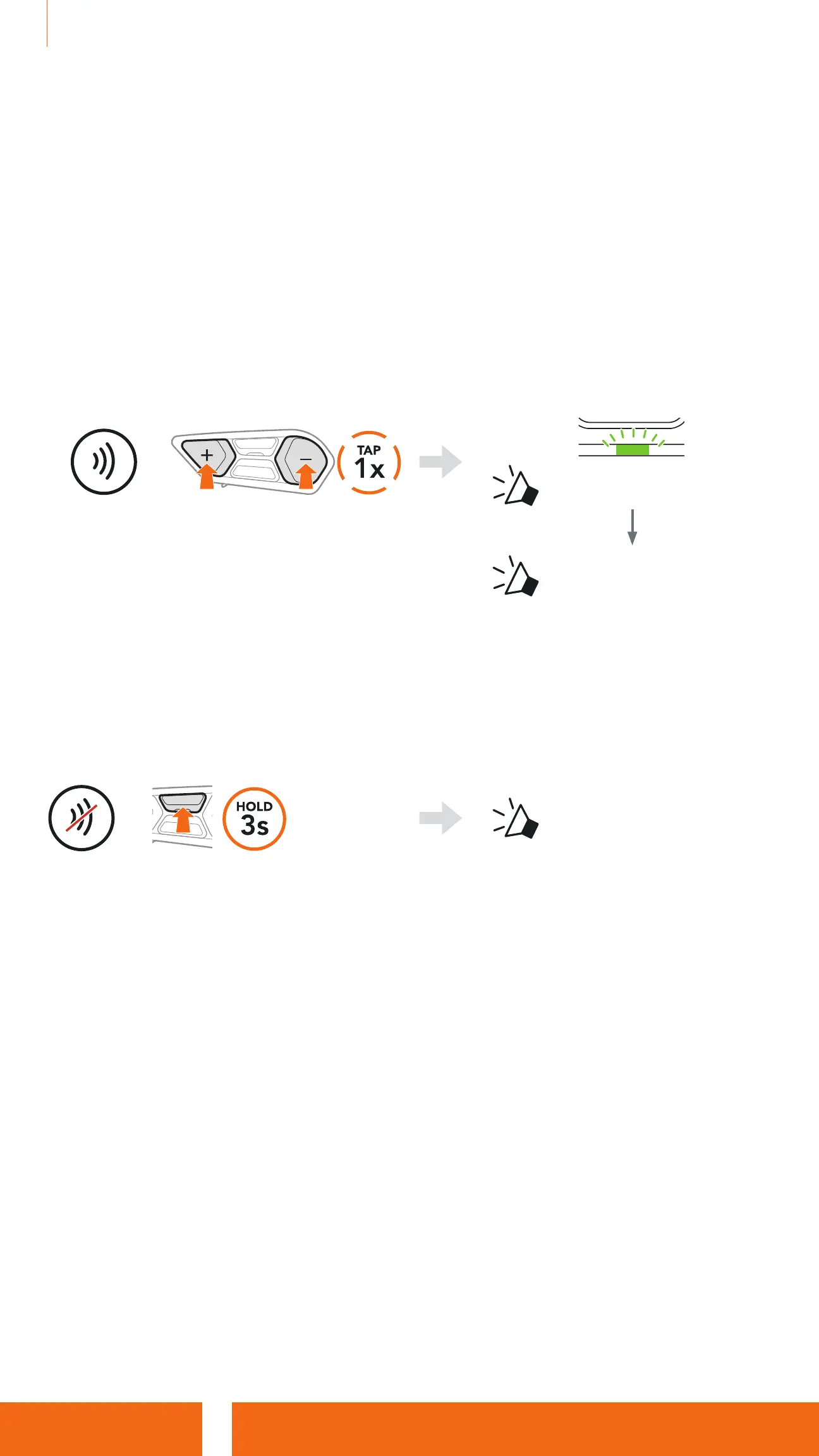
Start the Group Intercom
1. Go through intercom pairing with up to three headsets you want to have
Group Intercom with.
2. Tap the (+) Button and (-) Button to begin Group Intercom.
=
Blinking
“Group intercom”
“ Group intercom
connected”
When all of the headsets are
connected together.
Terminate Group Intercom
To terminate Group Intercom, press and hold the Center Button for 3 seconds
during Group Intercom.
=
“ Group intercom
terminated”
8.7 Mesh Intercom Conference with Bluetooth
Intercom Participant
Users can use the existing Bluetooth intercom and Mesh Intercom function
at the same time. In this case, it is recommended to communicate with other
SCHUBERTH headsets via Bluetooth intercom connection and use Mesh
Intercom between SC2 headsets. A user who is in Open Mesh or Group
Mesh when using Mesh Intercom is able to include up to 3 of their Bluetooth
intercom friends. You can start a Two-Way Intercom conversation with one
of your three Intercom Friends to include them in the Mesh.


 To Next Page