washMaster Installation guide
539715.AB Page 6 / 21 07.2019
The status of the respective paring screens can assume the following states:
Machine is not assigned to an account
The pairing ID is requested by the Schulthess portal
The pairing ID must be entered in the Schulthess portal
An attempt is made to connect the machine to the account.
The machine has been successfully assigned to an account
A pairing or network error is present
- No network connection available
- Internet connection not possible
- No connection to the Schulthess portal
- The pairing ID was not entered on the Schulthess portal
Prerequisites for pairing:
- Machine is connected to the local network
- The local network provides an Internet connection
- A property management has been created in the backend
- The laundry facility is configured
- Machine is not paired (an existing pairing can be disabled in the Schulthess portal or on the
machine with “Pairing” -> “Switch off”)
Status
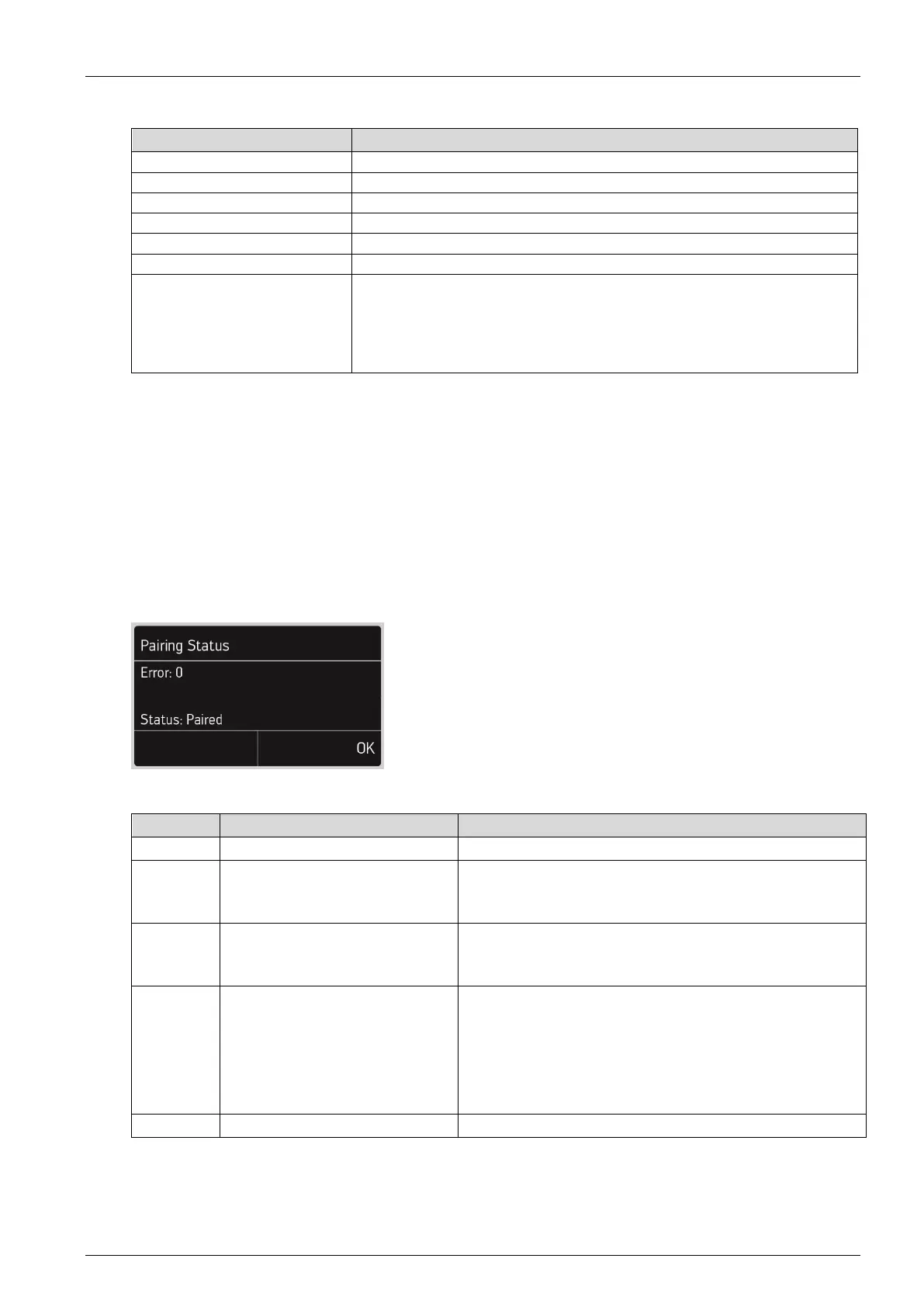
Current errors and the pairing status are displayed under “Status”.
A detailed description of the errors can be found in the table.
Error:
Machine is already assigned
to a laundry facility
Remove the machine from the laundry facility in the
Schulthess portal or via “Pairing” –> “Switch off”.
Perform the pairing again.
Machine is already paired
Remove the machine from the laundry facility in the
Schulthess portal or via “Pairing” –> “Switch off”.
Perform the pairing again.
- No network connection available
- Internet connection cannot be established
- No connection to the Schulthess portal
- The pairing ID was not entered on the
Schulthess portal (see section “Prerequisites”)



 To Next Page