5.2-28
005.050.01-EN
12.2 SWITCHING ON THE TRANSMITTER
– Insert the battery cassette into the transmit-
ter (see chapter 15).
– Set all latched selector switches on the trans-
mitter to position "0" and unlock the emergen-
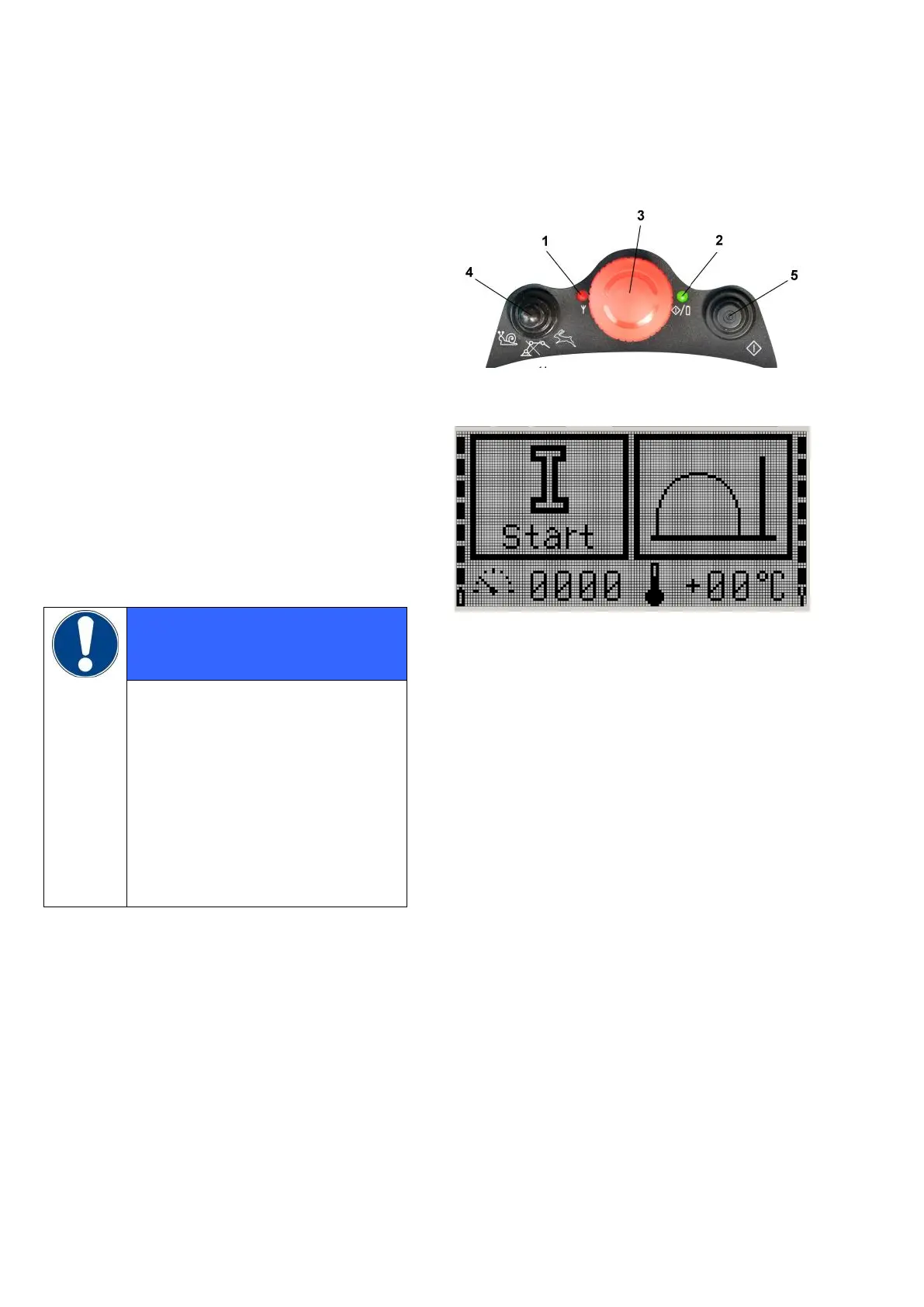
cy stop button 3 (Fig. 1) by turning it clock-
wise.
– Unlock also all EMERGENCY STOP buttons
on the machine.
Start-up is otherwise not possible.
– Press and hold pushbutton 5 until LED 2 is lit
up permanently.
The VECTOR control screen now displays
START instead of emergency stop (Fig. 2).
If no contact with the receiver can
be established, LED 1 is lit up red.
Make sure the receiver is on and
the devices have been success-
fully paired beforehand (see chap-
ter 17).
The VECTOR control monitors the
positions of all emergency stop but-
tons and of the selector switches
of the active control unit.
Fig. 1
Fig. 2


 To Next Page