5.2-33
005.050.01-EN
14.3 EMERGENCY STOP
A press on an emergency stop button stops the
most important machine functions immediately.
In addition, the VECTOR control can shut off
the drive engine.
Use of this option depends on the truck's elec-
tronic system and the permission of the engine
manufacturer.
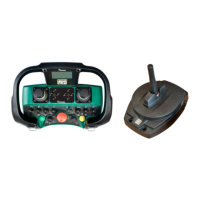
Use the emergency stop buttons on the ma-
chine only in cases of emergency. This is es-
pecially important, if your machine is equipped
with the engine shut-off function described
above.
When the remote control is active, the emer-
gency stop button on the transmitter can also
be used for shutting off the transmitter. See the
preceding page.
To shut off machine functions and the engine
under normal operating conditions, always use
the control elements provided for this purpose.
Restart after an EMERGENCY STOP
– Eliminate the fault condition.
– Set all latched selector switches of the
transmitter to neutral position (position "0")
and unlock the emergency stop button pre-
viously pressed.
Start-up is otherwise not possible.
– Put the control into operation.
The restart protection prevents machine func-
tion from being started simply by unlocking of
the actuated EMERGENCY STOP button.
The control system monitors the positions of
the EMERGENCY STOP buttons and of the
selector switches on the active control unit.
Corresponding messages are displayed on the
screens.
14.4 ENGINE START /STOP
To prevent inadvertent activation of a function,
the engine can only be started after all selector
switches have been set to neutral position (po-
sition "0").
Although it is possible to stop the engine while
functions are still active, this procedure should
be avoided.
In all cases other than an emergency always
– deactivate first the function(s),
– reduce the speed to idling and then
– shut off the engine
Risk of damage to turbochargers
from overheating by shutting off
the engine abruptly while it is run-
ning at full speed.
In all cases other than an emer-
gency shut off the engine as des-
cribed above.


 To Next Page