Page 18
637-8808 Rev. J
6. Tap the and buttons simultaneously
then tap the button to enter Maintenance
Mode.
7. Press the button until GEAR is shown in
the message center then press the button.
8. If the value in the message center reads OFF
Press the button to switch to ON then
press the button to save the change.
9. Return to the Maintenance Mode main menu.
10. Press the button until GEAR CAL is
shown in the message center then press the
button.
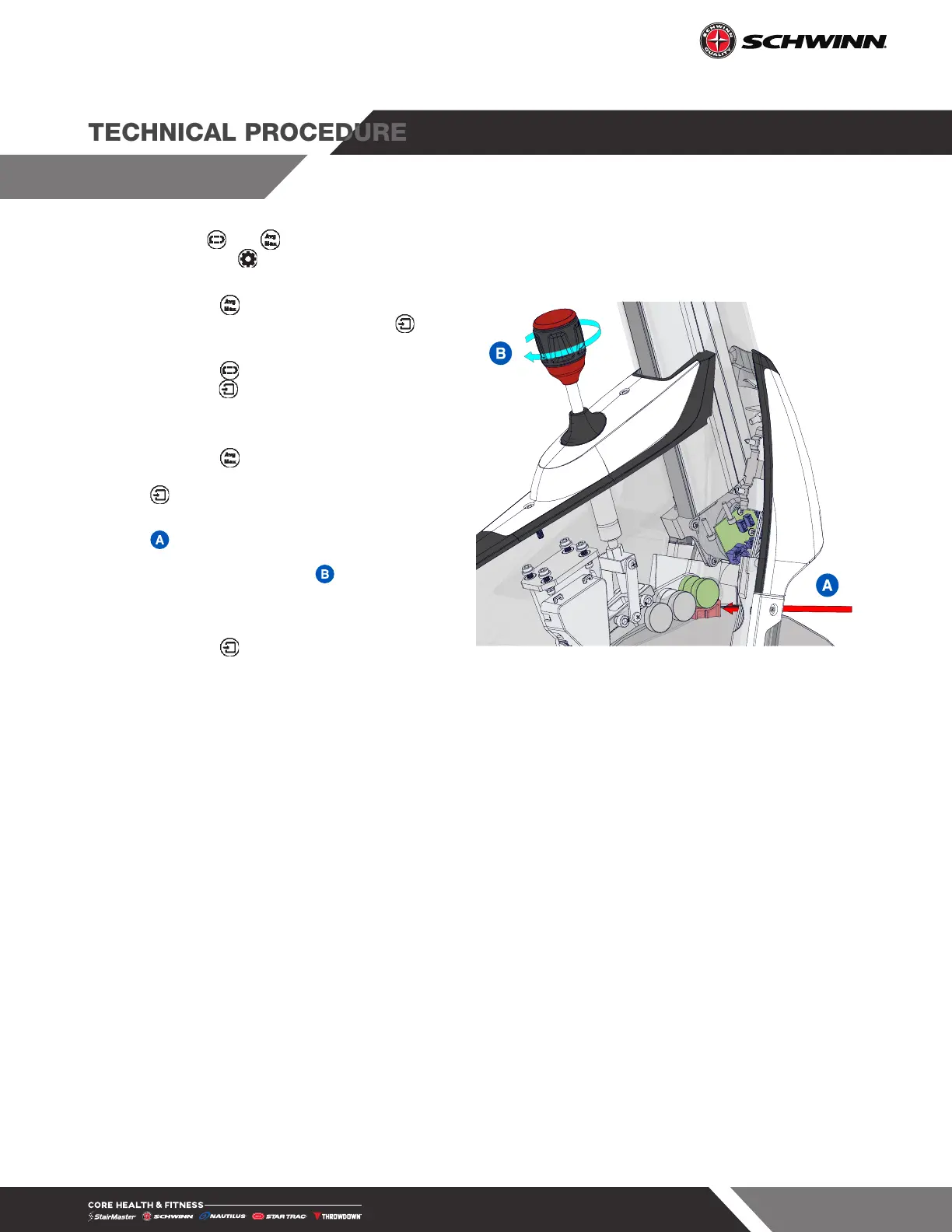
11. Slide the red calibration tool onto the flywheel
between the first magnets.
12. Tighten the brake knob by turning
clockwise until there is contact with the tool
as shown.
13. Press the button to complete the
calibration. CAL COMPLETE will show in the
message center.
14. The GEAR option can now be turned back to
ON in Maintenance Mode.
Fig. 35







 To Next Page