Setting the date/time
Turn on the device
Press the button. "Export log data" will appear on the display.
Press the button 3x until "Date/time" is highlighted in black on the display.
The "Date/time" menu is selected using the button.
Set the desired value using the and buttons
Using the button, the cursor is moved to the next possible setting. The values are set in the following order: Year,
month, day, hour, minute.
After final actuation using the , the program jumps back again.
Press the button to return to the "Cleaning + Maintenance" main menu.
Assemble and check the adapter
Assemble the adapter, if required
Check the MULTIflex receptacle (and/or other turbine adapter) for firm seating.
The clamping nut must be tight.
Retighten clamping nut, if required.
Please note that only white STATMATIC smart / STATMATIC PLUS adapters can be
used. Adapters (black) of the STATMATIC maintenance unit are not suitable.
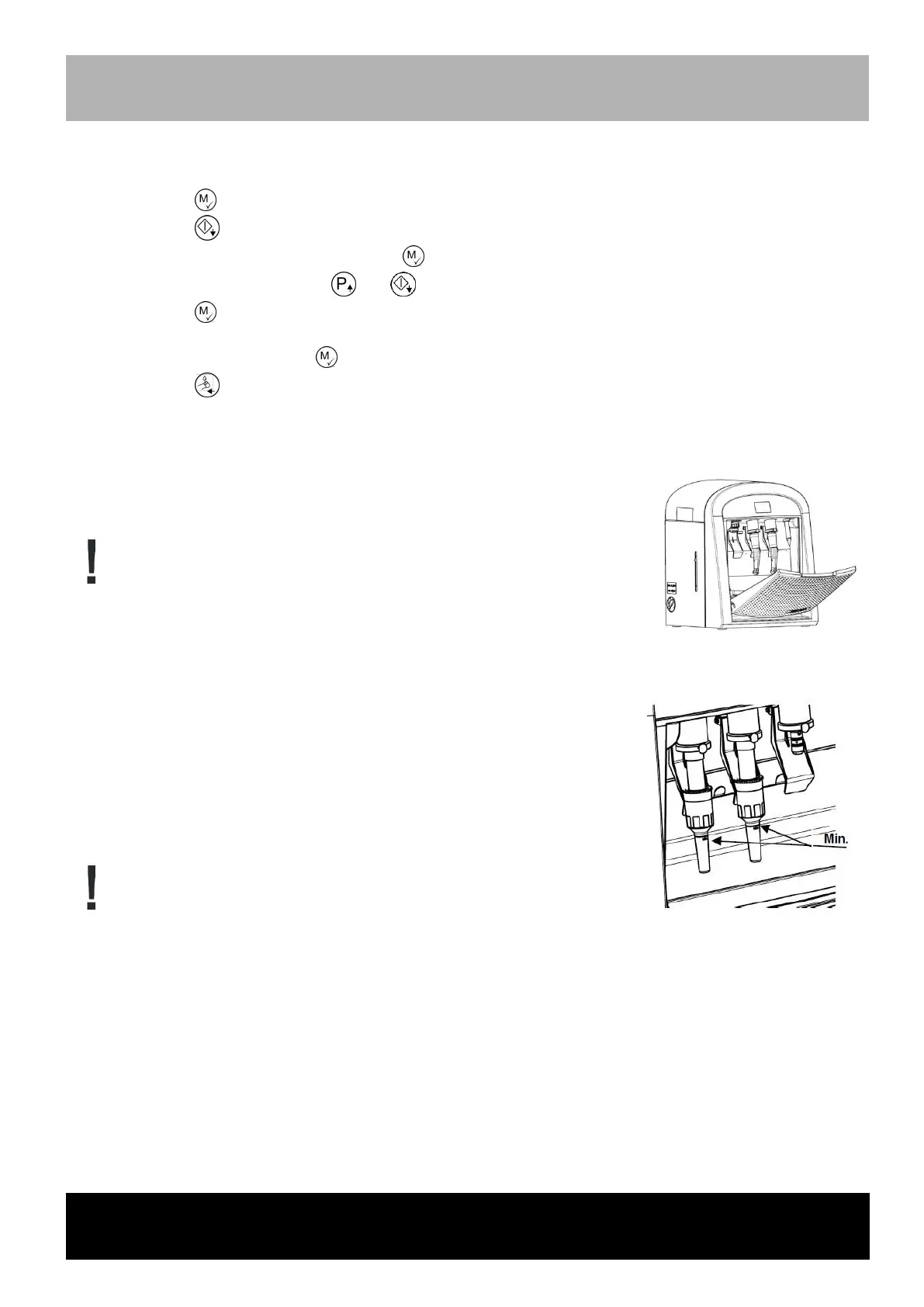
Check the output quantity on all cleaning slots using a testing adapter intended
for the coupling.
Functional testing of flow rate using the testing adapter
Attach the matching testing adapter to the corresponding instrument couplings
(such as INTRAmatic, DIN ISO EN coupling).
Close the front cover.
Press the START button.
After completion of the program, check the filling quantity in each of the testing
adapters.
The fluid must be above the mark ("Min.") !
If the filling quantity is below the mark, please consult the SciCan customer
service.
Please note that only STATMATIC smart testing adapters can be used. STATMATIC
PLUS testing devices are not suitable.
After this process has completed, the STATMATIC smart system is operational.



 To Next Page