WARNING
Fill the cleaner
Fault LED (L2) flashes
Fill the cleaner container with
SciCan "Cleaner"
WARNING
Fill in dental oil
Fault LED (L2) flashes
Fill the oil container with SciCan
"Dental Oil"
WARNING
Fill Dental oil or
Cleaner,
even though the
respective container is
full.
WARNING
Fill Dental oil or
Cleaner
Fault LED (L2) flashes
Air in the fill
measurement system
Fully empty out the affected
container through the drain
hose.
Tilt the device back 45°.
Unscrew the safety screw of
the media aeration and blow
compressed air into the valve
several times. Tighten the
screw again and fill the
container.
ATTENTION
Storage medium not
readable
Fault LED (L2) flashes
Turn off the device, insert the
USB stick, turn on the device
USB stick not
formatted correctly
- Perform NTFS formatting
- Use another USB stick
Liquids (dental oil and
cleaner) have been
switched around
Empty media container:
Drain liquids from the
container using a drain hose.
Draw any residual liquid from
the corresponding media
container using a 50 ml
syringe.
Completely remove residue of
the "false "medium from the
media container with a highly
absorbent textile cloth that is
free of fibers.
Turn on the device
Select "Empty media system"
on the display (see Chapter 4
"Maintenance")
Refill dental oil and cleaner
(see Chapter 4
"Maintenance")
- Open the front door
- Select the "Fill media
system" menu item in the
display
- Close the front door
After this process has
completed, the device is
operational.
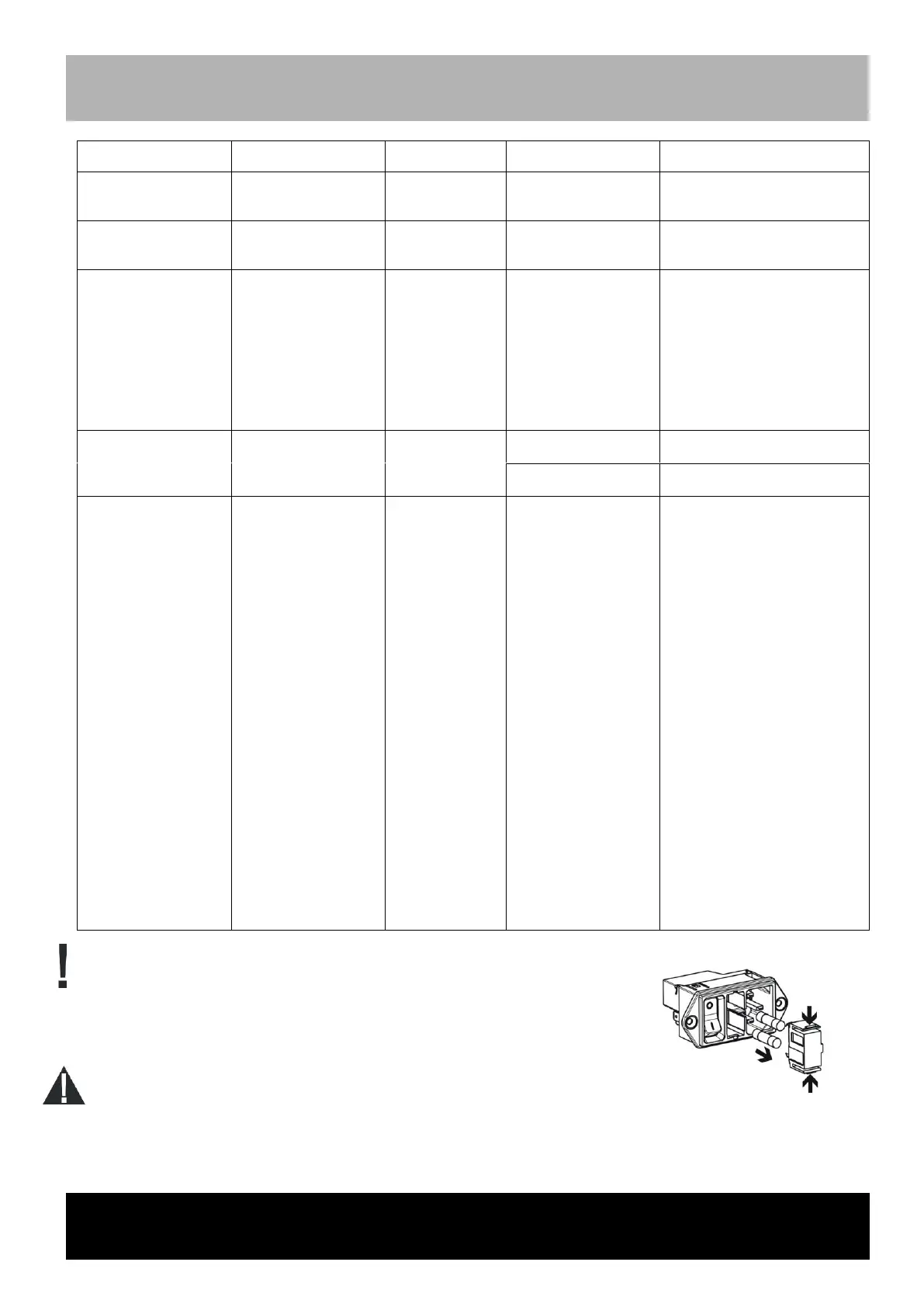
Remove the STATMATIC smart device plug.
Remove fuse tray from the power input module (push both tabs on the fuse tray
inward).
Replace fuses.
Insert fuse tray again.
Only use the fuse type indicated in the technical data.



 To Next Page