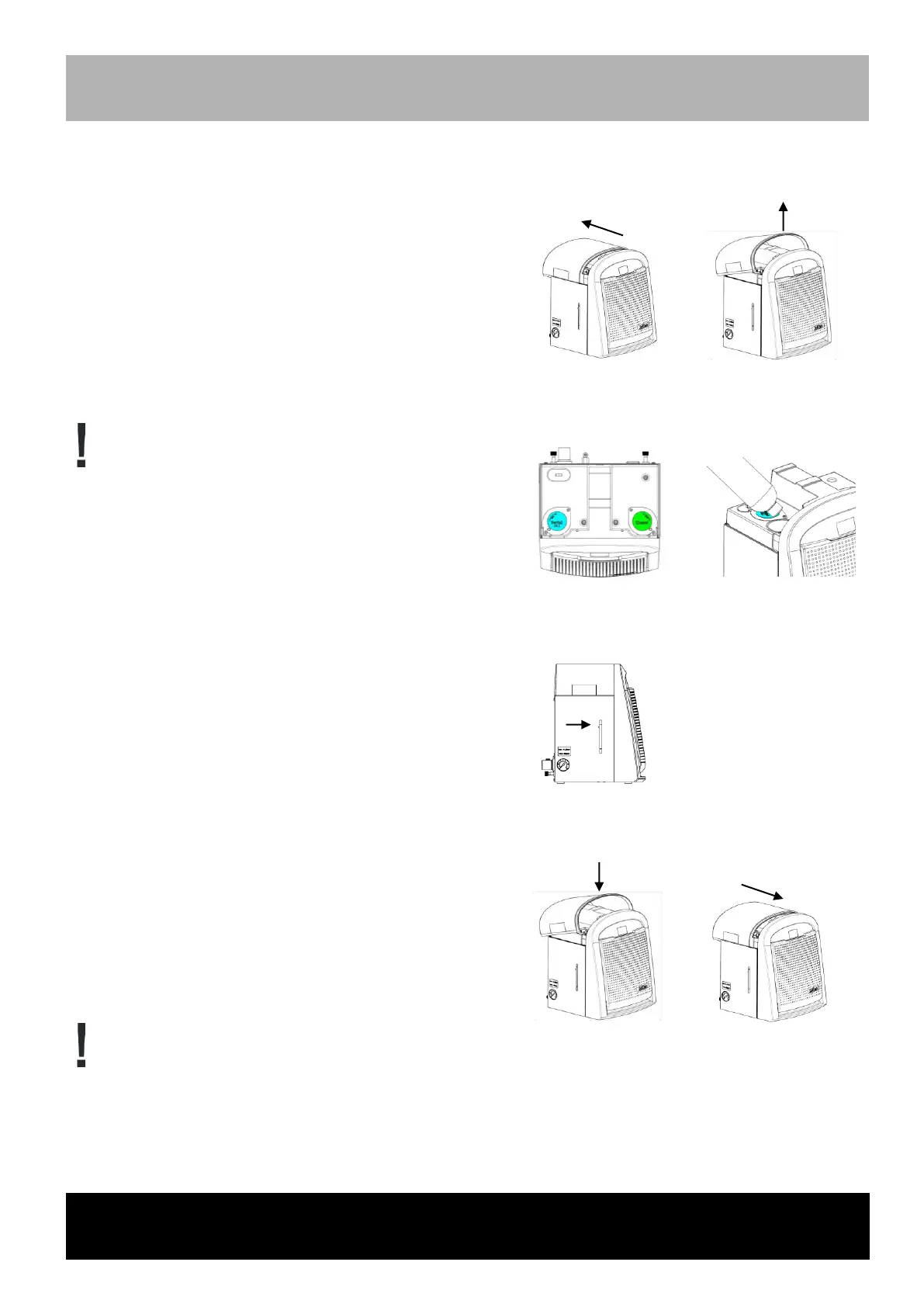
Refilling of the media containers
Check the filling levels of the containers every day prior to commencing work
Turn on the mains switch
The following will appear on the display: "WARNING Fill
Dental oil" or "WARNING Fill Cleaner"
Pull off top cover with both hands approx. 15 mm
(overcome magnetic resistance) and pull off upwards.
Observe the color code on the media container!
Blue = dental oil (SciCan "Dental Oil")
Green = cleaner (SciCan "Cleaner")
Turn the metal flaps to the back in order to open the
media container.
Fill up the container to the filling level marking.
Upon exceeding the minimum filling level, a 1-second
beep will sound.
If the container is full, a 2-second beep will sound 2
times.
The beep is always followed by a visual sign on the
container.
Attach the top cover and close until it stops.
Only use original SciCan "Dental Oil" and SciCan "Cleaner"!
Use of other media may put patients and users at risk and damage the device and the instruments.



 To Next Page