6 – PC SOFTWARE
MODEL 5000 SERIES MANUAL Version 1.23 6-25
there is currently the number of tests copied into the buffer shown in parenthesis (the
copied test buffer can hold up to 50 copied tests). If the copied test buffer is full, the
copied test editor can be opened and one or more copied tests may be deleted. The
copied test steps may be from any open STI Test Program.
6.6.1.9 Edit Copy Buffer
Opens the copied test buffer editor. Use the “Up” and “Down” buttons to change the
test buffer order or the “Delete” key to remove a test from the buffer.
6.6.1.10 Paste
If one or more test steps have been copied, the copied tests are inserted or added
with the appropriate step editor is invoked for each copied test.
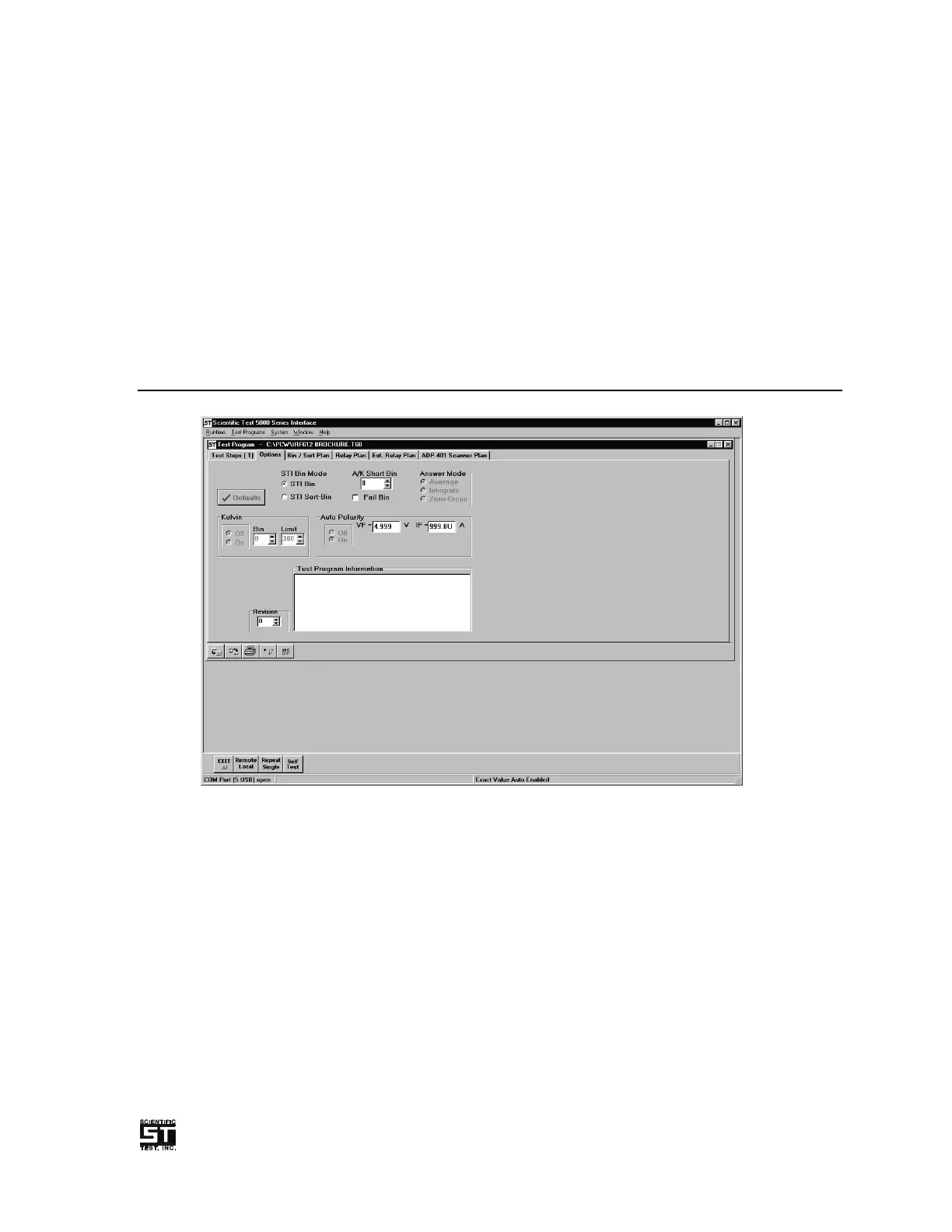
6.6.2 Options Tab
Allows for the selection of various global options to be selected.
Figure 6-12 Test Program Options Tab
6.6.2.1 Bin Mode
Selects the desired Binning mode to be used (see Section 6.6.3 for complete details).
6.6.2.2 A/K Short Bin
At the start of each test sequence, the tester checks for any shorts between the "A",
"K" or "G" signals and Ground. If a short (less than 20 KΩ) is detected, the test
sequence is aborted and the selected bin is asserted at the handler and the STI 5000
Series Tester displays “SHRT”. Any of the logical 16 bins may be selected, or the
Fail Bin may be checked. The default A/K Short Bin is Bin 8.
6.6.2.3 Low Current Deck Answer Mode
Selects the desired answer mode to be used when the Low Current Deck Option is
required.


 To Next Page