6 – PC SOFTWARE
MODEL 5000 SERIES MANUAL Version 1.23 6-27
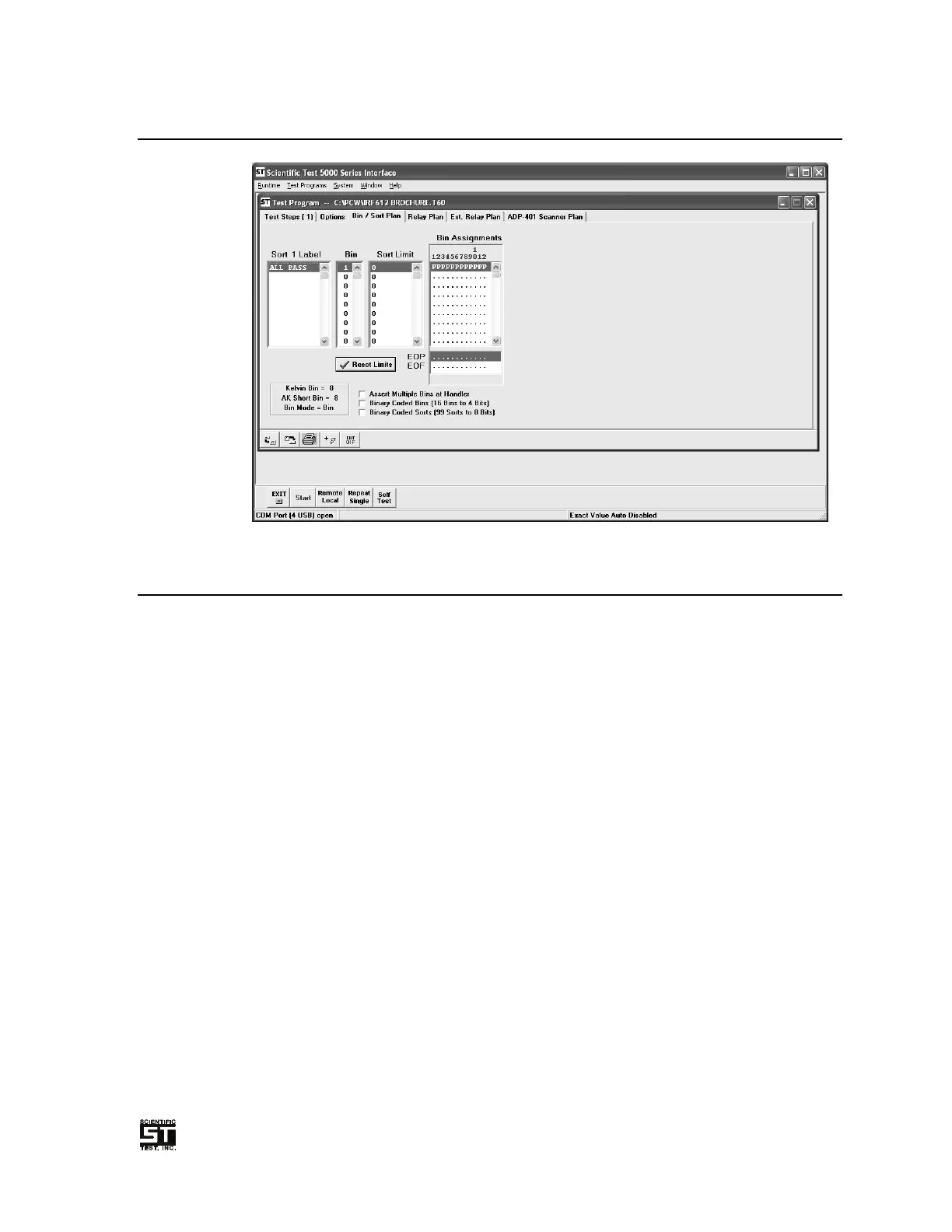
6.6.3 Bin / Sort Plan Tab
Figure 6-13 Test Program Bin/Sort Tab
6.6.3.1 Sorting and Binning
The STI PCW program gives the user the ability to customize how a tested device is
to be sorted.
Use the “Delete” key to remove the highlighted sort. Use the “Insert” key to insert a
new sort in front of the highlighted sort.
A sort is a selection of programmed test steps with each step selected to qualify on
pass, fail or ignore. In order for a sort to qualify, all selected tests must qualify. Any
bin may be associated with any sort. As an example, the following Sorts and Bins
are programmed:
Sort 1 Bin 2
Sort 2 Bin 3
Sort 3 Bin 4
Sort 4 Bin 2
Sort 5 Bin 5
Sort 6 Bin 2
Sort 7 Bin 4
Sort 8 Bin 6
The above example would provide the following decision sequence:
If Sort 1 qualifies, report Sort 1 Bin 2
Else, If Sort 4 qualifies, report Sort 4 Bin 2
Else, If Sort 6 qualifies, report Sort 6 Bin 2
Else, If Sort 2 qualifies, report Sort 2 Bin 3
Else, If Sort 3 qualifies, report Sort 3 Bin 4
Else, If Sort 7 qualifies, report Sort 7 Bin 4
Else, If Sort 5 qualifies, report Sort 5 Bin 5
Else, If Sort 8 qualifies, report Sort 8, Bin 6
Else, no programmed sort qualifies, report Sort Fail
NOTE: the actual tests run are dependent on the bin mode selected and the specific
test results.


 To Next Page