Pag. 16-EN UMT/WG T BT Rev3.0 – 08/10/2021
Charge R744 vapour into the system to a pressure of 10 bar g then liquid charge into the liquid line
service port until you have charged the amount specified by the charge estimator.
Charge CO2 liquid only from liquid line.
Charge CO2 gas only from suction line.
Never charge CO2 liquid from suction to prevent the breakdown of the compressor.
Do not overcharge the system. A liquid overfeed can compromise correct regulation of the unit and
the reliability of the compressor (liquid return).
Liquid in the receiver must not never exceed 3,5 kg in the units with 2x2,4 lt and 7,2 kg in the
units with 1x8 lt (especially in transcritical and defrosting mode).
Do not mix CO2 with various other refrigerants.
8 User Interface and main Software features
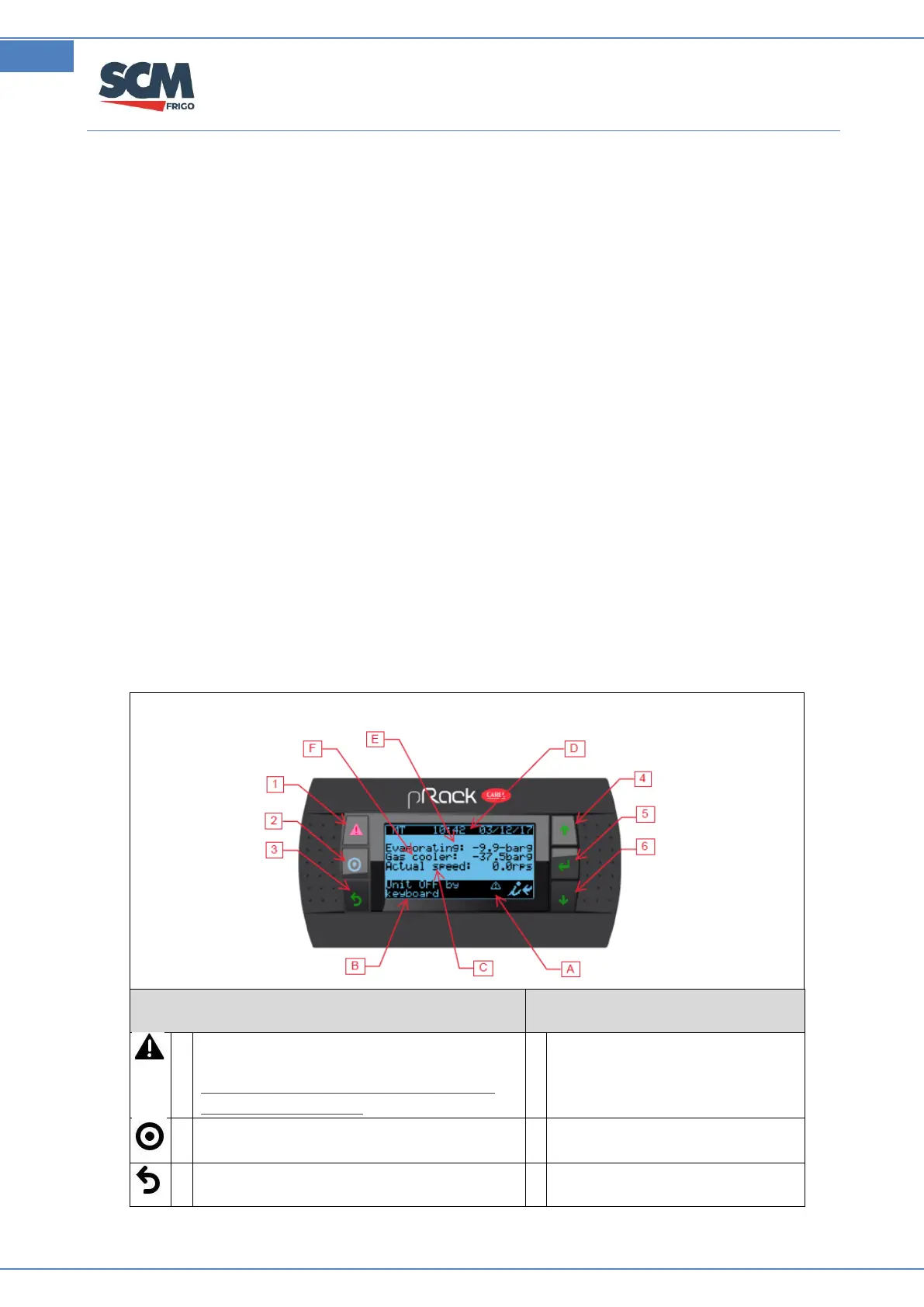
8.1 User Interface
Shows active alarms list and accesses to
the alarm log.
If pressed for more than 5 sec., resets all
acknowledged alarms.
Active alarm preset and manual
operation.
Used to enter main mask tree.
Return to back mask or higer level.
Rotation speed of compressor
(rps)



 To Next Page