Page 16 of 21
P/N 595359-01 Rev A - 04/17
DRAFT COPY –
NOT FOR PUBLICATION
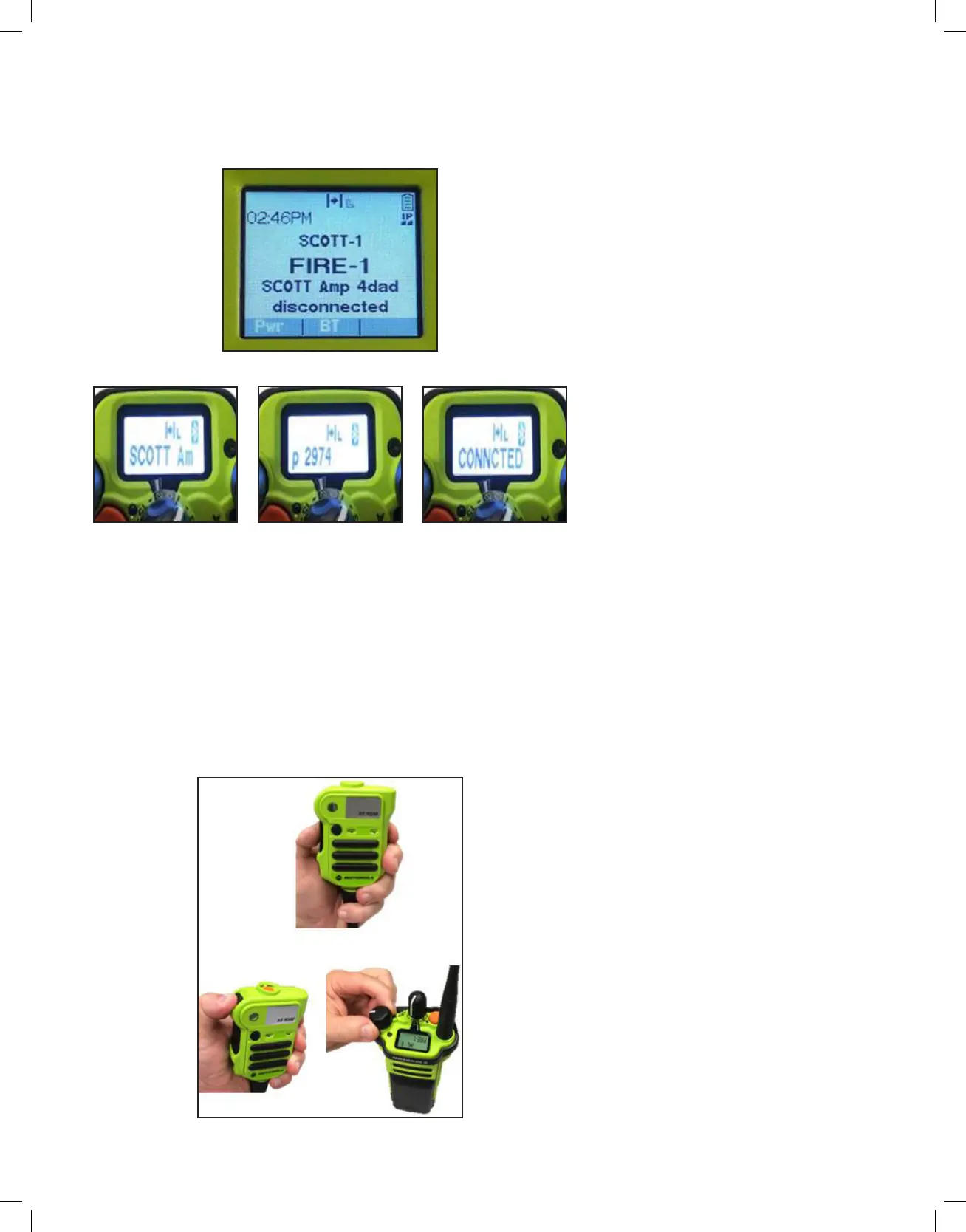
3. The APX radio will send a Bluetooth reconnection request to the RDI
Voice Amplifier. Once the RDI Voice Amplifier accepts the request,
the APX radio will emit a signal tone and briefly display or scroll the
connected device on the screen.The devices are now Bluetooth connected
and ready for use.
RDI VOICE AMPLIFIER/APX RADIO TRANSMIT & RECEIVE
OPERATION
After the EPIC 3 RDI Voice Amplier & APX Radio have been Bluetooth paired, follow
the instructions below to transmit & receive.
1. To activate radio transmit on the RDI Voice Amplifier, press the Push-to-
Talk (PTT) button on the Motorola XE RSM. This will route radio transmit
voice audio from the RDI Voice Amplifier microphone directly into the APX
radio and out through the radio network.
2. All incoming radio communications (Rx) play through the XE RSM speaker
(default setting). Radio Rx audio volume is controlled using either the
XE RSM volume toggle switch or the APX radio volume control knob.
MAIN DISPLAY
APX TOP DISPLAY
CONNECTED_1
APX TOP DISPLAY
CONNECTED_2
APX TOP DISPLAY
CONNECTED_3
RADIO TRANSMIT AND RECEIVE
OPERATION_1


 To Next Page