Page 7 of 21
P/N 595359-01 Rev A - 04/17
WARNING
THE USE OF BATTERIES OTHER THAN THOSE
LISTED IN THIS INSTRUCTION OR REPLACING
BATTERIES IN AN AREA WHICH IS NOT KNOWN
TO BE FREE OF FLAMMABLE GASES AND
VAPORS MAY CAUSE A FIRE OR EXPLOSION
AND MAY LEAD TO SERIOUS INJURY OR DEATH.
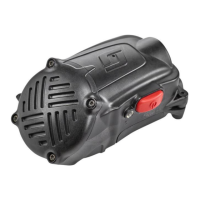
The RDI Voice Amplier Assembly requires three AAA batteries installed in the
microphone/speaker unit. Use only three fresh batteries from the following lists.
EPIC 3 RDI VOICE AMPLIFIER BATTERY INSTALLATION
CAUTION
TIGHTEN THE SCREW ONLY UNTIL IT IS SNUG.
DO NOT OVERTIGHTEN.
Alkaline Batteries:
– Energizer
1
Max E92
– Energizer Industrial EN92
– Duracell
2
Copper Top MN2400
– Duracell Pro-Cell PC2400
– Duracell Quantum QU2400
– Rayovac
3
824
Do not mix battery types, old and new batteries, or batteries from different
manufacturers. When using rechargeable batteries, verify that they are fully charged
before use. Use of any other batteries except those listed will void the intrinsic safety
listing of the RDI Voice Amplier Assembly. The area must be known to be nonam-
mable and safe before opening the battery door.
NOTE
THE RDI VOICE AMPLIFIER IS SHIPPED FROM THE FACTORY WITH ALKALINE
BATTERIES INSTALLED AND A BATTERY ISOLATOR LABEL TO PREVENT
BATTERY DRAIN. OPEN THE BATTERY DOOR AND REMOVE THE BATTERY
ISOLATOR LABEL BEFORE USE. (REFER TO BATTERY USE SECTION OF THIS
INSTRUCTION).
Install batteries as follows:
1. Use a #1 Phillips screwdriver to open the battery door. Turn the battery
door screw counterclockwise. Lift open the hinged door.
2. Inspect the contacts for corrosion or damage. If any discrepancy is found,
do not use the unit. Return to an authorized SCOTT repair center for
service.
3. Insert the batteries into the battery
compartment. Be sure to check
orientation of + and - polarity of
batteries as marked on the outside
of the battery compartment.
4. Verify that the seal around the
battery door is clean and
undamaged.
5. Close the battery door.
6. Turn the screw clockwise to tight-
en until snug. Do not over tighten.
7. Press the POWER Button for one (1) second to turn the RDI Voice
Amplifier. The GREEN POWER LED will illuminate indicating the RDI Voice
Amplifier is ON and the unit will sound a sequence of ASCENDING tones
based on the programming of the unit (5 tones for Open Bracket and 6
tones for Closed Bracket). If the LED does not illuminate, verify that ALL the
batteries are fresh AND that they are properly installed. The unit may emit a
high pitched tone (feedback) as the Auto Gain function sets the optimum output.
If the LED is flashing RED, the batteries are low and must be changed
before use of the RDI Voice Amplifier.
8. To verify proper operation, speak into the microphone port in the D-shaped
mount. The voice should be heard amplified coming from the speaker.
9. To turn OFF the RDI Voice Amplifier, press and HOLD the Power
Button for three (3) seconds. The unit will sound a sequence of two (2)
DESCENDING tones to indicate the unit is OFF and the LED will go OFF.
POLARITY
MARKED ON
HOUSING


 To Next Page