Page 14 of 21
P/N 595359-01 Rev A - 04/17
DRAFT COPY –
NOT FOR PUBLICATION
MOTOROLA APX FIELD RADIO WITH ONE DISPLAY
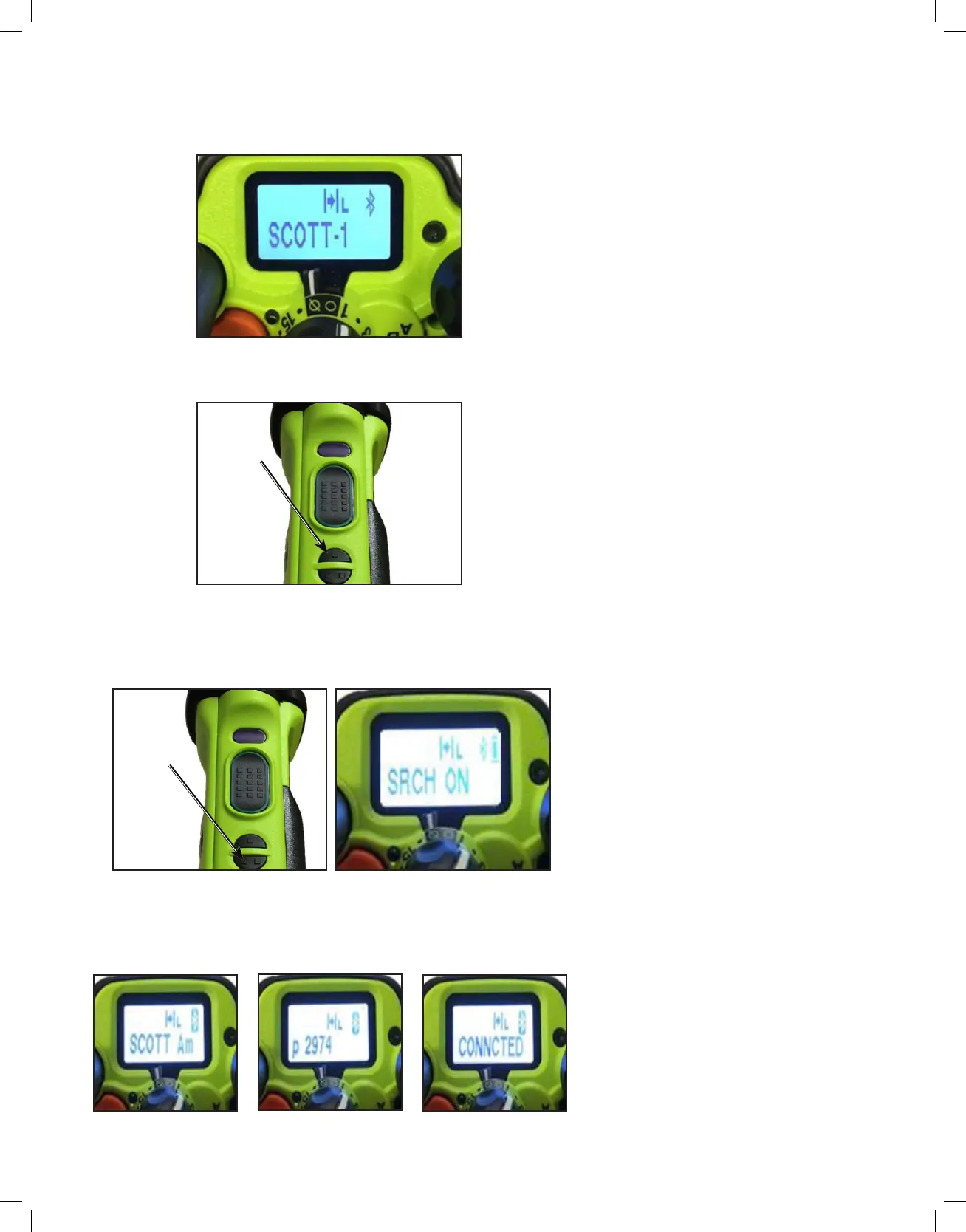
1. Follow the initial Bluetooth pairing instructions for the RDI Voice Amplifier.
2. Ensure the APX radio is powered on and the Bluetooth indicator appears
in the top right hand corner.
3. If the Bluetooth indicator is not visible, press the “BT On/Off” button to
turn it on.
4. Press the BT Search On/Off button on the side of the APX radio to
initiate the Bluetooth pairing process with the RDI Voice Amplifier. “SRCH
ON” will quickly appear on the APX top display to indicate the pairing
process has started.
5. “SCOTT AMP XXXX CONNCTED” will scroll across the top display and
APX radio will emit a signal tone when the RDI Voice Amplifier and APX
radio Bluetooth-pairing is complete.
DISPLAY POWER & BT_ON
BT ON/OFF
APX RADIO SIDE VIEW
BT SEARCH
ON/OFF
APX RADIO SIDE VIEW APX DISPLAY SEARCH_ON
APX DISPLAY
CONNECTED_1
APX DISPLAY
CONNECTED_2
APX DISPLAY
CONNECTED_3


 To Next Page