Page 13 of 21
P/N 595359-01 Rev A - 04/17
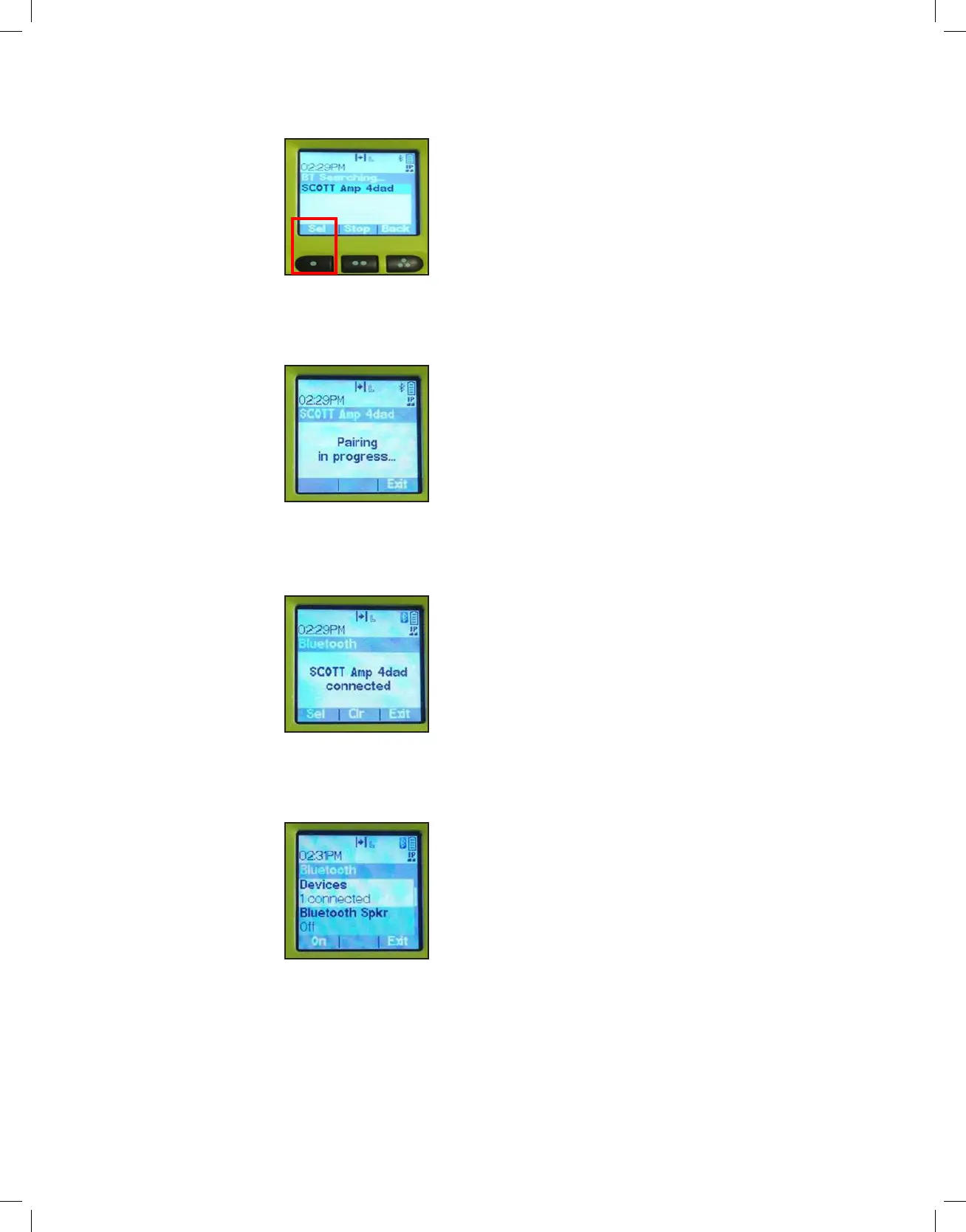
6. When your RDI Voice Amplifier is located, the APX radio will display
“SCOTT AMPXXXX”. (XXXX = a unique 4 digit identifier). Press the 1-dot
button under “Sel” to begin pairing.
7. The pairing process has now begun and it will display “Pairing in
Progress.”
8. APX radio will emit a signal tone and display “Scott Amp XXXX Connected”
when the devices are Bluetooth paired and ready for use.
9. You can now see an additional device has been connected and Bluetooth
is paired.
APX BT DEVICES
FOUND
APX PAIRING IN
PROGRESS
APX AMP
CONNECTED
APX DEVICES
CONNECTED


 To Next Page