Page 12 of 21
P/N 595359-01 Rev A - 04/17
DRAFT COPY –
NOT FOR PUBLICATION
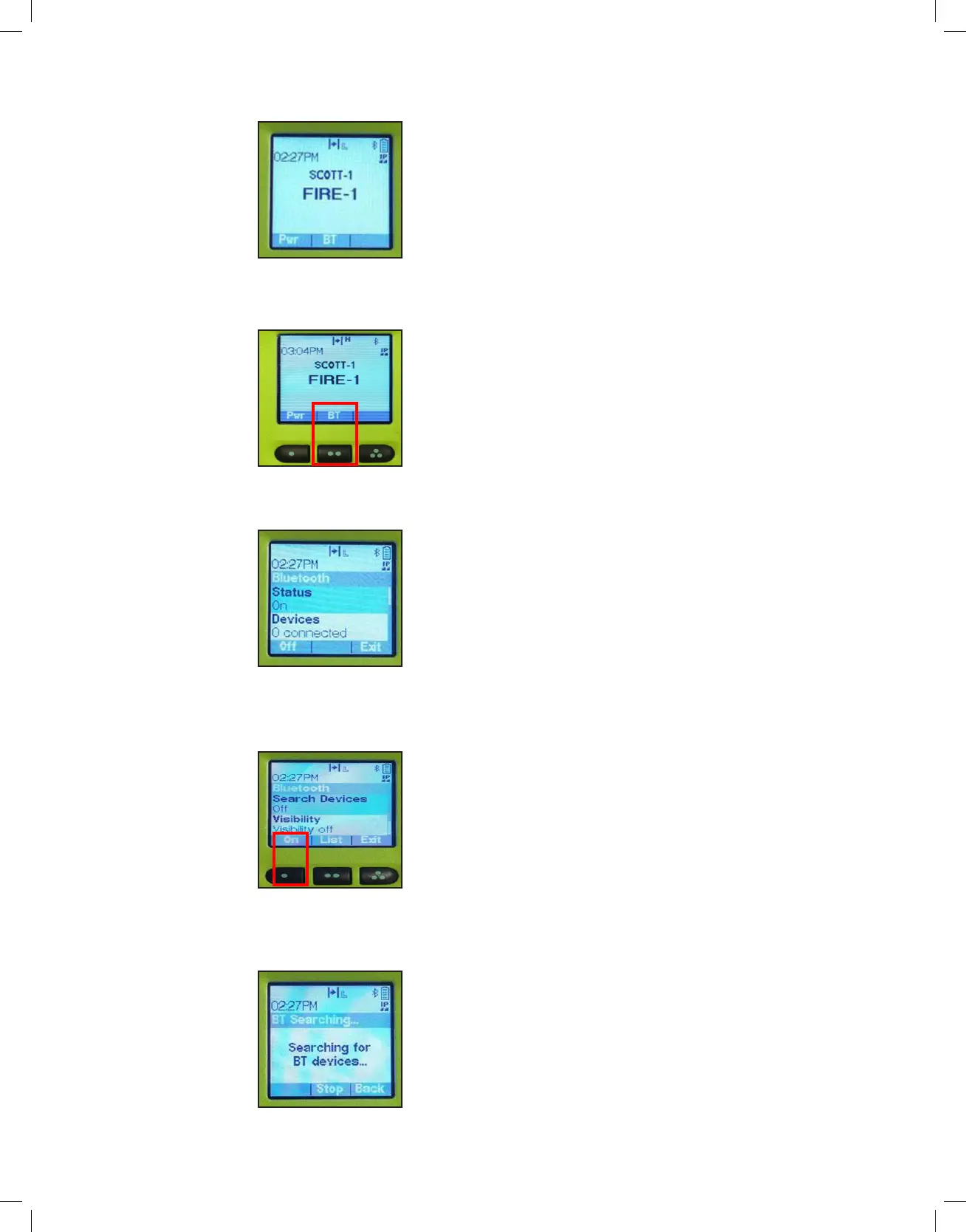
1. Ensure the APX radio is powered on and the Bluetooth indicator appears
in the top right hand corner.
2. Enter the Bluetooth settings by pressing the 2-dot button under the word
“BT”.
3. The APX radio will display the number of devices connected.
4. Using the navigation buttons, scroll up to “Search Devices” and press
the 1-dot button to select “On”.
5. The APX radio will search for Bluetooth devices and display “Searching
for BT Devices”.
APX_PWR_BT_ON
2-DOT BUTTON
APX CONNECTED
DEVICES
APX SEARCH
DEVICES
APX SEARCH
DEVICES


 To Next Page