Page 17 of 21
P/N 595359-01 Rev A - 04/17
SWITCHING BETWEEN RADIO / XE RSM
COMMUNICATION MODES
To switch the EPIC 3 RDI Voice Amplier / APX radio communication system back to
APX radio / XE RSM communication mode, the Bluetooth connection between the RDI
Voice Amplier and APX radio must be disconnected. This can be accomplished by
powering off the RDI Voice Amplier OR turning off the APX radio Bluetooth feature.
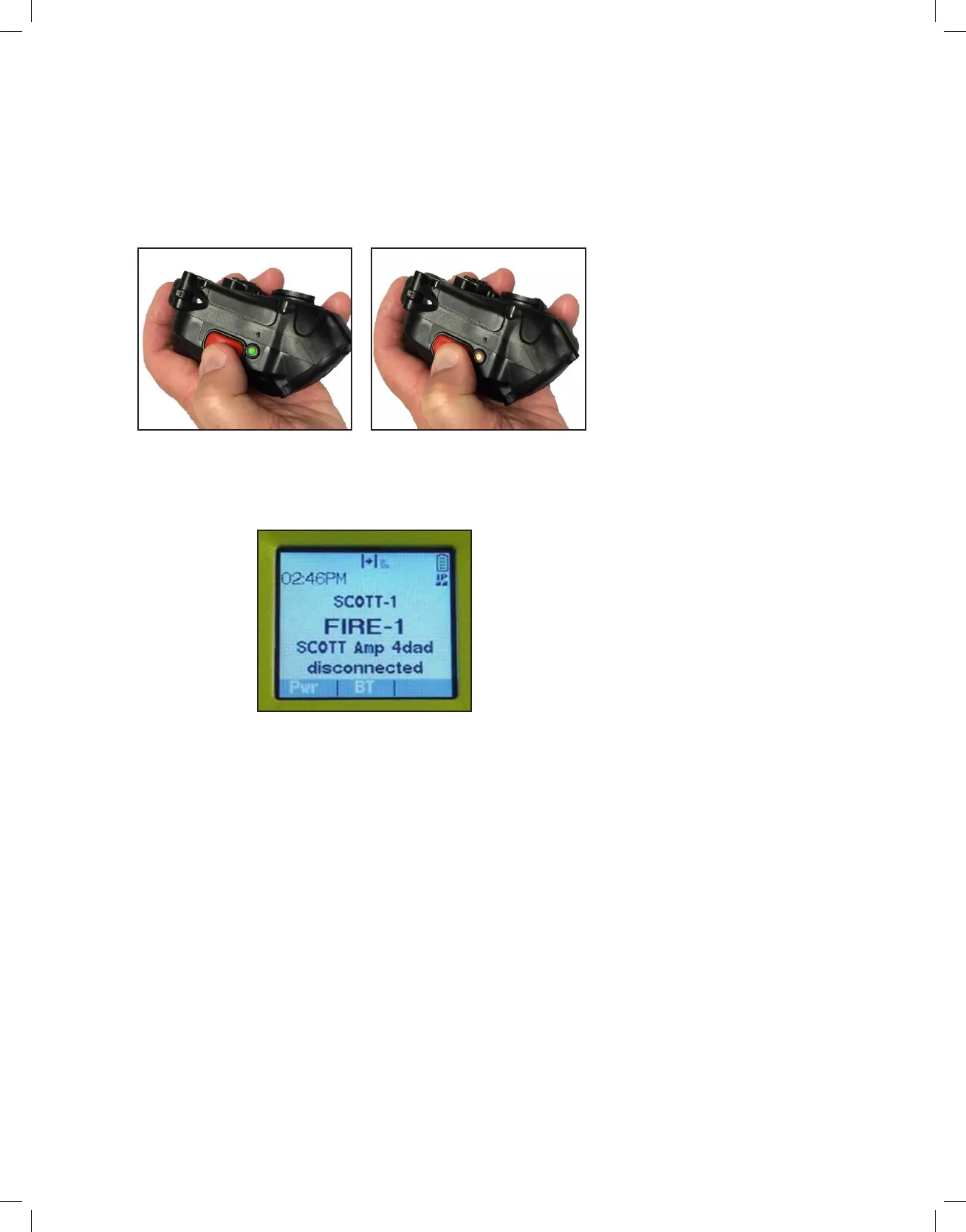
1. Power off the RDI Voice Amplifier by pressing and holding the red power
button. The RDI Voice Amplifier will emit an audio tone and the LED will
switch from green to red to off.
2. Once the RDI Voice Amplifier is powered OFF, the Bluetooth connection
between the RDI Voice Amplifier and APX radio will be disconnected. The
APX radio will emit a signal tone and briefly display that the RDI Voice
Amplifier has been disconnected.
3. Audio transmit functions will now be routed to the XE RSM or APX
radio micro-phones depending on the radio configuration settings.Your
communication system will now operate in standard APX radio / XE RSM
communication mode.
REMOVING BLUETOOTH DEVICE PAIRING INFORMATION
Once an EPIC 3 RDI Voice Amplier and APX radio have been paired and connected,
the Bluetooth device pairing information will be maintained until it is manually removed.
This ensures the RDI Voice Amplier and APX radio will reliably and quickly reconnect
when operated as a Bluetooth paired set.
To create a new RDI Voice Amplier and APX radio paired set, it is recommended to
remove all pairing information from both devices.
EPIC 3 RDI VOICE AMPLIFIER BLUETOOTH PAIRING REMOVAL
PROCESS
1. Follow the RDI Voice Amplifier initial Bluetooth pairing instructions by
pairing the RDI Voice Amplifier with a different APX radio. If the RDI
Voice Amplifier is placed in initial Bluetooth pairing mode but is not
paired with a different APX radio, the previous Bluetooth device pairing
information is retained.
APX RADIO BLUETOOTH PAIRING REMOVAL PROCESS - TWO
DISPLAY RADIOS
1. Access the Bluetooth menu via the front display and remove the current
RDI Voice Amplifier pairing information.
MAIN DISPLAY
RDI LED - GREEN
RDI LED - RED


 To Next Page