GB–7
CONNECTIONS
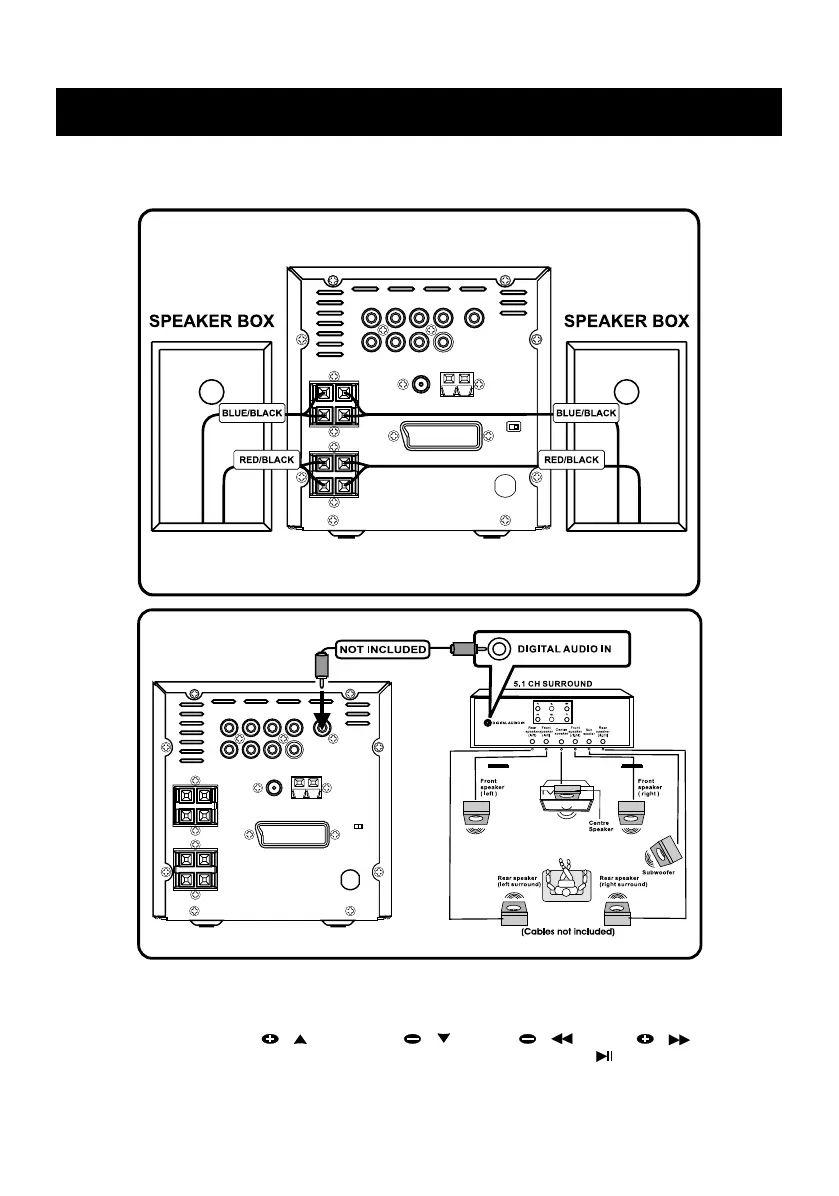
2) Connecting to the standard speaker boxes
CONNECTING TO SPEAKER BOXES
Notes:
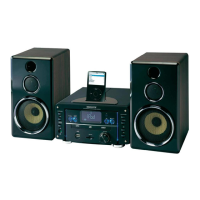
To enjoy the SURROUND SOUND with the above connection, you need to set the
corresponding preference in setup menu. Press SETUP key on the remote control to access
menu, then press PRESET / or PRESET / , or TUN / or TUN / key to
select AUDIO OUT and the ANALOG, SPDIF/RAW or SPDIF/PCM, press / ENTER key to
confirm your setting. To exit setup menu, press SETUP key once.


 To Next Page