GB–8
CONNECTIONS
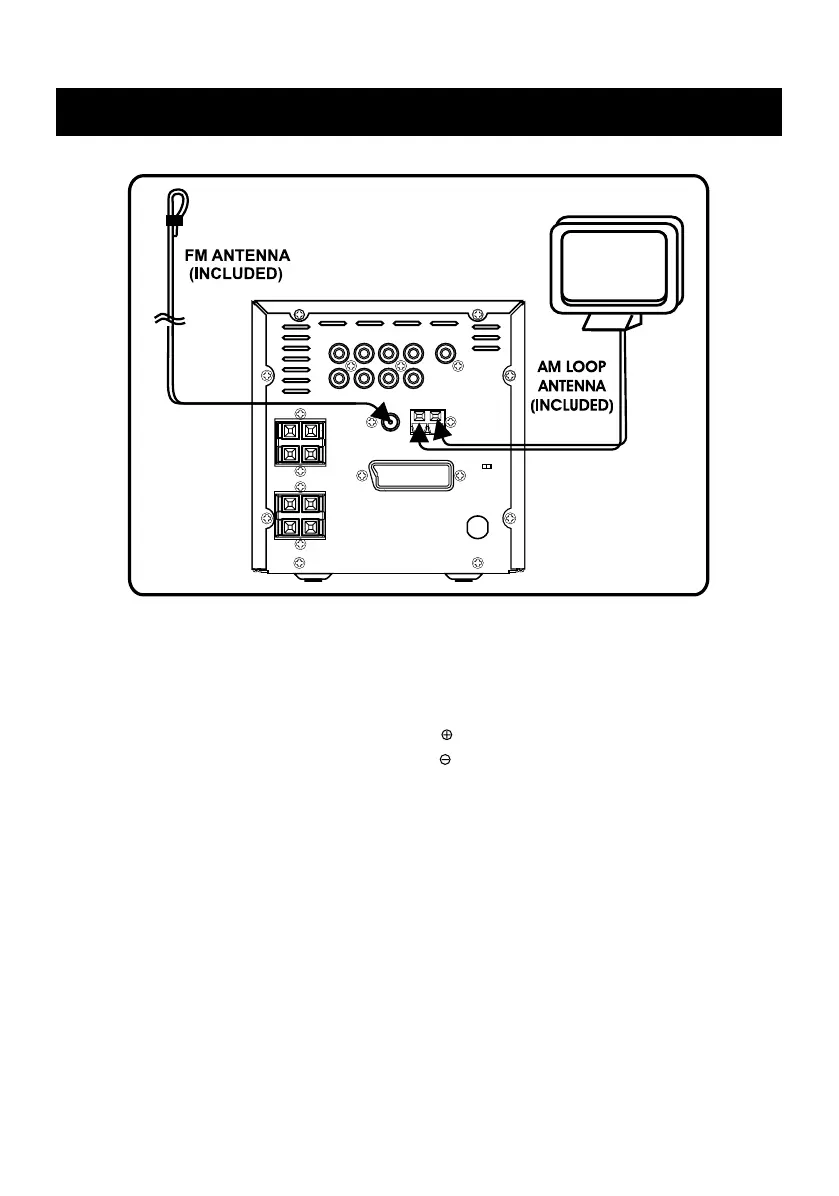
3) Connecting to AM and FM antenna
A.) Adjusting the position of the FM antenna
While listening to an FM program, extend the antenna and move it in various directions until the
clearest signal is received. Then secure the antenna with push pins in the position with the least
distortion.
B.) Adjusting the position of the AM antenna
Connect the AM antenna wire to antenna marked “ ” with the white wire.
Connect the AM antenna wire to antenna marked “ ” with the black wire.
While listening to an AM program, set the antenna in the direction and position where you receive
the clearest sound. Position it as far away as possible from the unit, TVs, speaker cables and
power cords (main leads).


 To Next Page