Rev.2
37
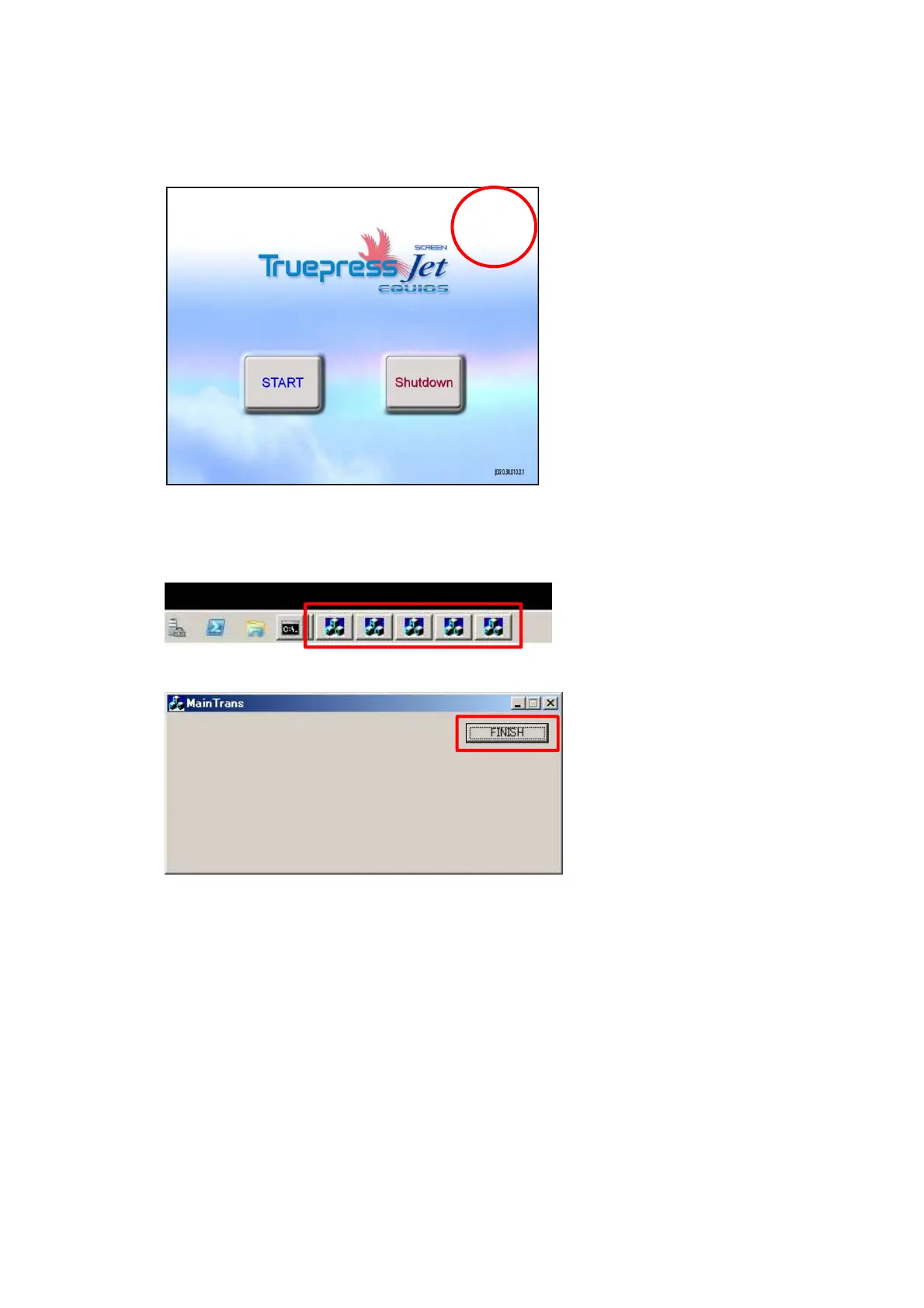
6. Touch the top right corner of the startup screen to finish the controller.
7. Finish application running.
Click 5 or 6 or 7 icons in taskbar.
Click the “Finish” button in 5 or 6 or 7 displayed windows.
Confirm that all 5 or 6 or 7 icons in taskbar disappear.
8. Open ‘D:\TP-JL350\Client’ folder. Double click “IPConverter.exe”.



 To Next Page