Rev.2
38
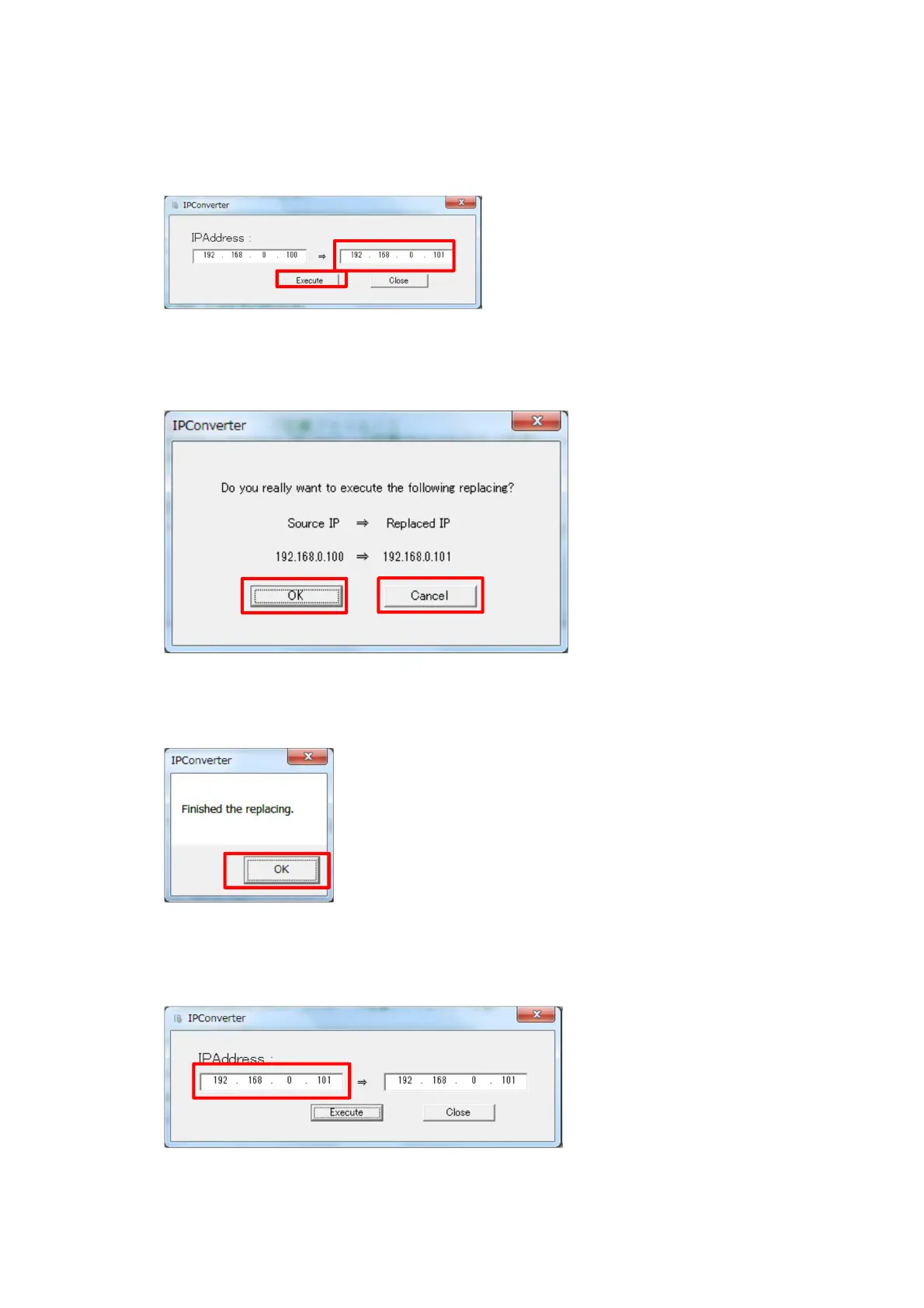
9. Enter the IP address to the displayed screen.
Click on the ‘Execute’ button.
10. Following screen will be displayed.
Click ‘OK’ to accept change.
11. Following screen will be displayed after updating IP address.
Click ‘OK’.
12. Following screen will be displayed with the modified IP address on left side.



 To Next Page