EasyManua.ls Logo

SCS Sentinel prim' OneGate 3 - User Manual

SCS Sentinel prim' OneGate 3
76 pages
Go to English
Print Icon
To Next Page IconTo Next Page
Loading...
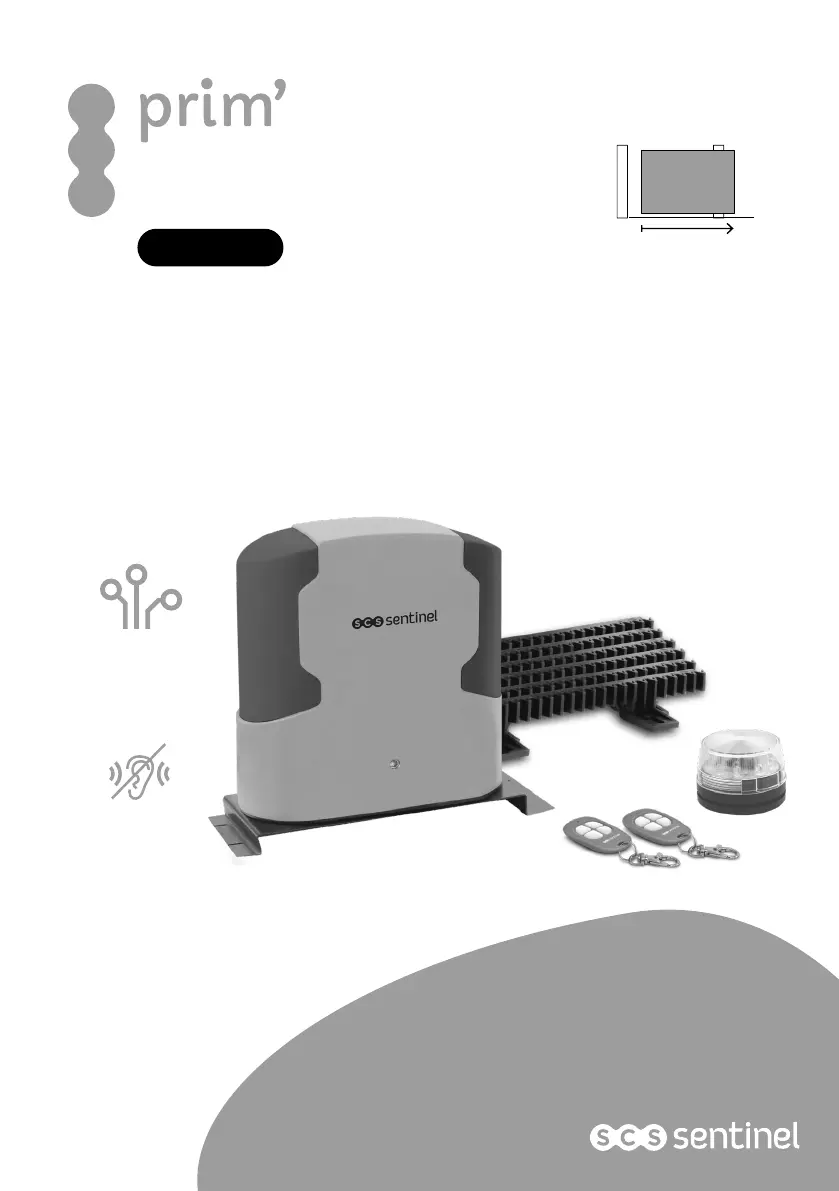
Automation kit for sliding gate
Motorizzazione per cancello scorevolle
Kit automatismos para puerta corredera
Motorisation
silencieuse
Carte
électronique
P501 BH PCB2
12V VSCS
12V
4 m max
400 kg max
MCO0062
OneGate 3
Motorisation
pour portail coulissant
by
SCS Sentinel
V.052020 - IndG
Notice d’utilisation et d’installation - installation and user manual - manuale d’installazione e uso - Manual de uso e instalación

Table of Contents

Questions and Answers

  • S
    susanjensenAug 6, 2025
    What to do if the SCS Sentinel prim' OneGate 3 doesn’t move when pressing the button?
    • D
      Donna MarshallAug 6, 2025
      If your SCS Sentinel Gate Opener doesn't move when you press the transmitter button, first verify that the power supply is higher than 12V. Next, ensure that all wirings are securely connected to the terminal block. Finally, check the condition of the fuse or circuit breaker of your power supply.
  • J
    jacob88Aug 12, 2025
    Why doesn’t my SCS Sentinel prim' OneGate 3 Gate Opener remote control have a good sensing range?
    • J
      Jack CarterAug 12, 2025
      If the remote control for your SCS Sentinel Gate Opener has a poor sensing range, start by checking the batteries. Also, inspect the antenna connection to ensure the single wire isn't touching the braid.
  • T
    Teresa RiveraAug 17, 2025
    What to do if the SCS Sentinel prim' OneGate 3 Gate Opener opens but doesn’t close?
    • M
      michael05Aug 17, 2025
      If your SCS Sentinel Gate Opener opens but doesn’t close, check if the LED1 indication is on. If it is, inspect the photocells, their connections, and their alignment. You can also set program H-0 to deactivate the photocells temporarily while checking the connections.
  • T
    Thomas ShieldsAug 23, 2025
    How to fix photocells that don’t work on SCS Sentinel prim' OneGate 3 Gate Opener?
    • L
      Lindsey MathisAug 25, 2025
      If the photocells on your SCS Sentinel Gate Opener aren't working, first, check that the photocells are activated using the H : H1 program. Then, check if the red LED on the RX photocell is on. If it is, there may be an alignment issue with your photocells.
  • M
    Michael WalkerAug 30, 2025
    How to fix a SCS Sentinel Gate Opener that doesn’t open entirely?
    • A
      Audrey MarshallAug 30, 2025
      If your SCS Sentinel Gate Opener doesn’t open fully, try increasing the power using program 7 (settings from 7-1 to 7-6). Additionally, you can update the slowdown phases with program 6 (settings from 6-1 to 6-4).

Summary

B- DESCRIPTION

B1- Content

Lists all components included in the automation kit for sliding gates.

B2- Dimensions

Provides detailed physical measurements of the motor unit and its accessories.

B3- Description of device

Details the various internal components and parts of the gate automation motor.

C- WIRING; INSTALLING

C1- Standard installation

Outlines the basic steps for connecting the sliding gate automation system.

C2- Installation of motor gear and gear rack

Explains how to physically mount the motor and attach the gear rack to the gate.

C3- Manual release

Instructions on how to manually operate the gate motor in case of power failure.

C4- Wiring diagram

Illustrates the electrical connections for the gate automation control board.

C5- Installing

Details the final installation steps, focusing on power supply connections.

Blinker Installation

Step-by-step guide for wiring and mounting the LED blinker for the gate system.

Photocell Installation

Procedure for installing and aligning safety photocells for automatic gate operation.

D- SETTING; USING

D1- Remote controls

Guide to programming and cancelling remote controls for the gate automation.

D2- System learning process, reset process and LED display

Explains the gate's auto-learning, reset procedures, and LED indicator meanings.

D3- Programmable function settings

Details adjustable parameters for gate operation, speed, and safety features.

D4- Testing and checking

Procedures for testing the installed gate automation system and its components.

D5- Recognition of LED

Explains the meaning of LED indicators on the control unit for diagnostics.

E- TECHNICAL FEATURES

G- TROUBLESHOOTING

H- WARRANTY

I- WARNINGS

SCS Sentinel prim' OneGate 3 Specifications

General IconGeneral
Max Gate Length/Width8 m
Power Supply230 V AC
Motor Voltage/Type24 V DC
Operating Temperature-20°C to +50°C
Protection RatingIP44
TypeSliding Gate Opener
Control OptionsRemote Control

Related product manuals