17
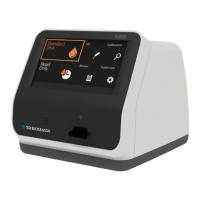
Overview of STANDARD F200 Analyzer
A. Color TFT LCD
Use for displaying test screen and interacting with the graphic user interface
B. Test Slot
Part for inserting a test device to analyzer
C. Test Device
Use for proceeding the test by inserting the specied test device
D. Printer Cover
Use for covering and protecting the printer sheet
E. Printer Cover Button
Use for opening the printer cover
F. DC Jack Port
Use for connecting power supply adaptor 12V/5A to its compartment
G. Power Switch
Use for turning on/off the analyzer
H. USB x 4
Use for connecting with keyboard, barcode scanner and USB memory
Note
When using USB memory or USB storage device, the USB le
system should be formatted to the FA32 so that the STANDARD
F200 Analyzer recognizes the USB.
I. LAN
Use for communicating through the local area network
J. Mini USB
Use for upgrading the F/W upgrade by PC connection
K. Additional Device Port
Use for connecting with specic device manufactured by SD BIOSENSOR,Inc.
Accessories of the STANDARD F200 Analyzer
Accessory STANDARD F Calibration Set F CAL-1, F CAL-2, F CAL-3
Optional
STANDARD F Test Device
Specic test device manufactured
by SD Biosensor, Inc.
Barcode scanner USB Barcode scanner
Printer Paper -
AC/DC Power Adaptor
Input: AC 100~240 V, 50/60 Hz
(Voltage tolerance ± 10 %)
Output: DC 12V/5A


 To Next Page