40
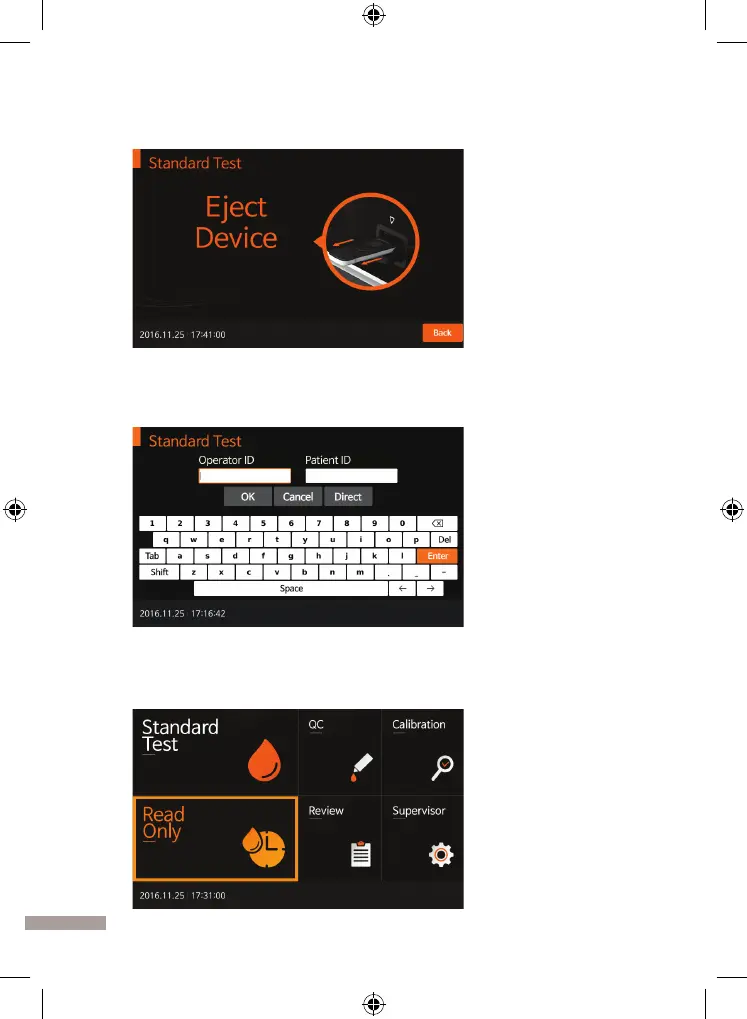
9. When pressing ‘OK’, 'Eject Device' message will be displayed. Then, you
should remove the test device from the analyzer.
10. When test device is ejected, the analyzer will move to another test log-in
menu to perform the next test. Press ‘Cancel’ at any procedure to quit the
ongoing test progress.
Read Only Mode
1. First, select 'Read Only' mode. Refer to assay specific package insert for
collecting specimen for the test and preparing the test procedure.


 To Next Page