38
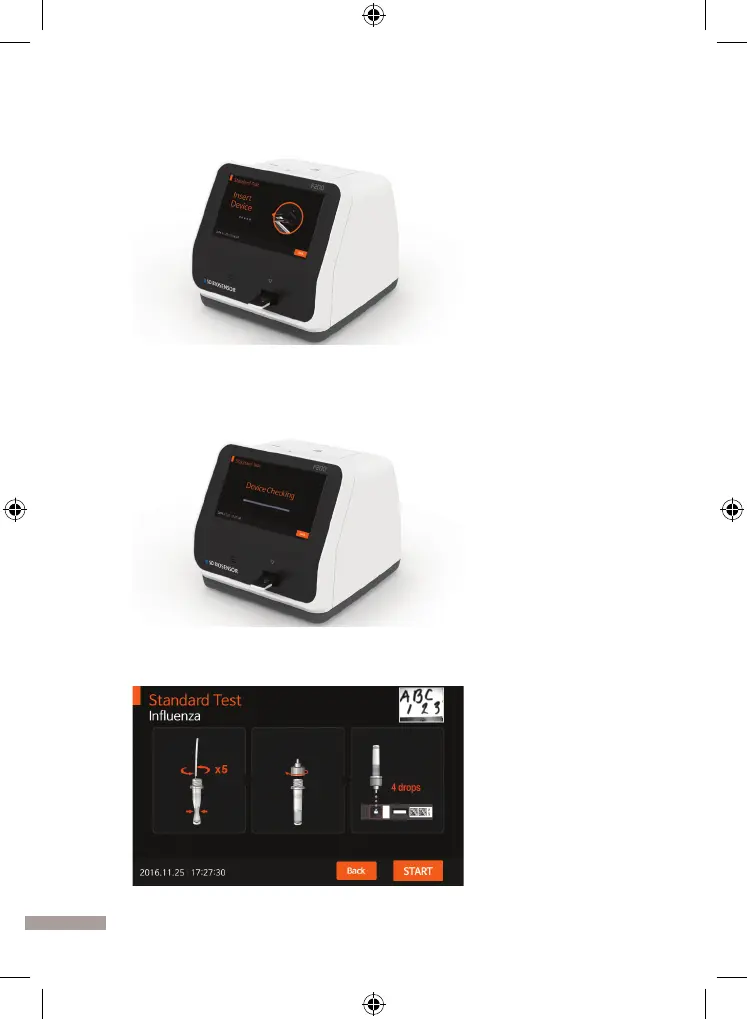
3. Once the ‘Insert Device’ is displayed on the screen, insert the specied test
device into the analyzer’s test slot.
4. When inserting the test device to the analyzer, the analyzer will automatically
check whether it is used or not. Also, the analyzer will read the barcode data
and check the test device is valid to start the test.
5.
When the procedure of checking the test device is completed, apply the specimen
to the sample well of the test device and press the ‘START’ immediately.


 To Next Page