SD CodeFree™ BLOOD GLUCOSE MONITORING SYSTEM
22
Understanding Your New System
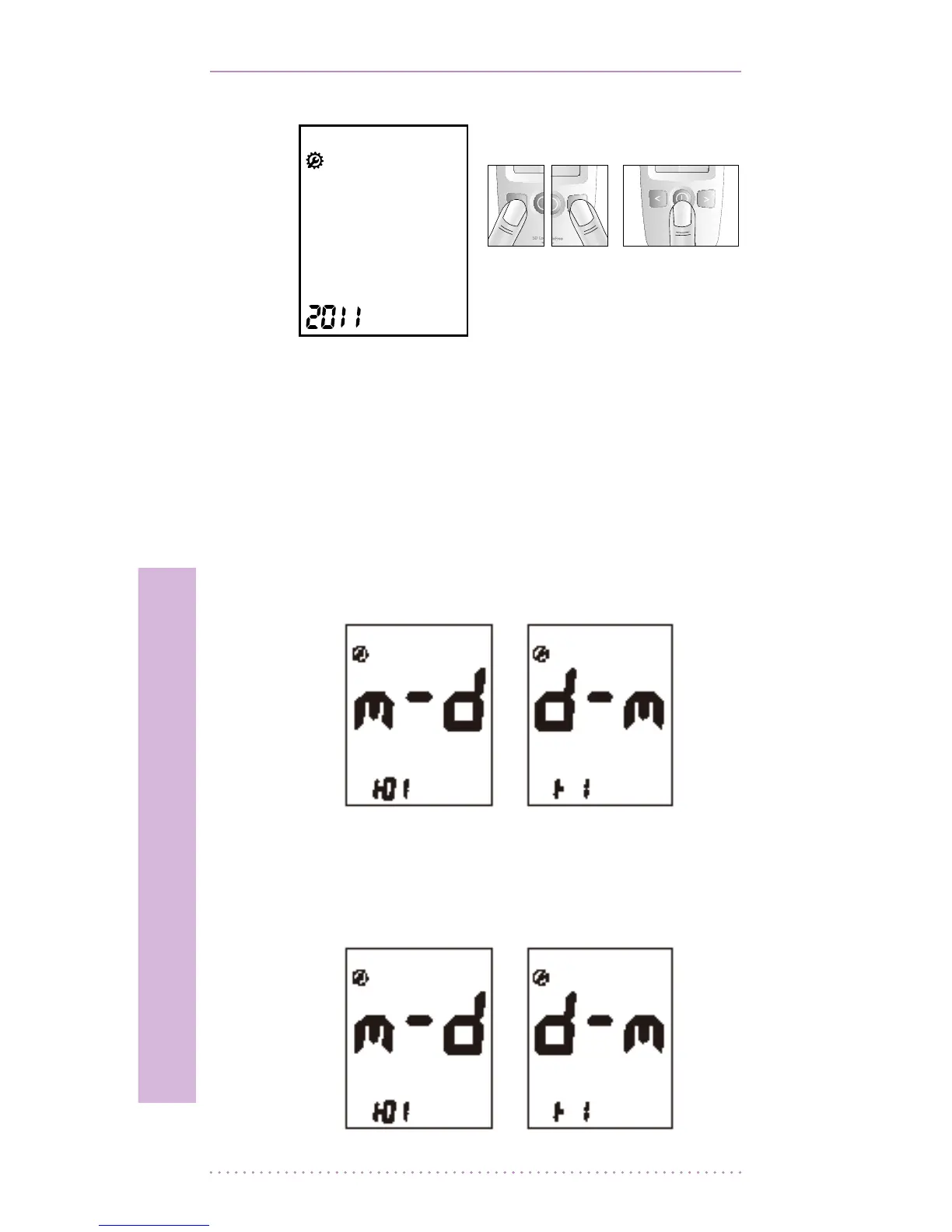
2. Next will appear the setting display for
month and day format. The meter can
display the month and day in either a
Month-Day (m-d) format or a Day-Month
(d-m) format. Set the preferred format on
the display by pressing either the left or the
right button and conrm by pressing the
ON/OFF button.
3. Set the correct month or day on the display
by pressing either the left or the right
button and conrm by pressing the ON/OFF
button.
[ Left or right
button ]
[ ON/OFF
button ]


 To Next Page