ACTION
25
In watch mode, the backlighting will turn o automatically after 600 seconds.
DIVE: by activating this option, the backlighting will activate automatically
when the dive beings and will remain on for the full duration of the dive.
• WARNING:
intense use of the backlight will consume the battery faster, so it will not
last as long.
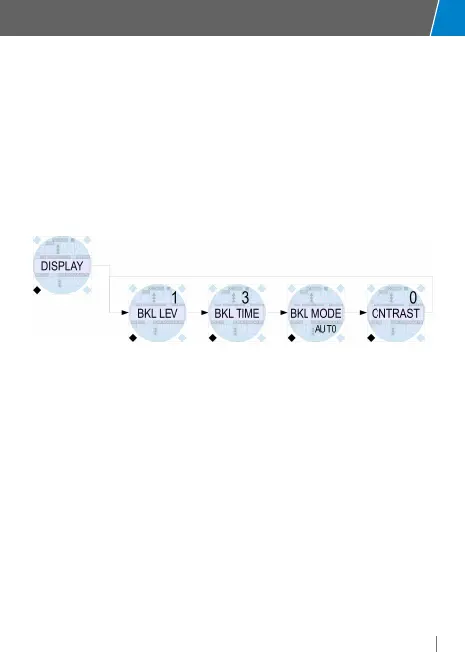
CONTRAST: 5 display contrast levels can be selected
For each mode, set the choice using the HR (+) and LR (-) buttons and confirm
with the LL button (Mode) and move to the next selection. Press LL and LR at
the same time to return to the main view.
System Settings (SYS SET)
The settings below are possible in this mode:hour/minute (TIME), date (DATE),
UTC second time zone (UTC LOC), UTC primary time (UTC HOME), 12/24 hour
format (FORMAT), unit of measure meters MTR or feet IMP (UNITS).
The reference time is always the LOCAL time, and is indicated in the center of the
watch screen, or in secondary screens SCUBA/GAUGE/FREE during the dive.
The Home time can only be changed by editing the value of the “UTC HOME”
time zone in the “SYS SET” menu.
If “UTC LOC” and “UTC HOME” are the same, only one time is shown on the
watch screen.
If the two parameters do not match, the LOCAL time is shown in the center of
the screen (the date indicated refers to this time), while the HOME time is shown
in the lower right.
If the date for each of the two times is dierent, the date oset from the HOME



 To Next Page