DRIVER
9
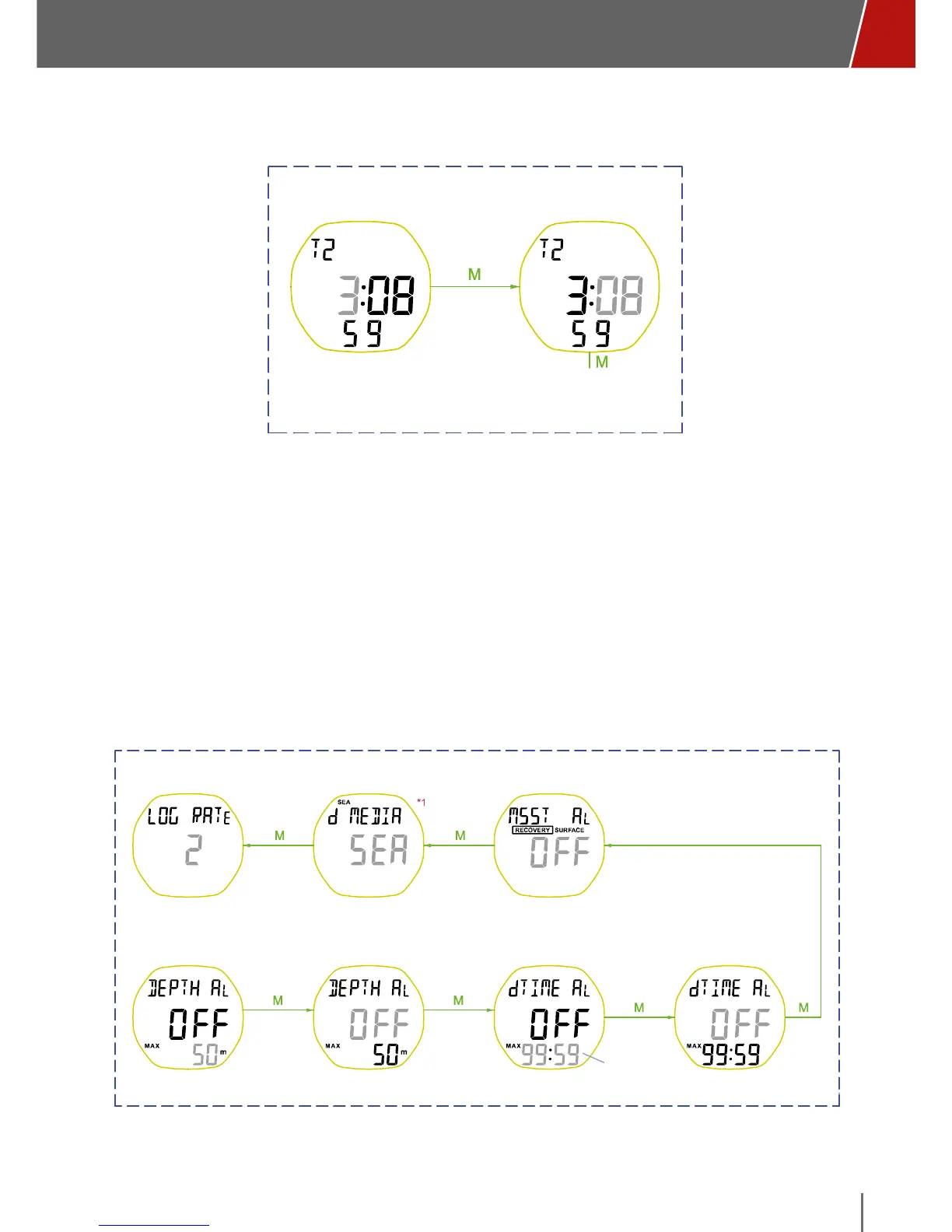
SET T2 MODE (SECOND TIME ZONE)
Default time: 12:00:00
Set T2 Hour Set T2 Minute
T2 TIME SETTING mode
• To enter SET “T2”, set T2 as the primary display, and then press and hold the
“M” button from the T2 screen.
• The minutes digits flash: increase the value with the “U” button or decrease
with the “D”. Briefly press the “M” button to confirm.
• The hours digits flash: increase the value with the “U” button or decrease
with the “D”. Briefly press the “M” button to confirm.
• Confirm and exit SET “T2” by pressing the “M” button.
SET DIVE MODE
Default: 2 seconds Default: SEA Default: off
Default: off
Default: 50m
Range: 3 - 120 m
Default: 10:00
Range: 00:10 ~ 99:50
Default: off
mm:ss
increment per 10s
Sampling Rate (/ sec)
Minimum Suggested
Surface Time Alert
Set MAX DEPTH Enable/Disable MAX
DEPTH Alert
Set MAX DIVE TIME
Enable/Disable MAX
DIVE TIME Alert
To enter SET “DIVE”, press and hold the “M” button from the DIVE screen.



 To Next Page