Updating Your Software 10
FreeAgent Pro for the Macintosh
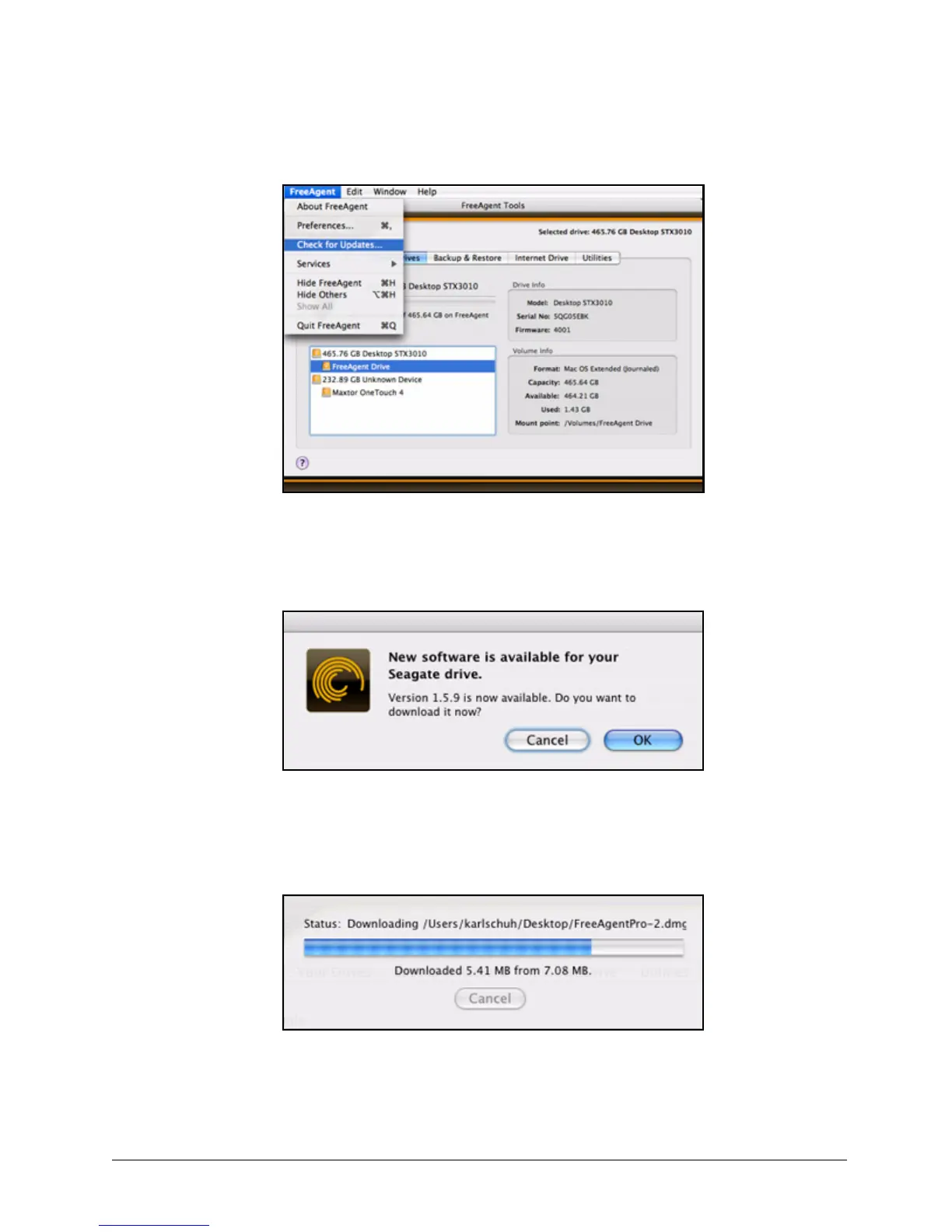
The Software Update window opens.
If an update is available, a Software Update window allows you to download it:
Step 2: Click OK to download the software update.
A progress bar indicates the status of the download:
When the software update has downloaded, the Install Wizard Welcome window
opens.
Figure 15: Check for Software Updates
Figure 16: Software Update Available
Figure 17: Software Update Progress










 To Next Page