Adjusting the Drive Lights 17
FreeAgent Pro for the Macintosh
Managing Utilities
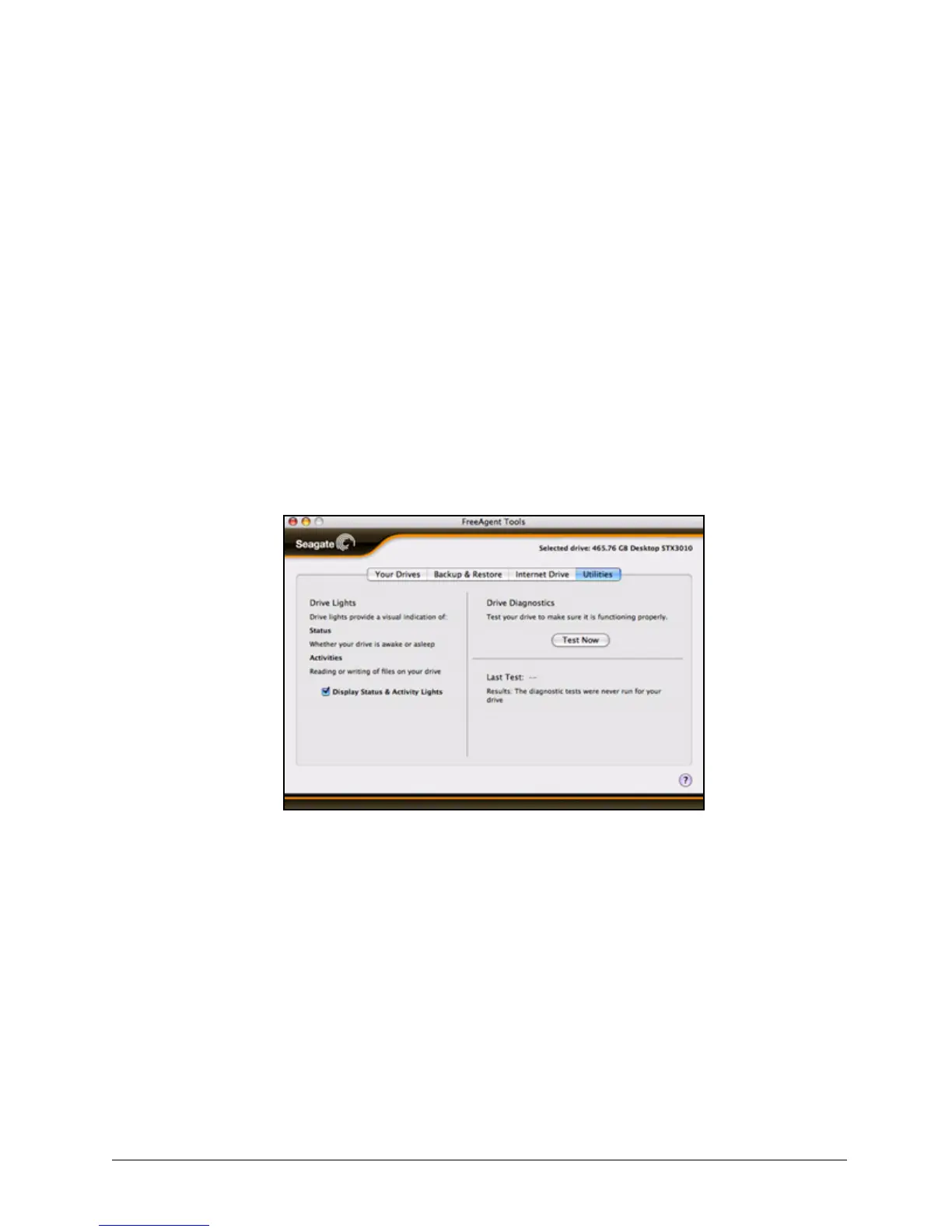
The Utilities view allows you to adjust the lights on your FreeAgent™ drive and to run drive
diagnostics.
Adjusting the Drive Lights
The lights on your FreeAgent drive pulse to indicate drive activity and status. You can turn
these lights off if you wish.
Step 1. Click the Utilities tab.
The Utilities view is displayed:
Step 2: Use the Display Status & Activity Lights checkbox to turn the drive lights on and
off.
Running Drive Diagnostics
You should run a diagnostic on your on your FreeAgent drive regularly as part of general
maintenance. The diagnostic determines hard disk integrity and can help troubleshoot
potential problems with disk surface, partitioning, and drive recognition. The diagnostic
utility performs its tests without affecting the data on your drive.
Figure 25: Utilities










 To Next Page