Registering Memeo LifeAgent 13
FreeAgent Pro for the Macintosh
Using Backup & Restore
The Backup & Restore feature is powered by the Memeo LifeAgent™ software included
with your FreeAgent™ drive. This feature allows you to back up folders on your network,
Flash Drives, and iPods; back up over the Internet; and use Shutterfly to share photos over
the Internet.
Registering Memeo LifeAgent
You must register your Memeo LifeAgent software before you can use it. To complete the
registration, you need the Product Key attached to the Quick Start Guide in your FreeAgent
drive shipping carton.
Note: An Internet connection is required to register Memeo LifeAgent.
To register your Memeo LifeAgent software,
Step 1. Open the FreeAgent application.
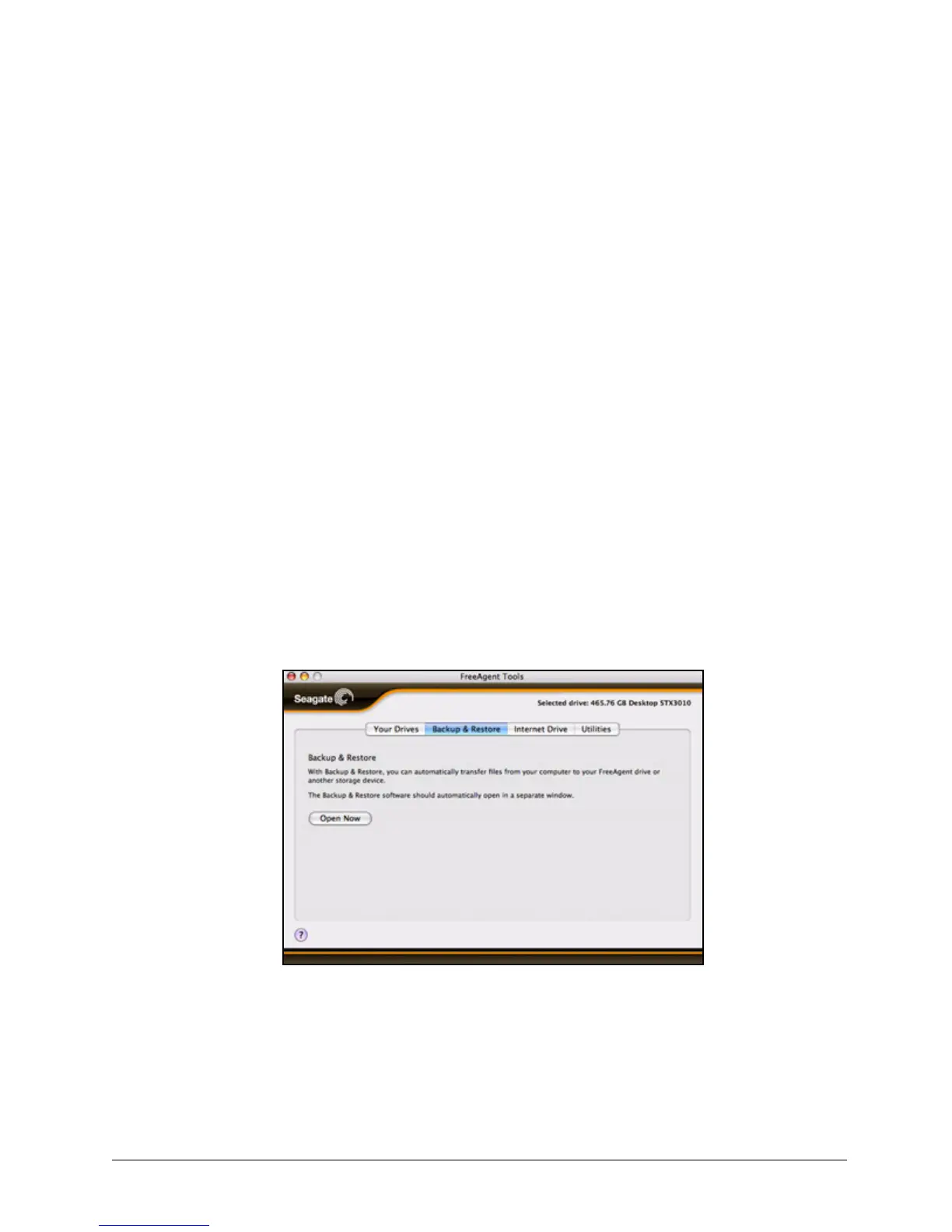
Step 2: Click the Backup & Restore tab
The Backup & Restore view opens:
Step 3: Click Open Now to open the Memeo LifeAgent registration window.
Step 4: Follow the directions provided to register your Memeo LifeAgent software and use
it to back up files.
Figure 20: Backup & Restore










 To Next Page