Updating Your Software 9
FreeAgent Pro for the Macintosh
Managing Your Drives
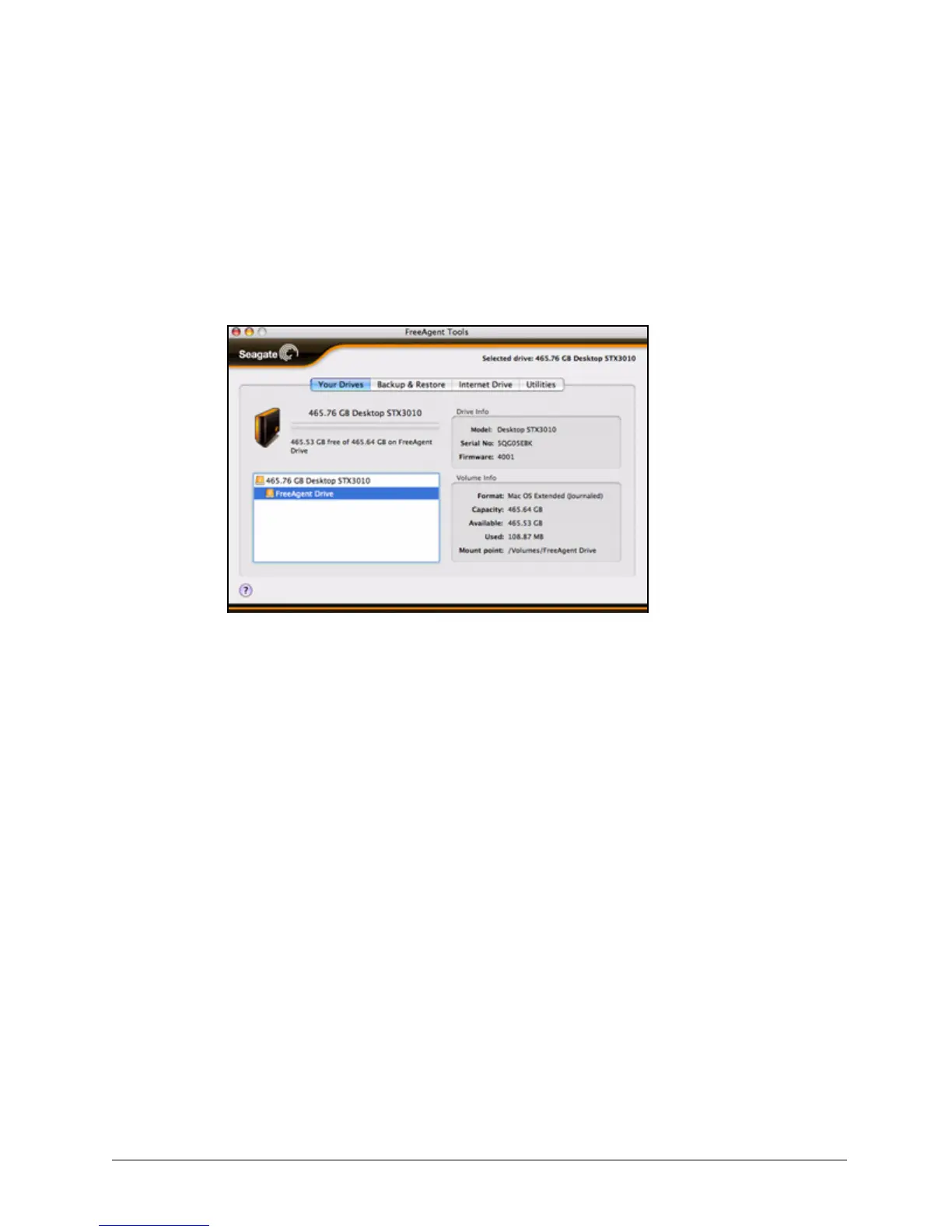
The Your Drives view provides a central point from which to manage your FreeAgent™
drives. It displays all FreeAgent devices connected to your computer:
The tabs across the top of the view allow you to access your drive features and manage
drive utilities.
Note: External drives are automatically detected and listed in the Your Drives list. It can take
several seconds for the Drive Manager software to detect your device. If your device
doesn’t appear, make sure it’s properly connected and turned on.
Updating Your Software
The Software Update feature automatically informs you each month of whether your
software is up to date. However, you can manually check to see if an update is available or
you can turn off the automatic Software Update feature.
Note: You can check manually for software updates or turn off Software Update from any view.
To manually check for updates or turn off Software Update,
Step 1. In the menu bar, go to FreeAgent > Check for Updates.
Figure 14: Your Drives










 To Next Page