Signing Up for Memeo 16
FreeAgent Pro for the Macintosh
Using the Internet Drive
The Seagate Internet Drive, powered by Memeo, provides password-protected space on
Seagate servers so you can access your files from any computer and share them with
others.
Signing Up for Memeo
You must sign up for the Seagate Internet Drive using the Product Key attached to the
Quick Start Guide in your FreeAgent drive shipping carton.
To sign up for and use the Internet Drive,
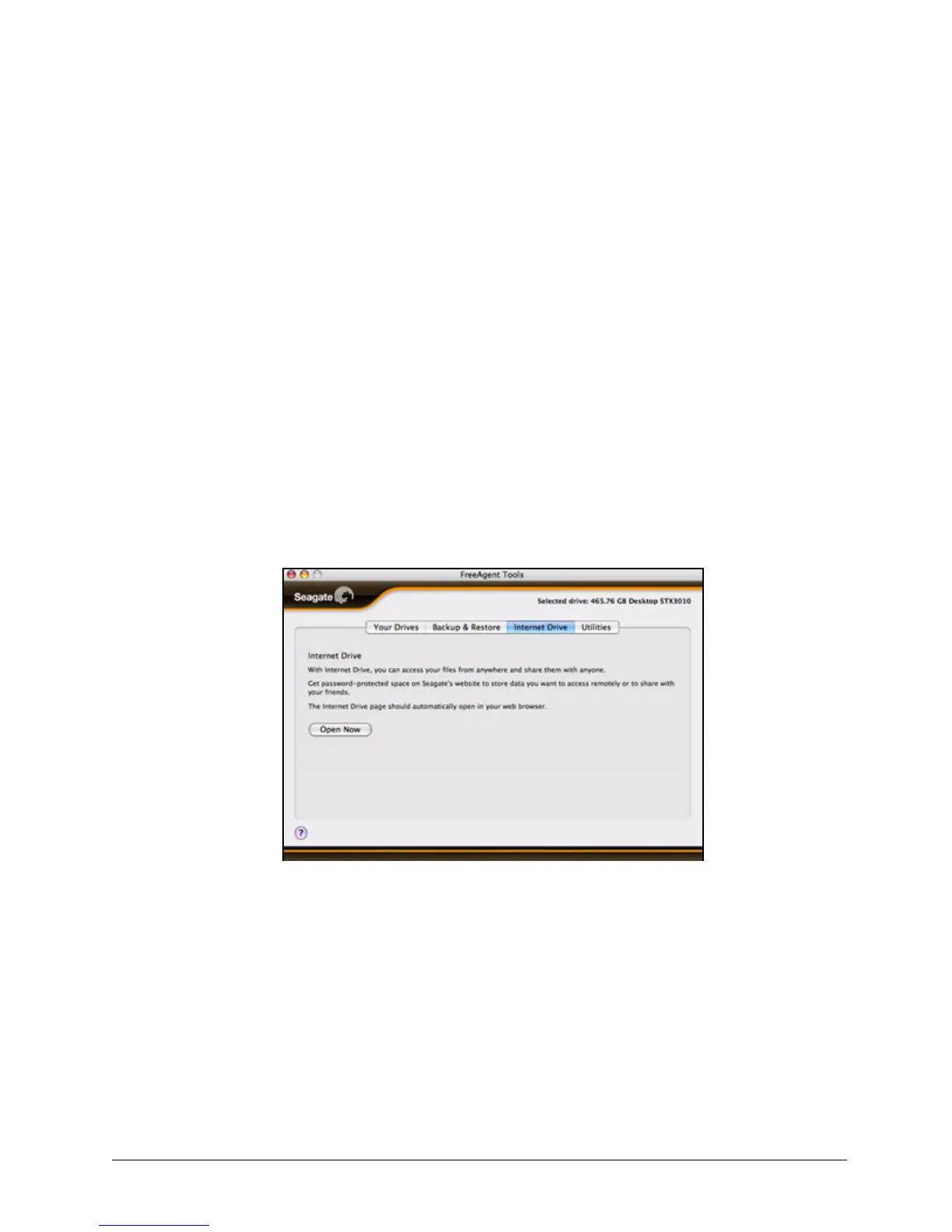
Step 1. Click the Internet Drive tab.
The Internet Drive view is displayed:
Step 2: Click Open Now to open the Seagate Memeo Internet Drive window.
Step 3: Follow the directions provided to sign up for and use the Internet Drive.
Figure 24: Internet Drive










 To Next Page